WSDA
®
-2000 User Manual
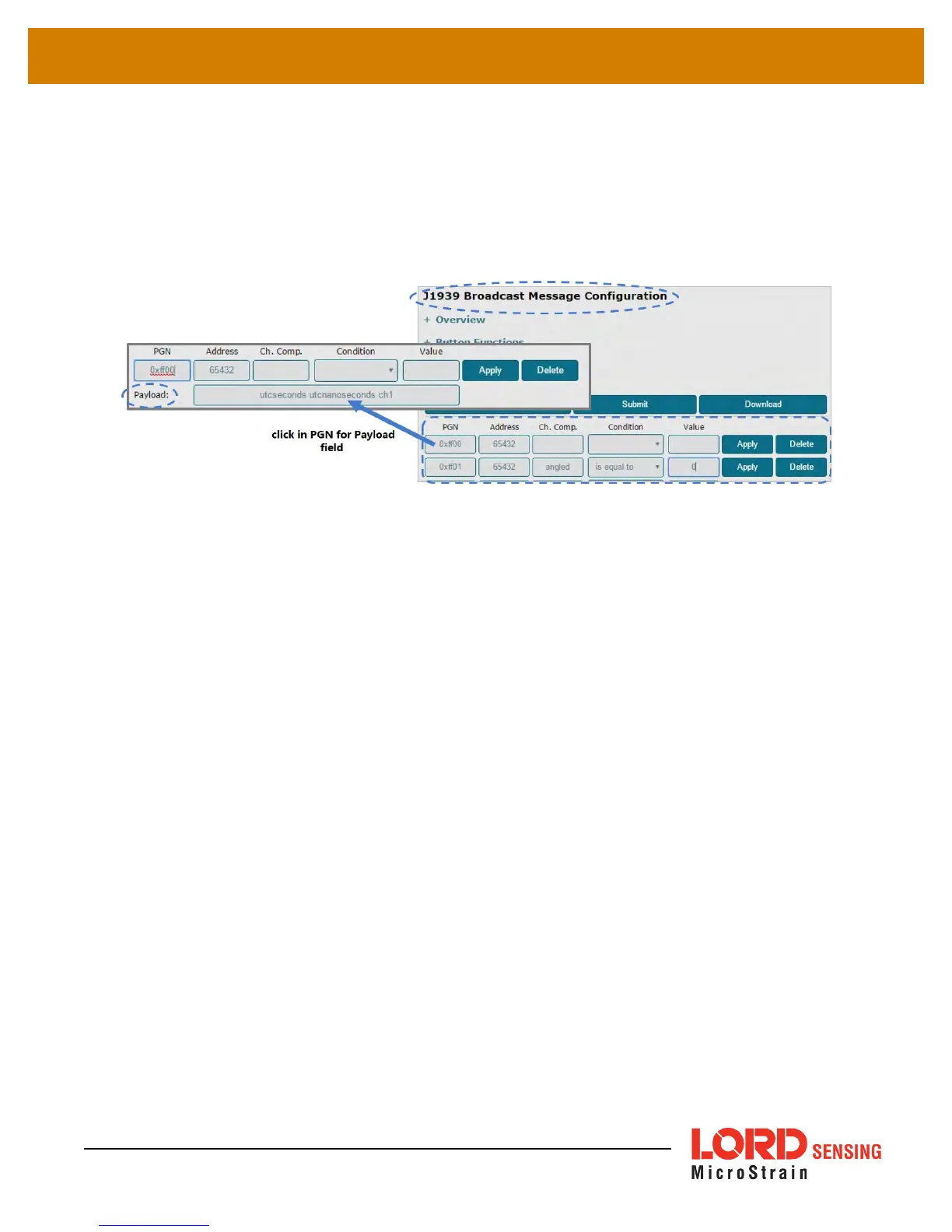
To enter the broadcast messages in the J1939 menu, type in the appropriate field. When the PGN
field is selected, the Payload field will appear. If all values for the message are to be included, leave
the Ch. Comp, Condition and Value fields blank . Select Apply at the end of the row to save the
message designations. Once all designations are entered, click the Submit button to save the
configuration (
Figure 13 - CAN J1939 Menu
). To save the configuration for future use, download to
a file using the Download button.
Figure 15 - Broadcast Message Menu Example
To use a text file, structure the data in the following format. Leave fields blank if all values are to be
included.
[
PGN
]
NodeAddress=
value
Protocol=
value
Variant=
value
Payload=
value
Condition=
channel name
:
operator
:
value
EXAMPLE:
Node 31463 was sampled in low duty cycle mode. Sensors are connected to channel 1, channel 2,
and channel 3. For channels 1 and 3 all data measurements will be sent to the CAN bus. For the
sensor on channel 2, only data values over 1.8 will be sent.
[0xFF00]
NodeAddress=31463
Protocol=4
Payload=ch1 ch3
[0xFF01]
NodeAddress=35
Protocol=4
Payload=ch2
Condition=ch2:>:1.8
26



 To Next Page