EasyManua.ls Logo

Lovibond Maxi Direct - Page 228

Lovibond Maxi Direct
268 pages
Print Icon
To Next Page IconTo Next Page
To Previous Page IconTo Previous Page
Loading...
226
MaxiDirect_2c 03/2010
Printing Parameter
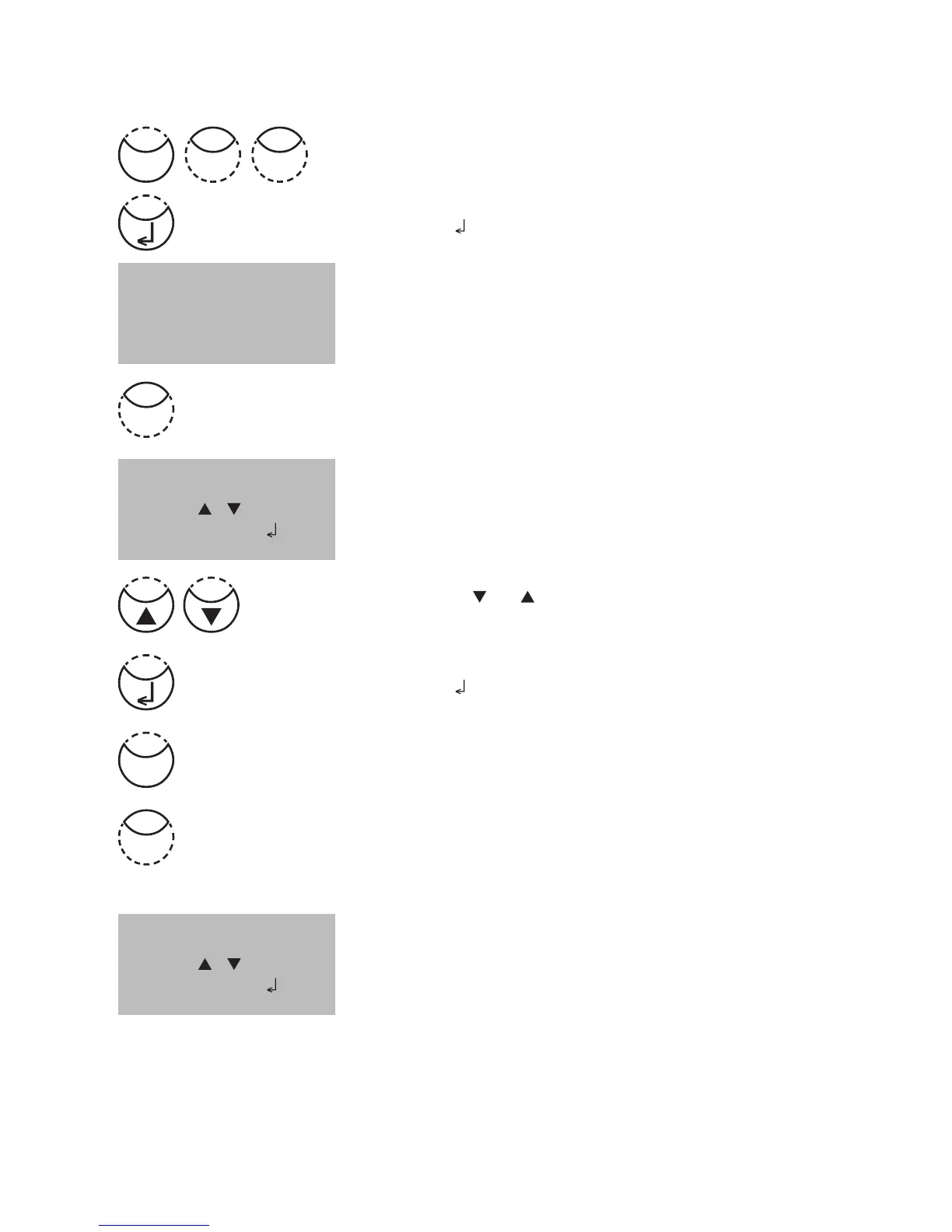
Press [MODE], [Shift] + [2][9] keys.
Confirm with [
] key.
The display shows:
Press [Shift] + [1] keys to select ”Flow control”.
The display shows:
Press arrow key [
] or [ ] to select the required Protocol.
(Xon/Xoff, no control)
Confirm with [
] key.
Finish with [ESC] key.
Flow Control will be set to the selection displayed at “is“.
Press [Shift] + [2] keys to select ”Baud rate”.
The display shows:
<printing parameter>
1: Flow control
2: Baud rate
cancel: ESC
<Flow Control>
is: Xon/Xoff
select: [ ] [ ]
save:
cancel: ESC
<Baud rate>
is: 19200
select: [ ] [ ]
save:
cancel: ESC
2
Mode
92
1
Esc

Table of Contents

Related product manuals