Technical Manual LÖWEN Dart HB8
01/2019 38
6.1 Entering Programming Mode
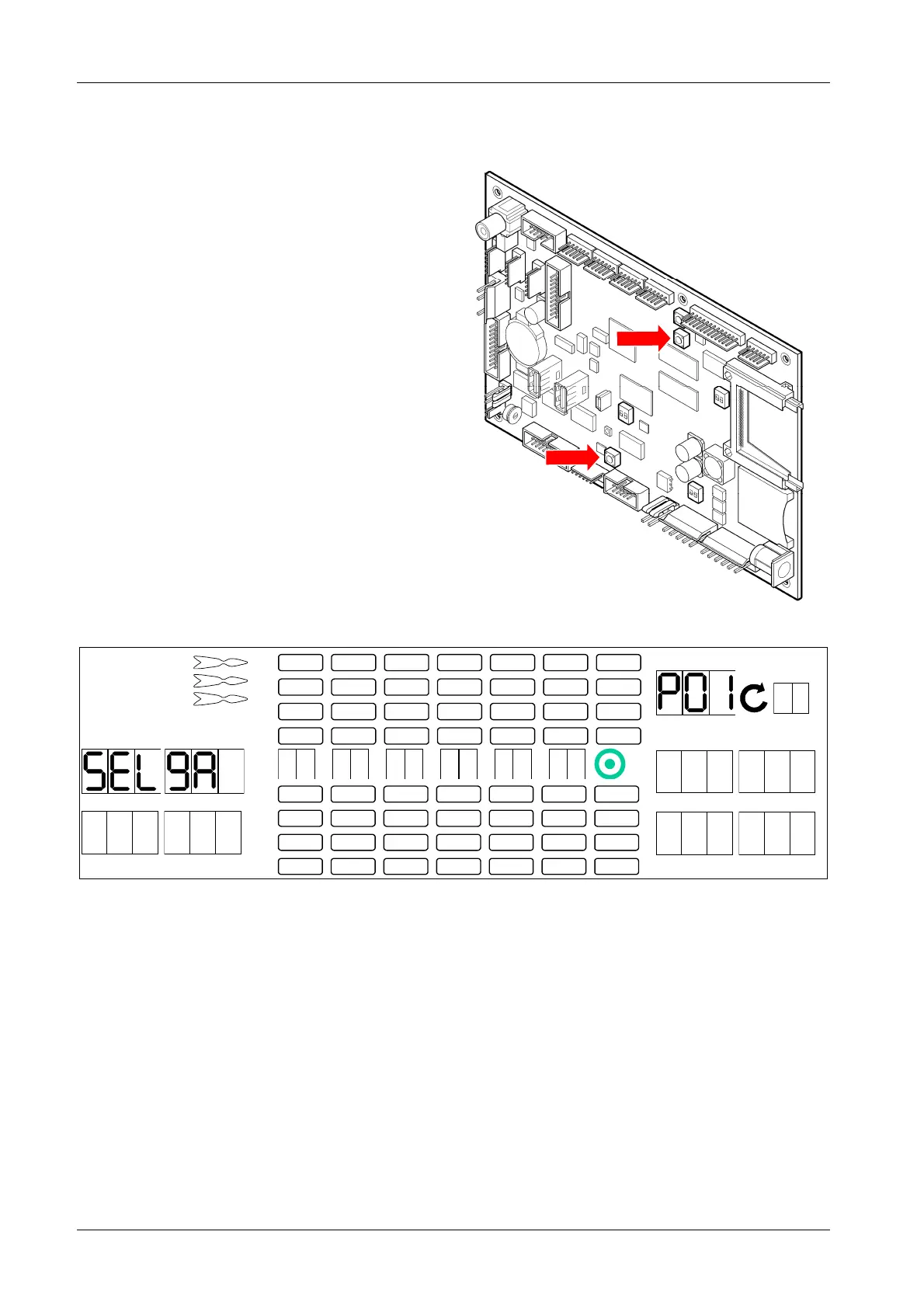
1. Press [TEST] button on the controller board.
tSt appears in the TEMP SCORE display.
2. Press [GAMES] or [OPTIONS I] button until Pr9
appears in the TEMP SCORE display.
3. Press [OPTIONS II] button to confirm.
4. If required:
If the security code has been activated, enter it
now (pls compare chapter 6.1.4 P04 - SEL SEC:
Security Code).
SEL 9A appears in player 1 – 2 display, and P01
in the TEMP SCORE display.
5. Press [GAMES] or [OPTIONS I] button until
desired programm Pxx appears in the TEMP
SCORE display.
6. Press [OPTIONEN II] button to confirm.
1 2
3 4
1
2
3
4
5
6
7
8
TEMP SCORE
5 6
7 8
7. Press [GAMES] or [OPTIONS I] button to make the corresponding settings.
8. Press [OPTIONS II] button to confirm.
Please note:
Upon reinitialization of the machine (pls compare chapter 6.1.2 P02 - SEL LAN: Language and
Country Version you also have to press and hold the [PROGRAM] button on the controller board.
9. Press [PLAYER CHANGE] button to exit.
[TEST] button
[PROGRAM]
button



 To Next Page