Technical Manual LÖWEN Dart HB8
01/2019 54
6.1.10 P12 - SEL dPr: Configuration Data Transfer to Other Machines
Transferring user-specific settings such as game settings, features, Happy Hour programming, or stepper
bonus credits, to other dart machines via USB flash drive. The machine ID code will not be transferred.
1. Put the USB flash drive (FAT) into an USB port (any position) on the controller board.
2. Press [TEST] button on the controller board.
SEL appears in the player 1 display.
3. Press [GAMES] or [OPTIONS I] button until Pr9 appears in the TEMP SCORE display.
4. Press [OPTIONS II] button to confirm.
P01 appears in the TEMP SCORE display.
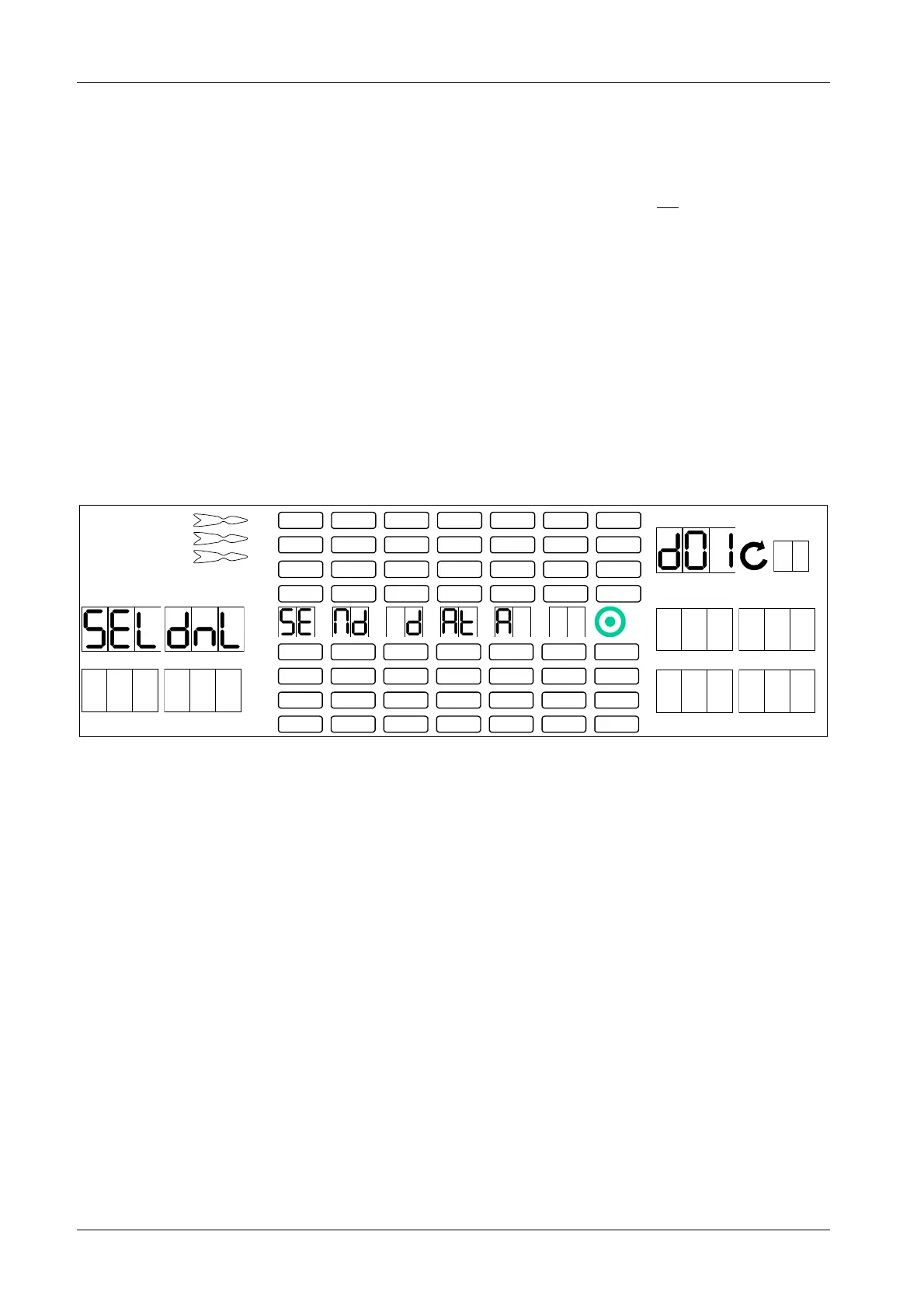
5. Press [GAMES] or [OPTIONS I] button until SEL dPr appears in the player 1 – 2 display, and P12 in
the TEMP SCORE display.
6. Press [OPTIONS II] button to confirm.
1 2
3 4
1
2
3
4
5
6
7
8
TEMP SCORE
5 6
7 8
7. Press [OPTIONS II] button to start the download. The settings will be copied to the USB flash drive.
Download is complete when dnL rdY appears in the player 5 – 6 display, and a bleep is heard.
8. Press [PLAYER CHANGE] button to exit.
9. Remove the USB flash drive from the controller board.



 To Next Page