Technical Manual LÖWEN Dart HB8
01/2019 60
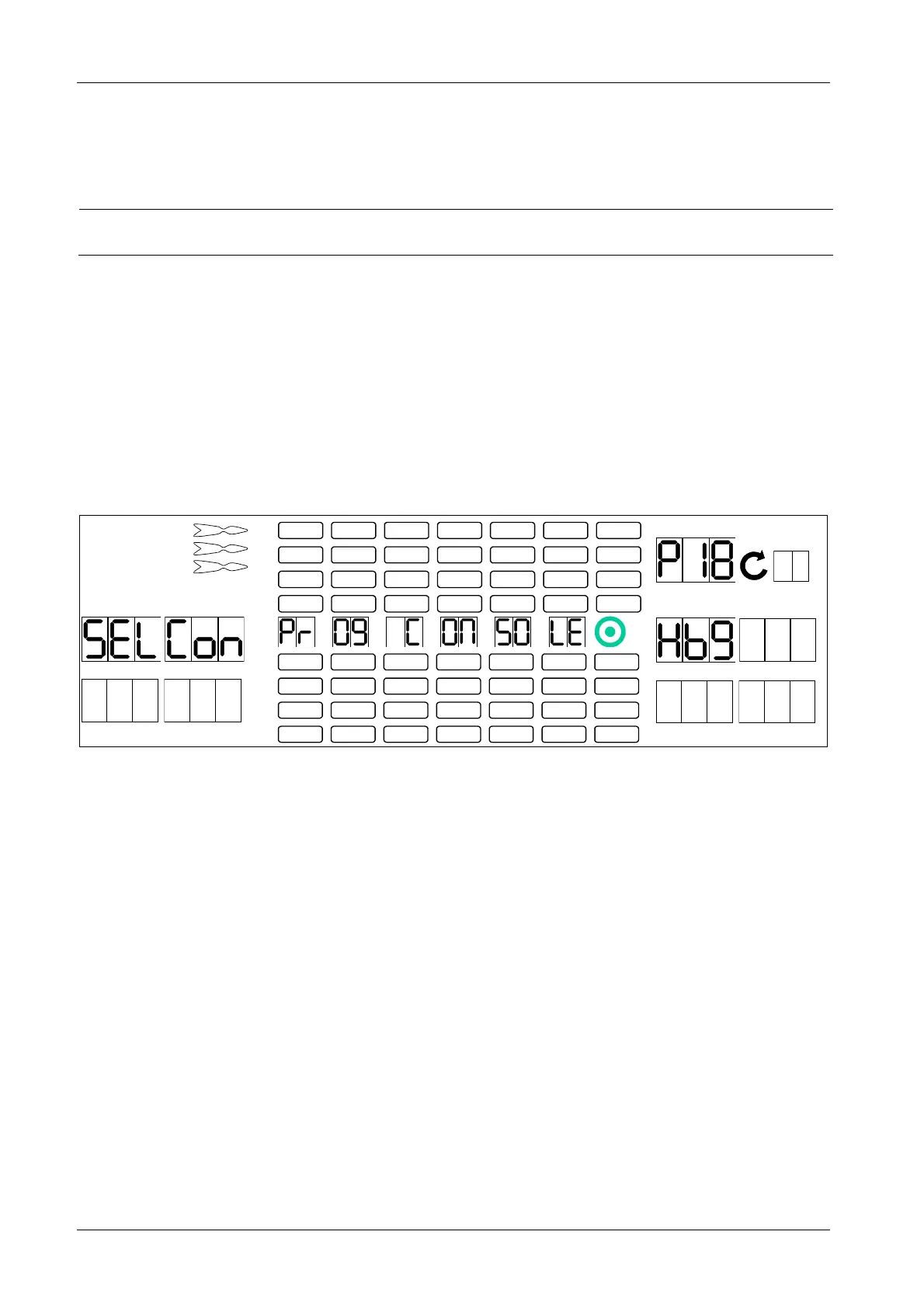
6.1.16 P18 - SEL Con: Console Select
Switching between different display settings, for example, HB8 country-specific, or HB9.
NOTICE
After adjusting P18 - SEL Con: Console Select you have to adjust
language and country settings in P02.
1. Press [TEST] button on the controller board.
tSt appears in the TEMP SCORE display.
2. Press [GAMES] or [OPTIONS I] button until Pr9 appears in the TEMP SCORE display.
3. Press [OPTIONS II] button to confirm.
P01 appears in the TEMP SCORE display.
4. Press [GAMES] or [OPTIONS I] button until SEL Con appears in player 1 – 2 display, and P18 in the
TEMP SCORE display.
5. Press [OPTIONS II] button to confirm.
1 2
3 4
1
2
3
4
5
6
7
8
TEMP SCORE
5 6
7 8
6. Press [GAMES] or [OPTIONS I] button until desired language (Hb8 dEU - German, Hb8 FrA - French,
Hb8 SPA - Spanish, Hb9) appears in player 5 – 6 display.
7. Press [OPTIONS II] button to confirm.
8. Press [PLAYER CHANGE] button to exit.



 To Next Page