Technical Manual LÖWEN Dart HB8
01/2019 71
7.2. Diagnostic Routines/ Test Programs
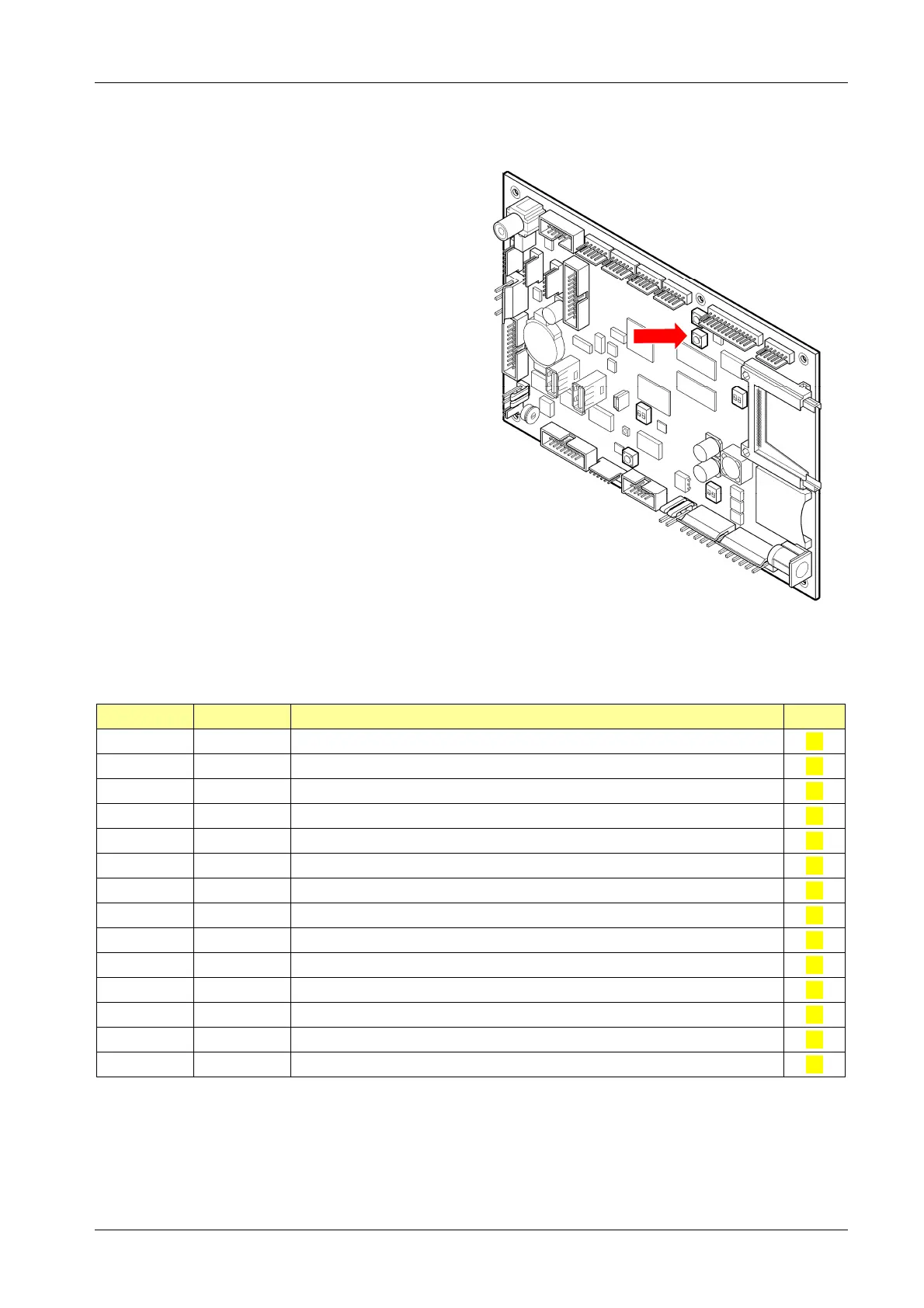
1. Press [TEST] button on the controller board.
tSt appears in the TEMP SCORE display.
2. Press [OPTIONS II] button to confirm.
3. Press [GAMES] or [OPTIONS I] button until the
requested program appears in the TEMP
SCORE display.
4. Press [OPTIONS II] button to confirm.
5. Press [GAMES] or [OPTIONS I] button to start
the corresponding test.
6. Press [OPTIONS II] button to confirm.
7. Press [PLAYER CHANGE] button to abort the
test, or to exit.
Overview Diagnostic Routines:
Program Display Description Page
t01 SEL bUt Push-Button Switch Test 72
t02 SEL dIS 7 Segment Display and LED Test 72
t03 SEL SOU Audio Test 73
t04 SEL tAr Target Segment Test 73
t05 SEL LP Lamp Test 74
t06 SEL Crt Cricket LED Test 74
t07 SEL brN Burn-in Test 75
t08 SEL Ir Infrared Sensor Test 75
t09 SEL drt Dart Sensor Test 76
t10 SEL PLr Game Select LED Test 76
t12 SEL Sd SD Card Interface Test 76
t13 SEL CF CF Card Interface Test 76
t14 SEL USb USB Interface Test 76
t15 SEL Pnt Printout Machine Settings PrINt LONG ↔ PrINt SHOrt 77
[TEST]
Button



 To Next Page