Technical Manual LÖWEN Dart HB8
01/2019 53
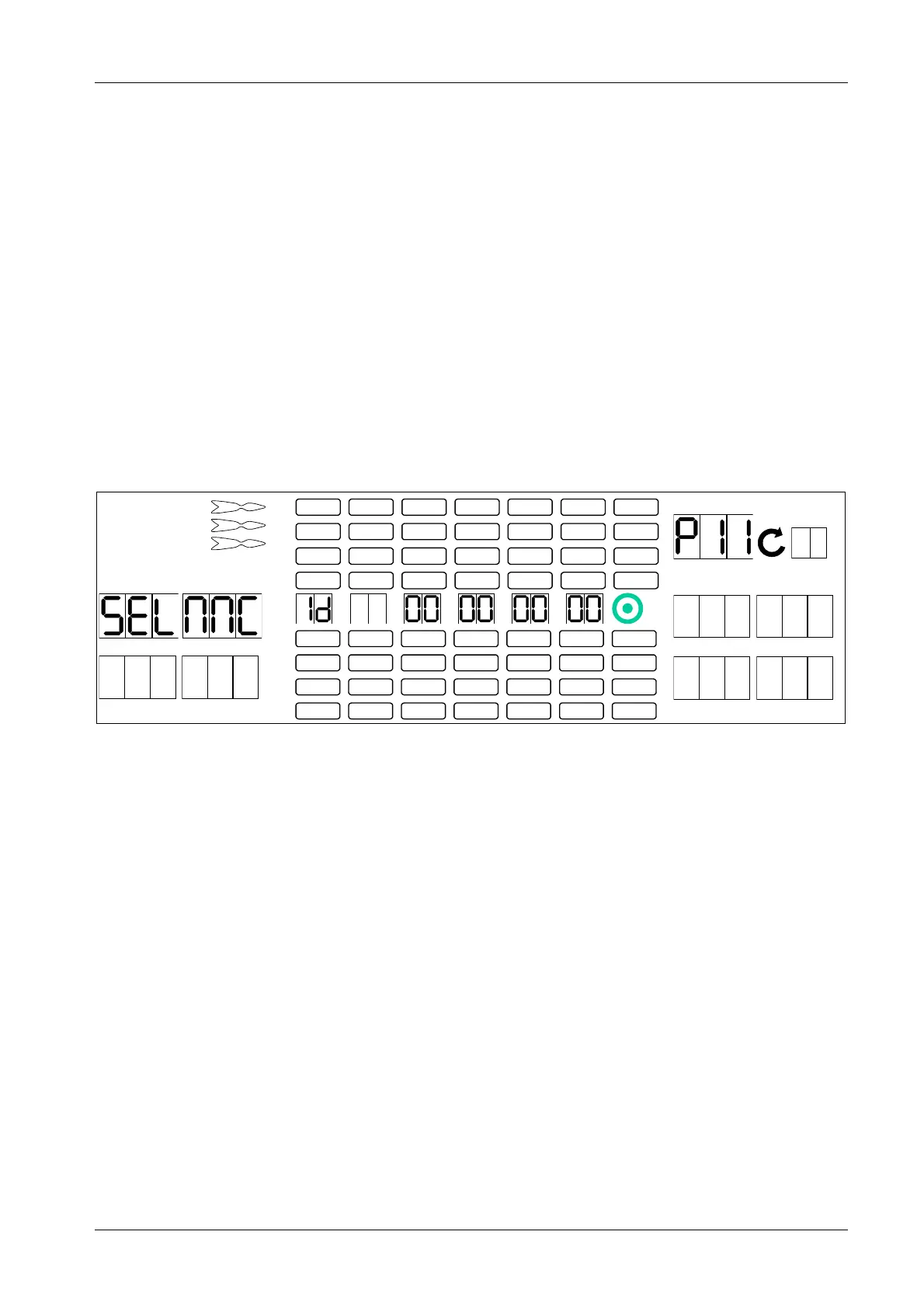
6.1.9 P11 - SEL NNC: Machine ID Code Programming
The machine ID code is an 8 digit number you may freely select. The machine ID code will be printed on any
DATAreader (or similar readout device) statistics printout, and enables you to assign each machine to its
corresponding DATAreader printout(s). Factory setting: 00000000.
1. Press [TEST] button on the controller board.
tSt appears in the TEMP SCORE display.
2. Press [GAMES] or [OPTIONS I] button until Pr9 appears in the TEMP SCORE display.
3. Press [OPTIONS II] button to confirm.
P01 appears in the TEMP SCORE display.
4. Press [GAMES] or [OPTIONS I] button until SEL NNC appears in the player 1 – 2 display, and P11 in
the TEMP SCORE display.
5. Press [OPTIONS II] button to confirm.
1 2
3 4
1
2
3
4
5
6
7
8
TEMP SCORE
5 6
7 8
6. Press target segments 1 thru 9 and Bullseye (=0) to enter the machine ID code. The numbers will be
displayed in the Cricket display.
7. Press [OPTIONS II] button to confirm.
8. Press [PLAYER CHANGE] button to exit.



 To Next Page