Technical Manual LÖWEN Dart HB8
01/2019 43
6.1.2 P02 - SEL LAN: Language and Country Version Programming
Factory setting for this dart game is German language, and country version.
The language version can be adjusted. Messages in the Cricket display, if available, will be displayed in the
adjusted language.
NOTICE
Prior to programming the language and country version, you have to
select the corresponding console in P18 - SEL Con: Console Select.
Some features depend on model and country setting, and are thus only
displayed for the corresponding model and country setting.
1. Press [TEST] button on the controller board.
tSt appears in the TEMP SCORE display.
2. Press [GAMES] or [OPTIONS I] button until Pr9 appears in the TEMP SCORE display.
3. Press [OPTIONS II] button to confirm.
P01 appears in the TEMP SCORE display.
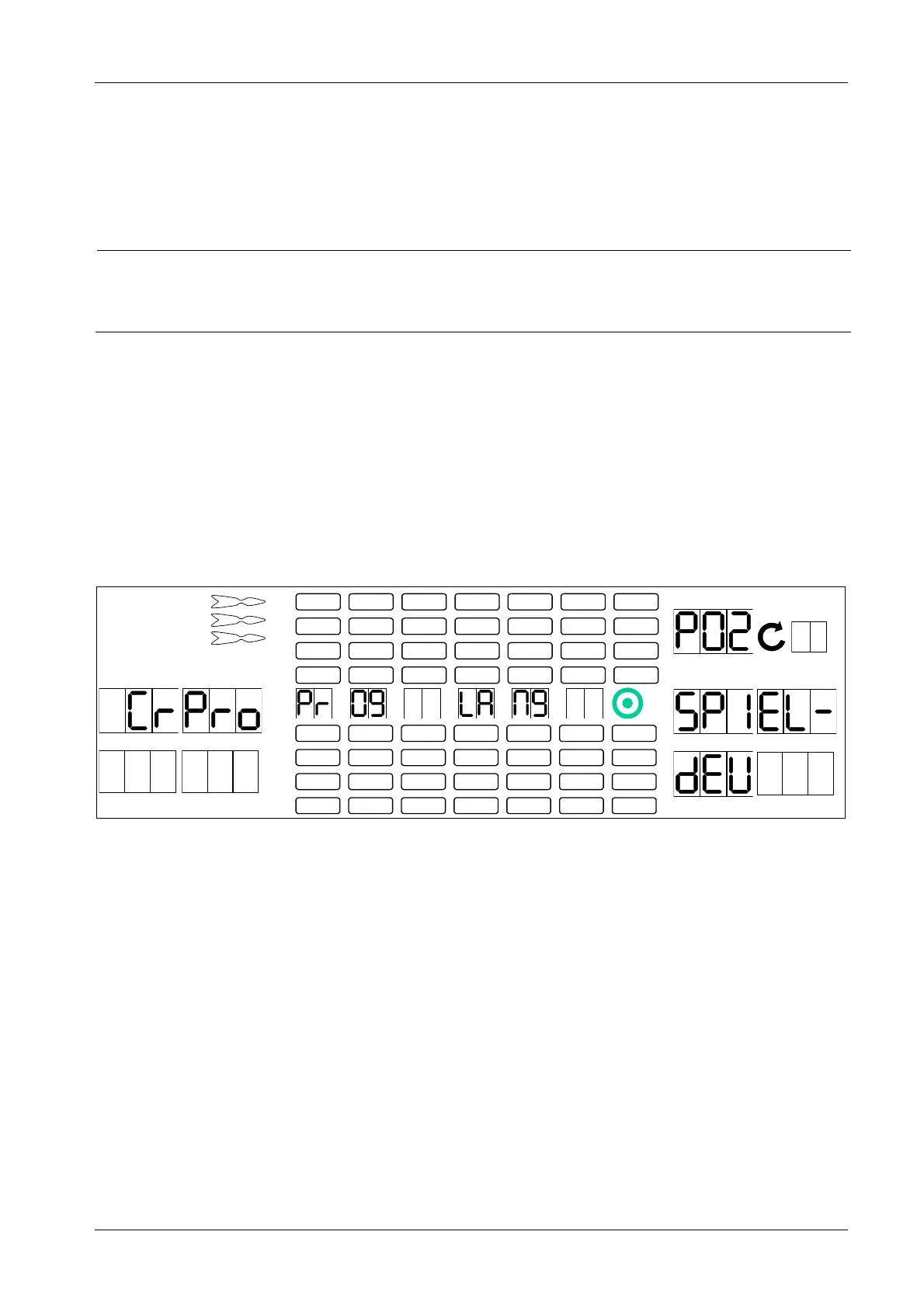
4. Press [GAMES] or [OPTIONS I] button until SEL LAN appears in the player 1 – 2 display, and P02 in
the TEMP SCORE display.
5. Press [OPTIONS II] button to confirm.
1 2
3 4
1
2
3
4
5
6
7
8
TEMP SCORE
5 6
7 8
6. Press [GAMES] or [OPTIONS I] button until the desired language appears in player 5 – 6 – 7 display.
The following country options are available:
SPIEL dEU = Germany (factory setting)
JOUEUr FrA = France
PEr9Io ItA = Italy
JU9Adr SPA = Spain
EAPLr En9 = Great Britain
SPIEL AUt = Austria
SPIEL CH = Switzerland
Note: Some features are only available for specific country versions.
7. Simultaneously press [PROGRAM] button on the controller board and [OPTIONS II] button to
confirm. The machine bleeps four times to confirm successful initialization.
8. Press [PLAYER CHANGE] button to exit.



 To Next Page