Technical Manual LÖWEN Dart HB8
01/2019 45
6.1.4 P04 - SEL SEC: Security Code Programming
Programming a four digit security code which protects against unauthorized access. If activated, this code
has to be entered in the program, statistics and test mode. Factory setting: 0000.
1. Press [TEST] button on the controller board.
tSt appears in the TEMP SCORE display.
2. Press [GAMES] or [OPTIONS I] button until Pr9 appears in the TEMP SCORE display.
3. Press [OPTIONS II] button to confirm.
P01 appears in the TEMP SCORE display.
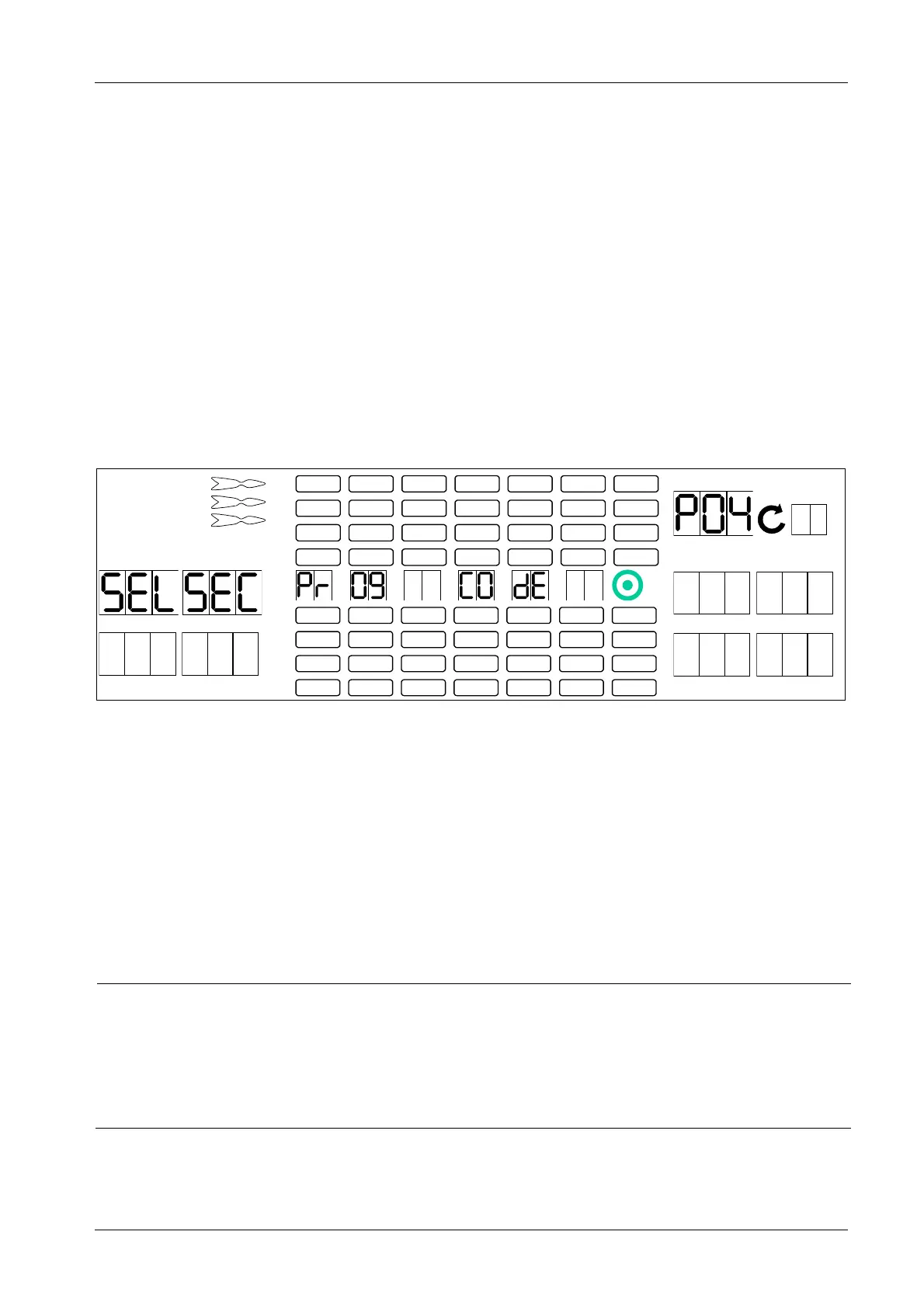
4. Press [GAMES] or [OPTIONS I] button until SEL SEC appears in the player 1 – 2 display, and P04 in
the TEMP SCORE display.
5. Press [OPTIONS II] button to confirm.
1 2
3 4
1
2
3
4
5
6
7
8
TEMP SCORE
5 6
7 8
6. Press and hold the [PROGRAM] button on the controller board while pressing target segments 1 – 9
and Bullseye (= 0) to enter the current security code (factory setting is 0000).
7. Once the current code has been entered, ENt appears in the player 1 display. Let go the [PROGRAM]
button on the controller board.
8. Press target segments 1 thru 9 and Bullseye (= 0) to enter a new security code (four digits). The new
code appears on player 1 – 2 – 3 – 4 display upon each segment pressed.
9. Press [OPTIONS II] button to confirm.
10. Press [PLAYER CHANGE] button to exit.
NOTICE
If the security code has been entered incorrectly three times, the Cricket
display shows “Call Hotline”, and the player 1 – 4 displays shows one
figure each. These figures represent the rescue code.
Please inform LÖWEN Export, and report the rescue code. You will receive an
answer code. If you insert this answer code, the security code is reset to factory
setting 0000.



 To Next Page