Technical Manual LÖWEN Dart HB8
01/2019 56
6.1.11 P13 - SEL StP: Stepper Bonus Credits Programming
Granting bonus credits upon reaching a pre-adjusted credit level. The credit levels range from 2.50 € thru
5.00 € in 10 Cent steps. Bonus credits are freely adjustable from 1 thru 10 credits. As soon as a game is
started, the internal stepper counter for the bonus credit is set back to 0. Factory setting: Stepper mode
deactivated.
1. Press [TEST] button on the controller board.
tSt appears in the TEMP SCORE display.
2. Press [GAMES] or [OPTIONS I] button until Pr9 appears in the TEMP SCORE display.
3. Press [OPTIONS II] button to confirm.
P01 appears in the TEMP SCORE display.
4. Press [GAMES] or [OPTIONS I] button until SEL StP appears in the player 1 – 2 display, and P13 in
the TEMP SCORE display.
5. Press [OPTIONS II] button to confirm.
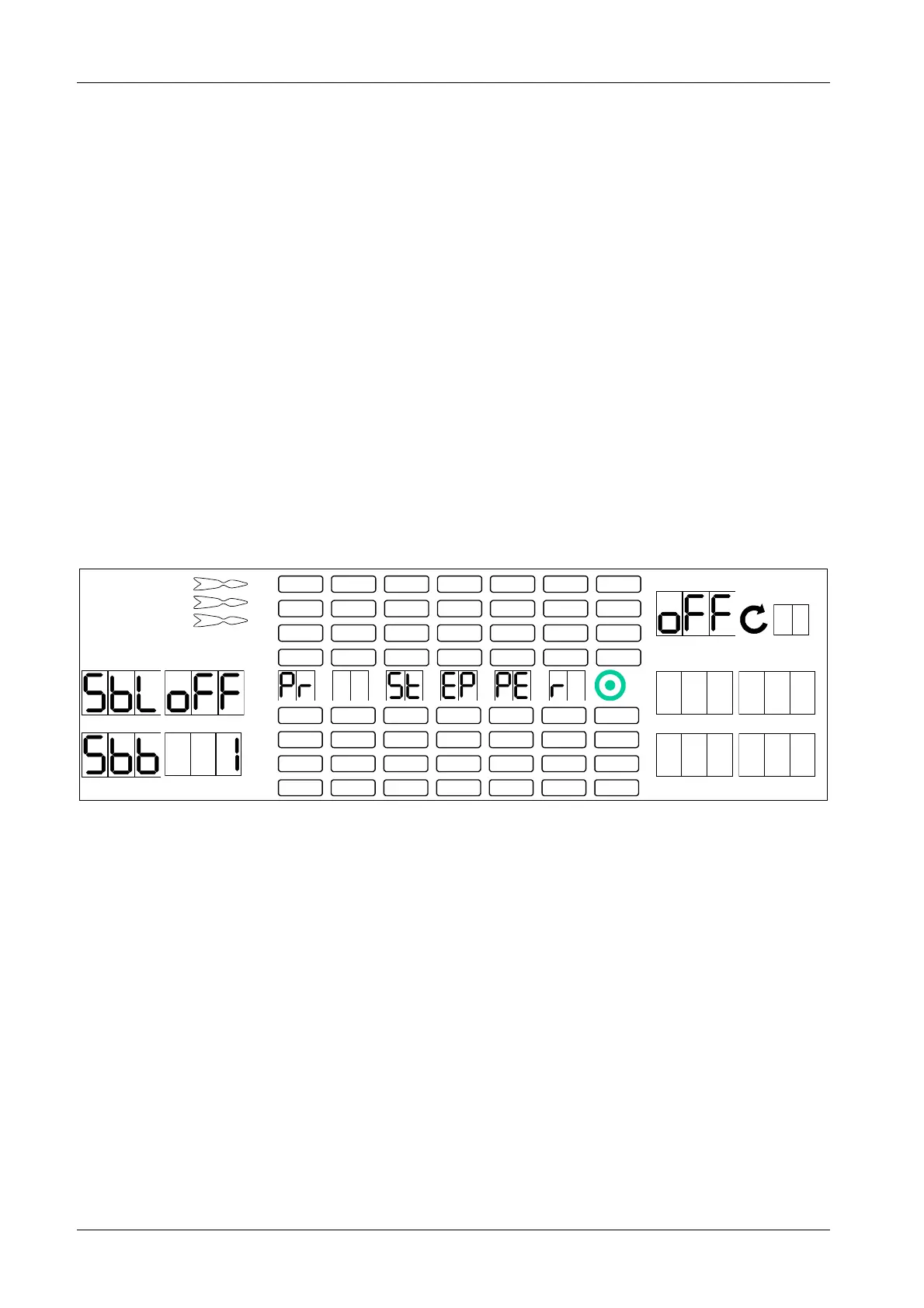
Factory setting:
Player 1 display shows SbL, player 2 display shows oFF (figure 2 is flashing), player 3 display shows
Sbb, player 4 display shows 1.
1 2
3 4
1
2
3
4
5
6
7
8
TEMP SCORE
5 6
7 8
6. Press target segments 1 thru 9 and Bullseye (=0) to adjust the stepper credit level between 2.50 and
5.0 € in 10 Cent steps. The adjusted value will be displayed in the TEMP SCORE display.
7. Press [OPTIONS II] button to confirm. The entered value will be transferred from the TEMP SCORE
display to the player 2 display.
8. Press [GAMES] button to reach player 4 display (figure 4 is flashing).
9. Press target segments 1 thru 9 and Bullseye (=0) to adjust the number of stepper bonus credits
between 1 and 10. Factory setting: 1 credit.
10. Press [OPTIONS II] button to confirm. The entered value will be transferred from the TEMP SCORE
display to the player 4 display.
11. Press [PLAYER CHANGE] button to exit.



 To Next Page