Technical Manual LÖWEN Dart HB8
01/2019 67
6.2.3 S03 - SEL tP: View Credit Statistics
Displaying credits and bonus credits.
1. Press [TEST] button on the controller board.
tSt appears in the TEMP SCORE display.
2. Press [GAMES] or [OPTIONS I] button until StA appears in the TEMP SCORE display.
3. Press [OPTIONS II] button to confirm.
S01 appears in the TEMP SCORE display.
4. Press [GAMES] or [OPTIONS I] button until SEL tP appears in player 1 – 2 display and S03 in the
TEMP SCORE display.
5. Press [OPTIONS II] button to confirm.
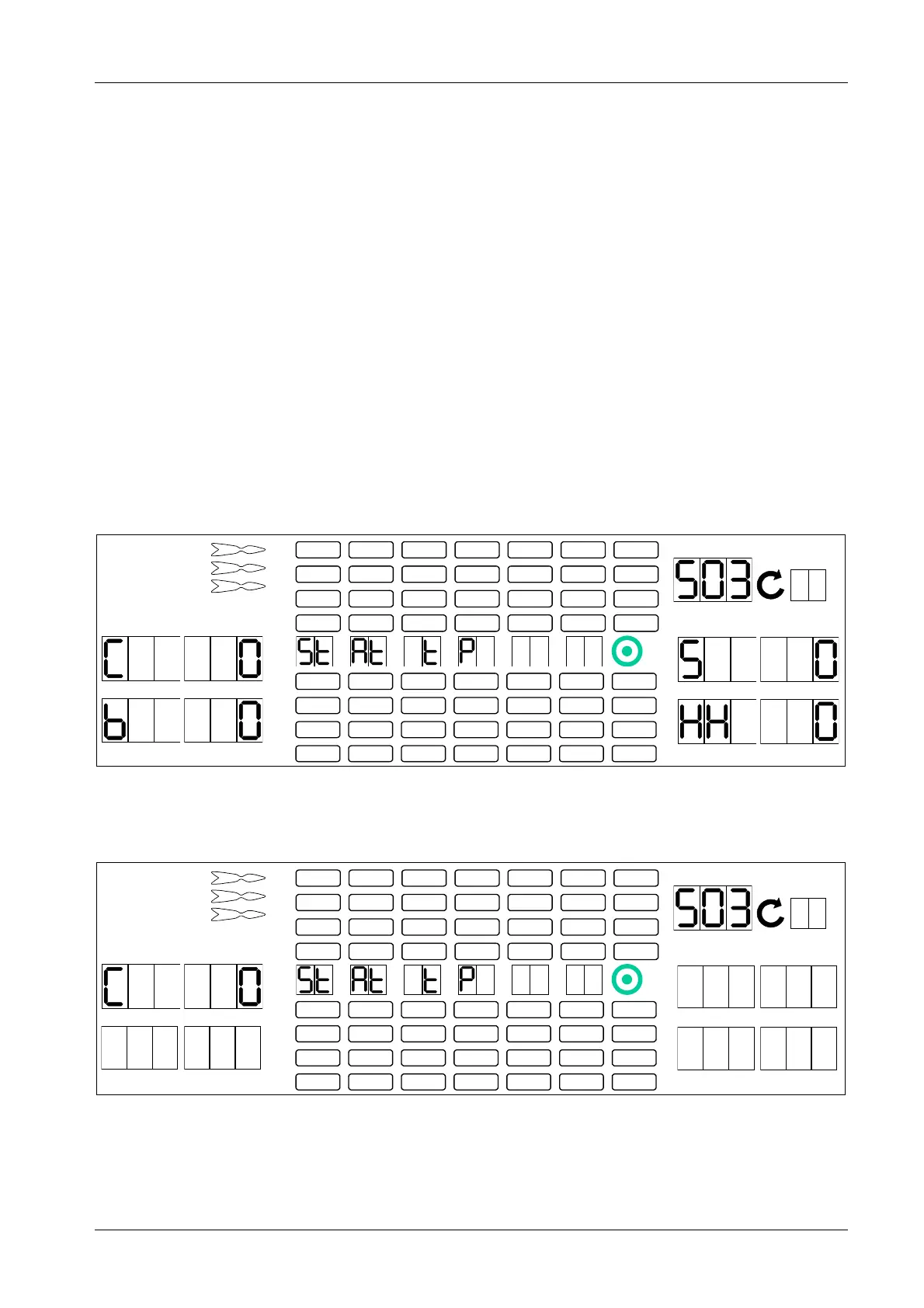
Explanation of displayed data:
C = Number of given credits (for coins/ banknotes)
b = Number of given bonus credits
S = Stepper bonus credits
HH = Happy Hour credits
1 2
3 4
1
2
3
4
5
6
7
8
TEMP SCORE
5 6
7 8
6. Press [GAMES] button.
Total number of used credits appears in player 1 – 2 display.
1 2
3 4
1
2
3
4
5
6
7
8
TEMP SCORE
5 6
7 8



 To Next Page