Technical Manual LÖWEN Dart HB8
01/2019 40
6.1.1 P01 - SEL 9A: Game Settings
Programming number of credits per game, Bullseye setting, and round limits.
Factory setting: Please compare page 42.
1. Press [TEST] button on the controller board.
tSt appears in the TEMP SCORE display.
2. Press [GAMES] or [OPTIONS I] button until Pr9 appears in the TEMP SCORE display.
3. Press [OPTIONS II] button to confirm.
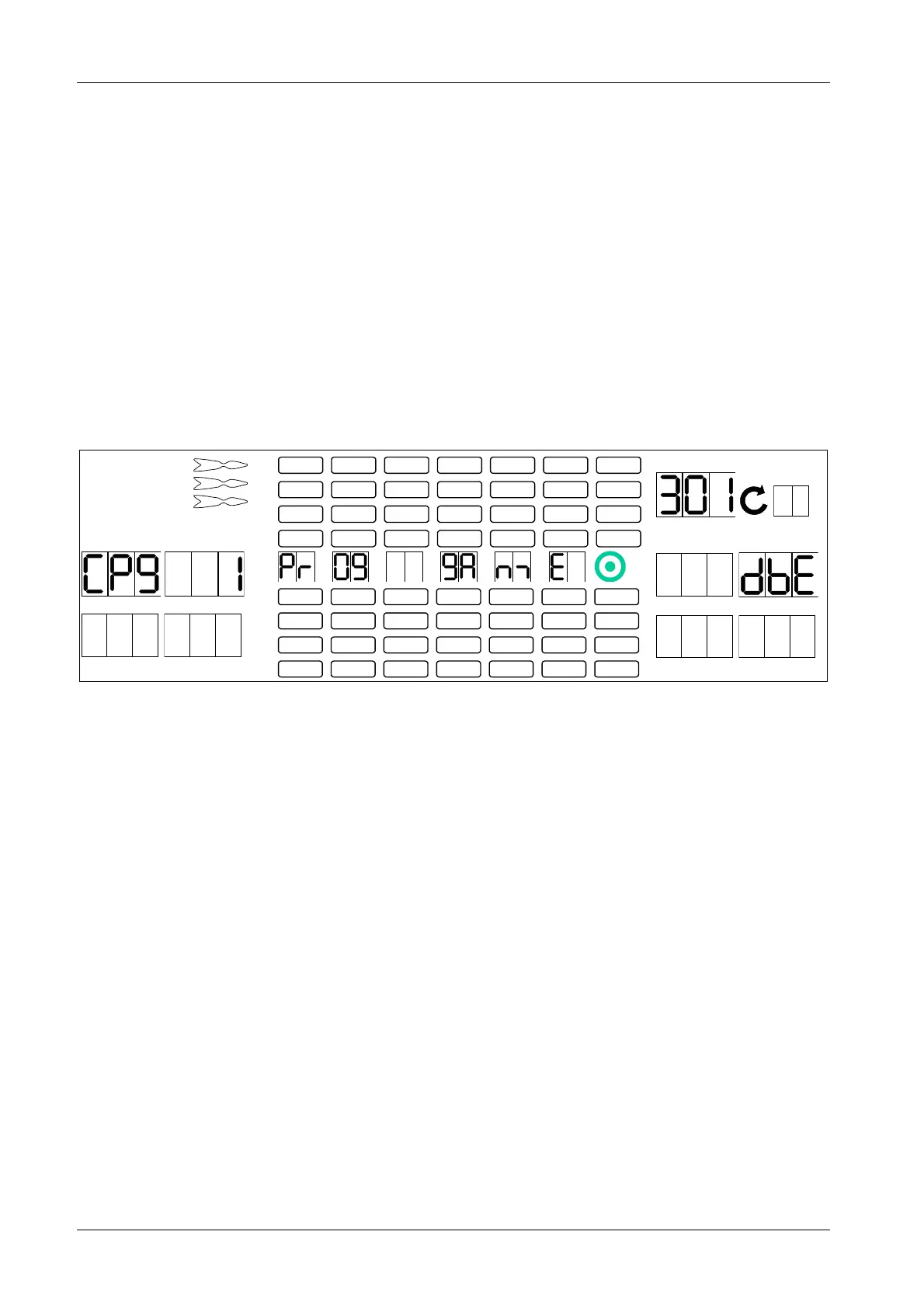
SEL 9A appears in player 1 – 2 display, and P01 in the TEMP SCORE display.
4. Press [OPTIONS II] button to confirm.
CP9 appears in the player 1 display, and 301 in the TEMP SCORE display.
The number of credits per game is displayed in player 2 display.
1 2
3 4
1
2
3
4
5
6
7
8
TEMP SCORE
5 6
7 8
5. Press [GAMES] or [OPTIONS I] button until desired game appears in the TEMP SCORE display.
6. Press the corresponding target segments 1 – 9 in order to insert a new number of credits.
The current target setting (bE – blue ring/ outer Bullseye, and red dot/ inner Bullseye score 50 points
each/ dbE – blue ring/ outer Bullseye scores 25 points, red dot/ inner Bullseye scores 50 points) is
displayed in player 6 display.
Press segment 20 in order to change the Bullseye value.
The new value will be displayed in player 5 display.
7. Press [OPTIONS II] button to confirm.



 To Next Page