Technical Manual LÖWEN Dart HB8
01/2019 44
6.1.3 P03 - SEL CN: Credit per Coin Programming
Programming number of credits per coin/ banknote/ token, registered coin channel, and money value.
1. Press [TEST] button on the controller board.
tSt appears in the TEMP SCORE display.
2. Press [GAMES] or [OPTIONS I] button until Pr9 appears in the TEMP SCORE display.
3. Press [OPTIONS II] button to confirm.
P01 appears in the TEMP SCORE display.
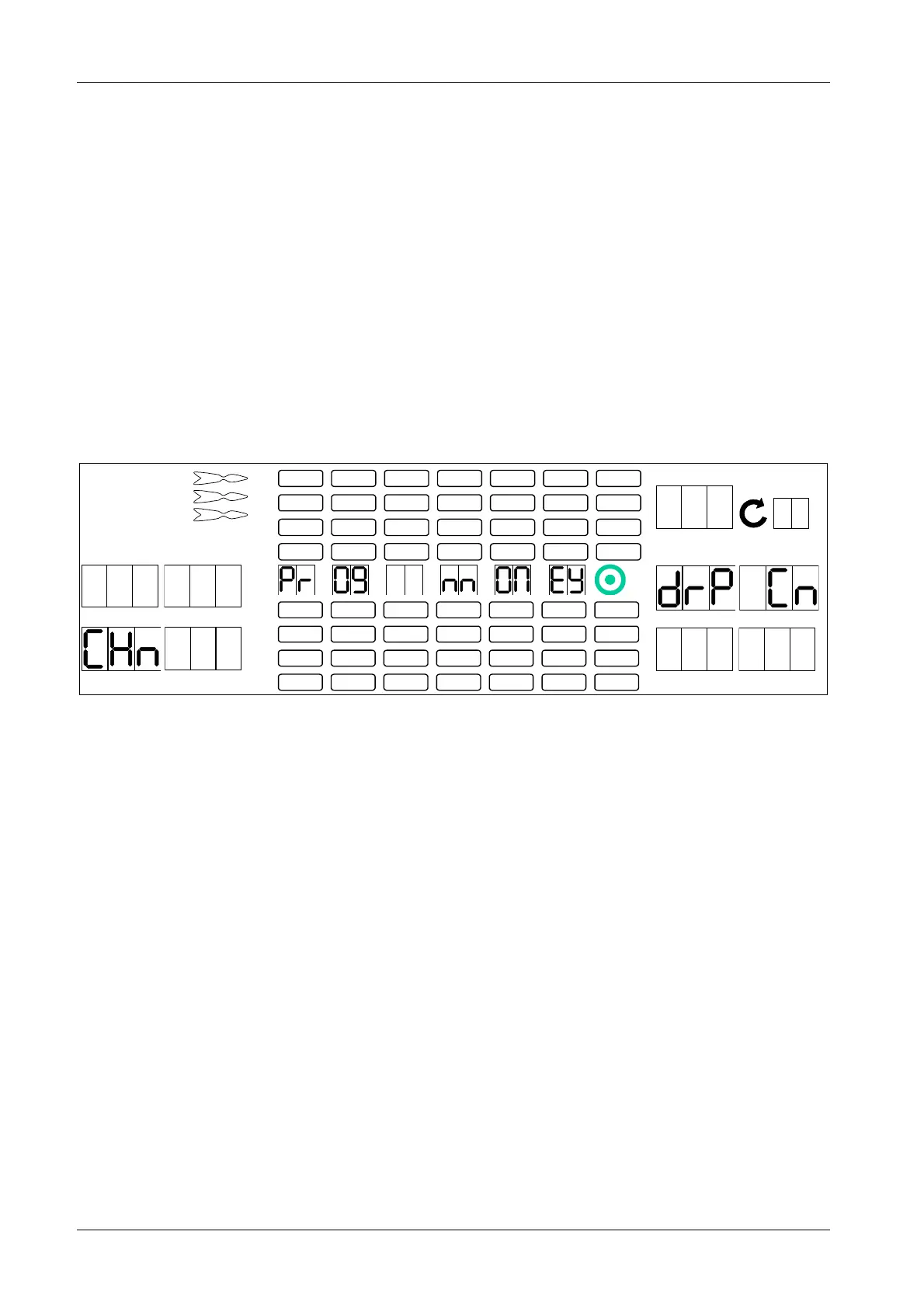
4. Press [GAMES] or [OPTIONS I] button until SEL CN appears in the player 1 – 2 display and P03 in the
TEMP SCORE display.
5. Press [OPTIONS II] button to confirm.
drP Cn appears in the player 5 – 6 display.
1 2
3 4
1
2
3
4
5
6
7
8
TEMP SCORE
5 6
7 8
6. Insert a coin, token or banknote. The machine will display the current setting for this coin, token or
banknote. Player 2 display will show number of credits per coin, token or banknote (Cr) while player 4
display will show the corresponding coin channel (CHn).
7. Press the corresponding target segments 1 – 9 in order to program a different number of credits per
coin, token or banknote. Maximum number of credits per coin, token or banknote is 99.
The new value Cr will be displayed in the TEMP SCORE display.
8. Press [OPTIONS II] button to confirm.
The new value will be displayed in the player 2 display.
9. Press [PROGRAM] button on the controller board.
10. The current money value setting will be displayed as follows: Player 2 display shows the money value
(CA) and player 4 display the corresponding coin channel (CHn).
11. If required: Press corresponding target segments 1 – 9 in order to program a new money value. The
new CA value will be displayed in the TEMP SCORE display.
12. Press [OPTIONS II] button to confirm.
The new value will be displayed in the player 2 display.
13. If required, repeat steps 6 – 10 for each coin, token or banknote.
14. Press [PLAYER CHANGE] button to exit.



 To Next Page