Technical Manual LÖWEN Dart HB8
01/2019 51
NOTICE Bonus level and bonus credit must be programmed for each individual Happy
Hour place. After expiration of the Happy Hour time period, not used Happy
Hour bonus credits will be deleted. Happy Hour bonus credits are separately
listed in the statistics printout.
Copying Happy Hour programming from one weekday to another
1. Press the [TEST] button on the controller board.
tSt appears in the TEMP SCORE display.
2. Press the [GAMES] or [OPTIONS I] button until Pr9 appears in the TEMP SCORE display.
3. Press the [OPTIONS II] button to confirm. P01 appears in the TEMP SCORE display.
4. Press the [GAMES] or [OPTIONS I] button until SEL HHP appears in the player 1 – 2 display, and P07
in the TEMP SCORE display.
5. Press the [OPTIONS II] button to confirm.
6. Use [GAMES] or [OPTIONS I] button to select the previously programmed weekday.
(1 = Monday thru 7 = Sunday).
1 2
3 4
1
2
3
4
5
6
7
8
TEMP SCORE
5 6
7 8
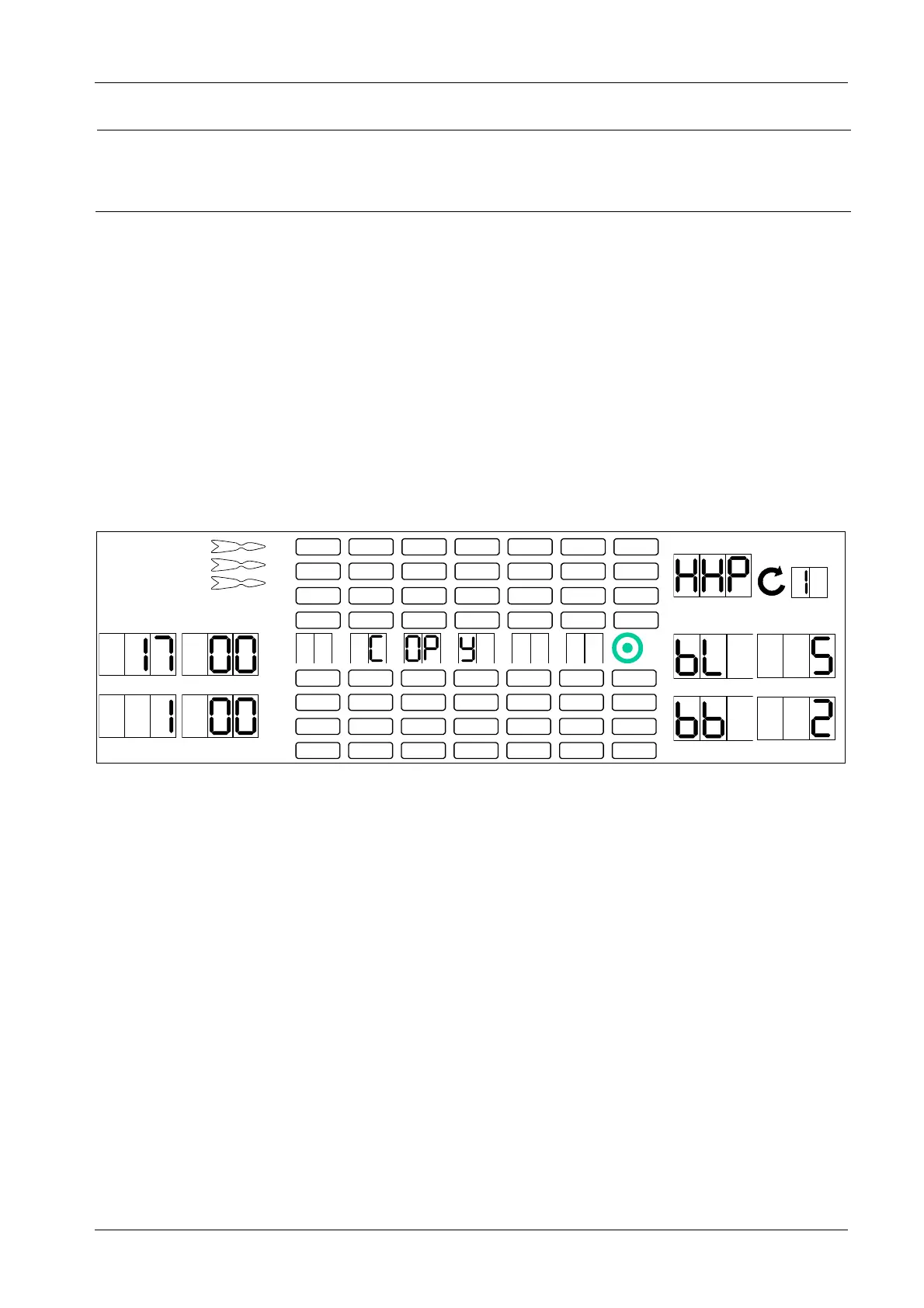
7. Press the [GAMES] or [OPTIONS I] button until COPY appears in the Cricket display.
8. Press the [OPTIONS II] button to confirm the COPY function. The Happy Hour weekday will start
flashing in the round display.
9. Press the [GAMES] or [OPTIONS I] button to select the desired weekday for the new Happy Hour
place.
10. Press the [OPTIONS II] button to start the copying process.
The copying process is finished as soon as a bleep is sounded.
11. Press the [PLAYER CHANGE] button to exit.



 To Next Page