3 -7
ⓕ Tire rolling circumference and Vehicle speed
The rolling circumference of the rear tire and the
vehicle speed are displayed in mm/inch and
km/h/mph.
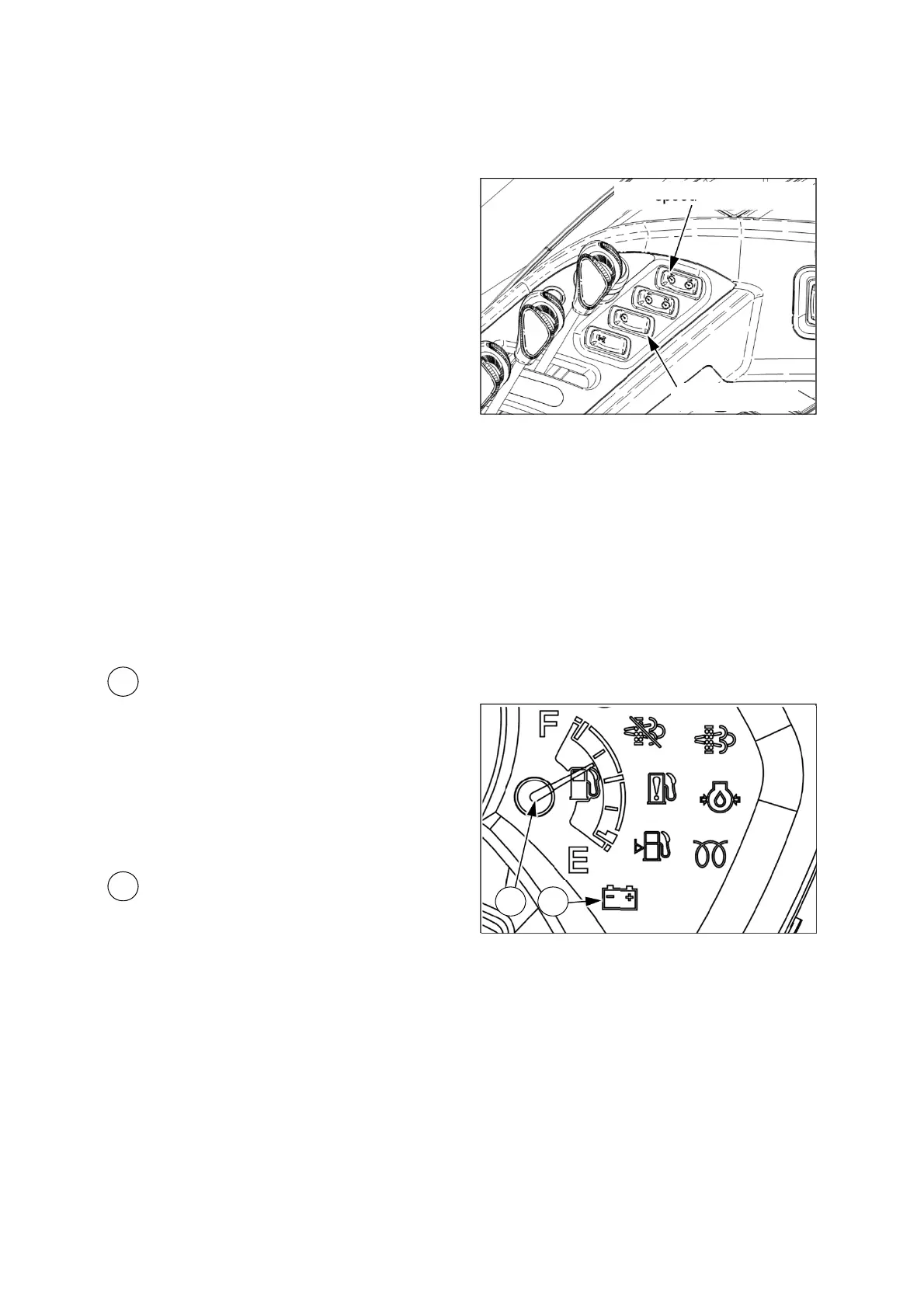
ESC main switch
ESC speed up/down switch
Changing Unit(km/h
mph, mm
inch):
Press the upper side of the ESC main switch
shortly(within one second). The unit change is
only available before editing the tire rolling
circumference.
Entering edit mode: Turn key switch to “ON”
position with pressing the upper side of the ESC
main switch. At this time, the tire rolling
circumference, “CAL”, and vehicle speed will be
displayed.
Editing tire rolling circumference: In edit
mode, the first digit will blink at first. If pressing
the upper side of the ESC speed up/down switch,
the next digit will blink. If pressing the lower side
of the switch, the number is changed from”9” to
“0” each time you press.
17
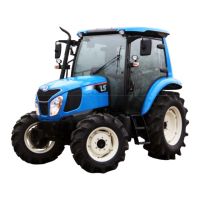
Fuel level gauge
This gauge shows the fuel level in the fuel tank.
If the needle indicates “E”, fill the fuel tank
immediately with fuel.
The gauge activates when the key switch is in
the ON position. It will register “empty” with the
key switch in the OFF position.
18
Battery charging indicator
This indicator will be turned on when turning the
key switch to “ON” position, and it will be turned
off after the engine starts.
If this bulb becomes lit during operation, it
indicates that the charging system is not
operating normally. As the battery can be fully
discharged under these conditions, contact your
authorized local dealer for checking the electrical
charging system.
17 18





 To Next Page