Service Manual – 42 / 63
XE_ABS_MT_AN_200224
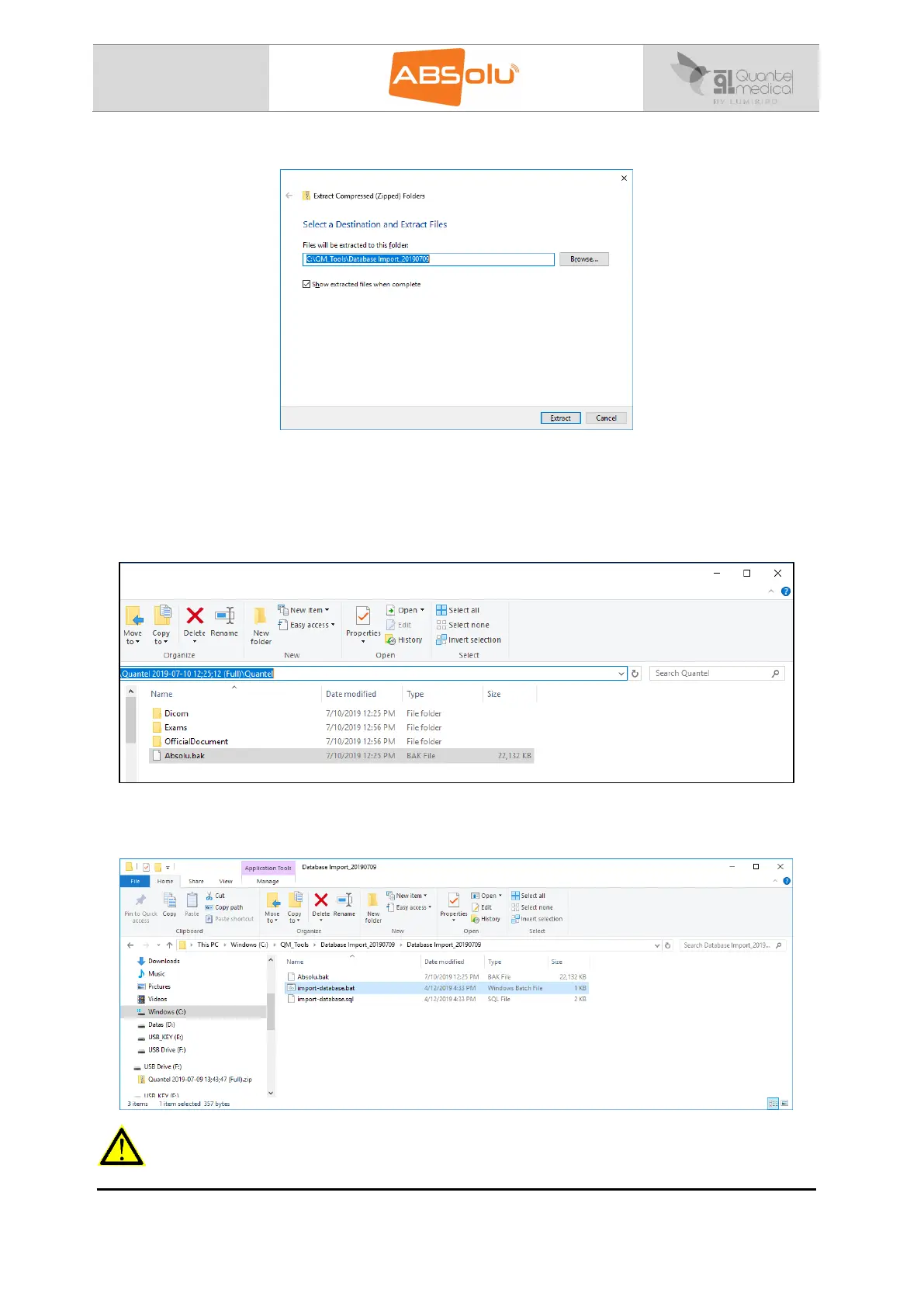
4. The following window is open, click on “Extract”:
5. The “Database import_20190709” folder is created in the “C:\QM Tools” directory of
the “Destination ABSolu”.
6. Copy the file called “Absolu.bak” of the “Master ABSolu”, located in the “Quantel 2019-
07-10 12;25;12 (Full)\Quantel” Folder:
7. Paste this file, called “Absolu.bak”, in the “C:\QM Tools\Database
Import_20190709\Database Import_20190709” directory of the “Destination ABSolu”:
WARNING
The next action will definitively erase all data.



 To Next Page