Service Manual – 43 / 63
XE_ABS_MT_AN_200224
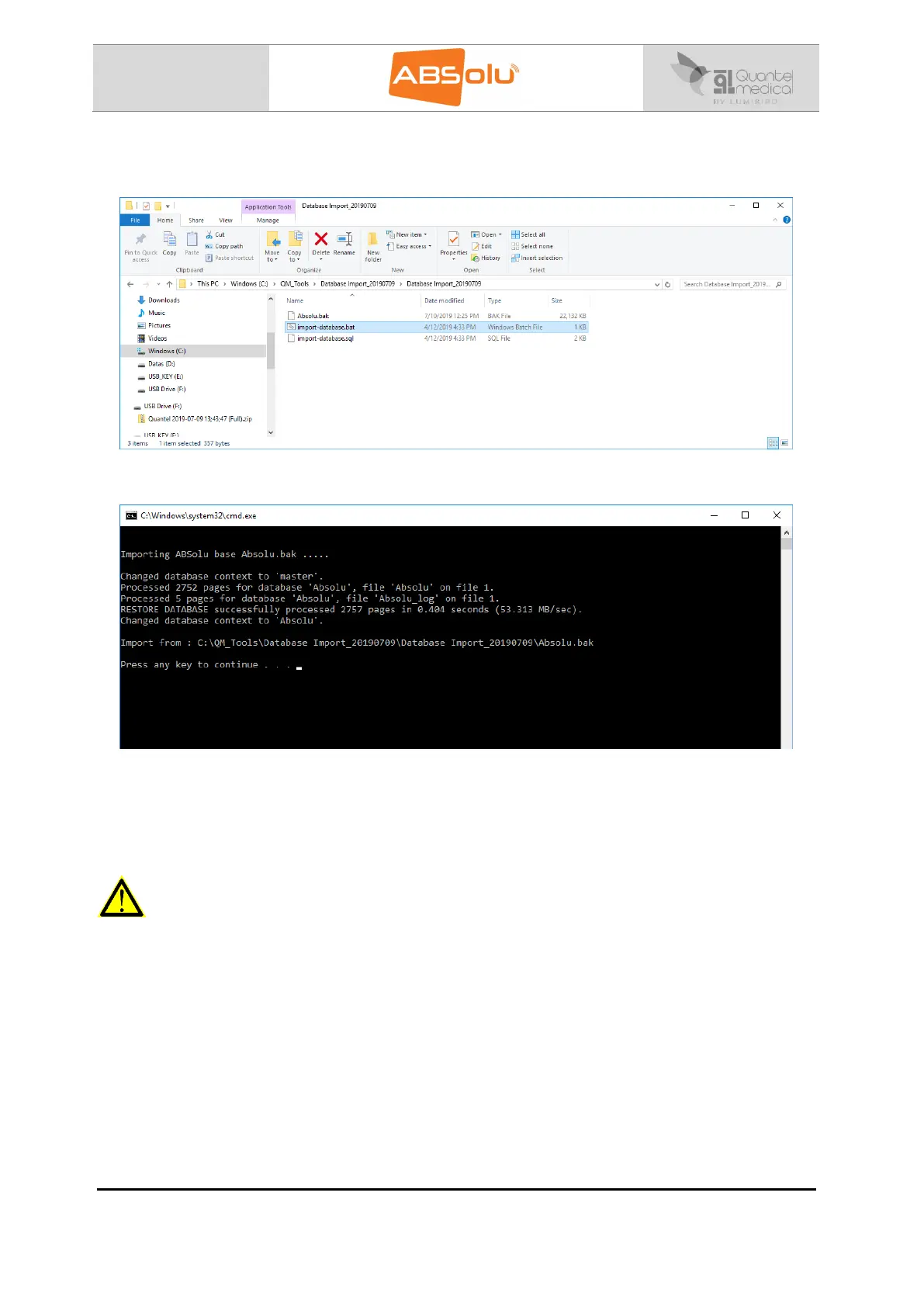
8. Launch the “import_database.bat” software, which is located in the “C:\QM
Tools\Database Import_20190709\Database Import_20190709” directory:
9. The following window appears:
10. When “Press any key to continue…” message is displayed, the procedure is completed
(press a key on the keyboard).
11. Data of the “Destination ABSolu” has been definitively replaced by database of the
“Master ABSolu”.
WARNING
Erase the folder and the zip file called “Database import_20190709”, which are located in the
“C:\QM Tools” directory of the “Destination ABSolu”.
This action will avoid that database is erased by untrained people.



 To Next Page