LUMIPro 2017
10
Lighting Presets
We know that the world of the photographer can sometimes be hectic, and there are times when you just need lights that look good
right now. To this end, we’ve created four lighting presets based on real-world professional and artistic lighting techniques, used by
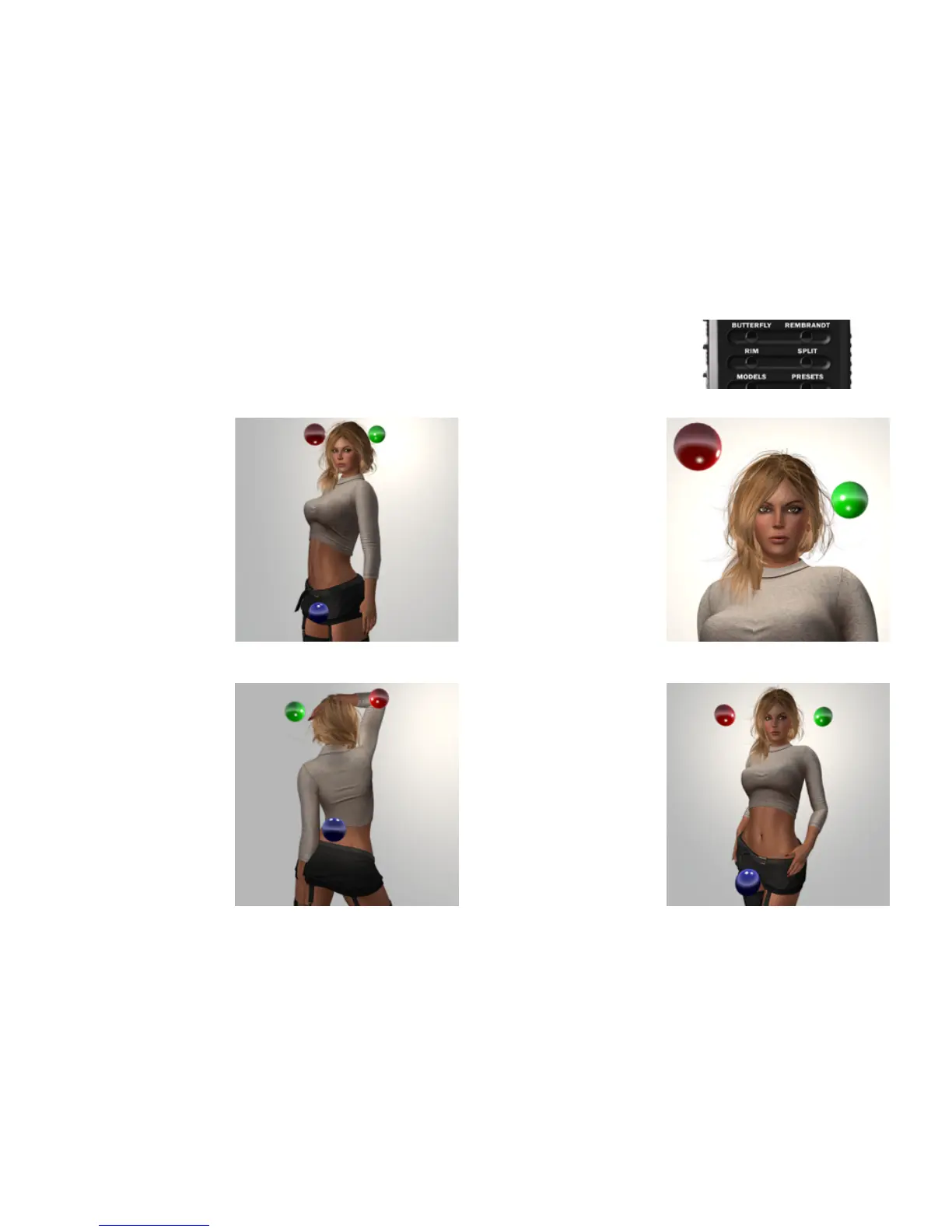
masters of light for centuries. Now with one click, you can set your lights to one of these four instant solutions: Buttery, Rembrandt,
Rim, and Split. Here’s what they look like, and how you might use them:
Buttery Rembrandt
Rim Split
It’s said that this preset is called
“buttery” because of the shape of
the shadow under the nose. You
may or may not see that, but what
you are certain to see is a smooth
overall face light, with the face
well-dened, the hair backlit, and
the light on the lower torso given a
gentle boost to balance the overall
eect.
Because of the even lighting, this
makes for a great starting point.
Rembrandt was a master at cap-
turing light, and this preset tries to
capture lighting characteristic to
his work. Here, the green light ball
is moved forward and made a little
brighter to add a glow to the shoul-
der and side of the face along the
jawline.
is preset is a very good starting
point for prole pictures and other
portrait work.
Sometimes, it’s not your face you
want to capture, and this is where
Rim comes into play. From the
rear, Rim highlights your backside,
adding shape and denition to your
posterior curvature.
From the front, Rim puts the model
in silhouette, which might be useful
for either a more noir approach, or
when using a projector to light the
front of the model.
Split tries to do it all, lighting front,
back, and sides as evenly as possi-
ble. It’s similar to Buttery, but the
lights are further from the model.
is oers both a little more even
lighting to what’s lit, and a little
more contrast in the parts that
aren’t.
If Buttery isn’t cutting it, give Split
a try—it just might do the trick!



 To Next Page