LUMIPro 2017
19
Rezzable Eye Gazer
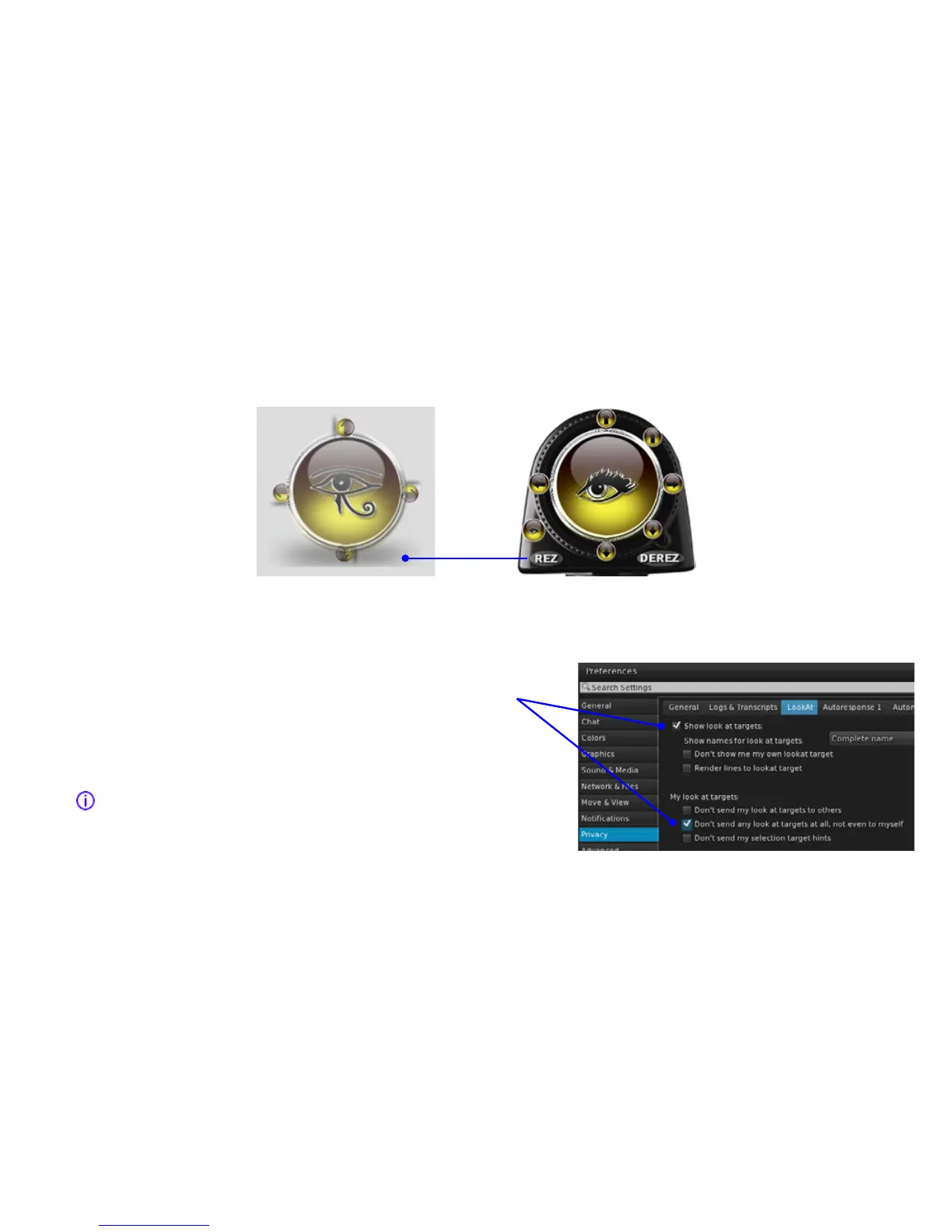
LUMIPro’s High Resolution Eye Gazer is very good at positioning your eyes. With 121 separate eye positions, you’re virtually assured of nding the right position for your model’s gaze,
and it’s especially useful on no-rez sims. ere are times, though, when even that’s not enough. If you are looking for more ne-tuned gazing, or perhaps want all the models looking at
the same thing , the Rezzable Eye Gazer is the solution. Start by selecting your model on the HUD, then rezzing an Eye Gazer from the Toolbox:
To ensure that your model’s gaze stays transxed on the Eye Gazer, even if she clicks elsewhere, take steps below. Make sure they’re using Firestorm or another full-featured viewer. If
they’re using the basic LL viewer, the following steps are not possible, and you’ll just have to make sure your model does not click on anything else during the course of the shoot.
1. Alt-Click on the gazer (it will have the model’s name in oating text above the Gazer prim).
2. Open the Preferences to the Privacy tab, click on Show look at targets, then on Don’t send
any look at targets at all, not even to myself. Click Apply, and close Preferences.
is will keep their gaze locked on the gazer, and visible so that you can ensure at any time
that they’re looking where they should be looking. If you’ve got multiple models looking the
same direction, have them follow the same procedure above.
Tip: the further away from the model the Eye Gazer is positioned, the more ne-tuned the
gaze will be. For very ne adjustments, move the Gazer out 5-10 meters from the model. is
will usually keep the look-at cross-hairs from being in your screen, as well.


 To Next Page