LUMIPro 2017
15
e Toolbox and the Joystick
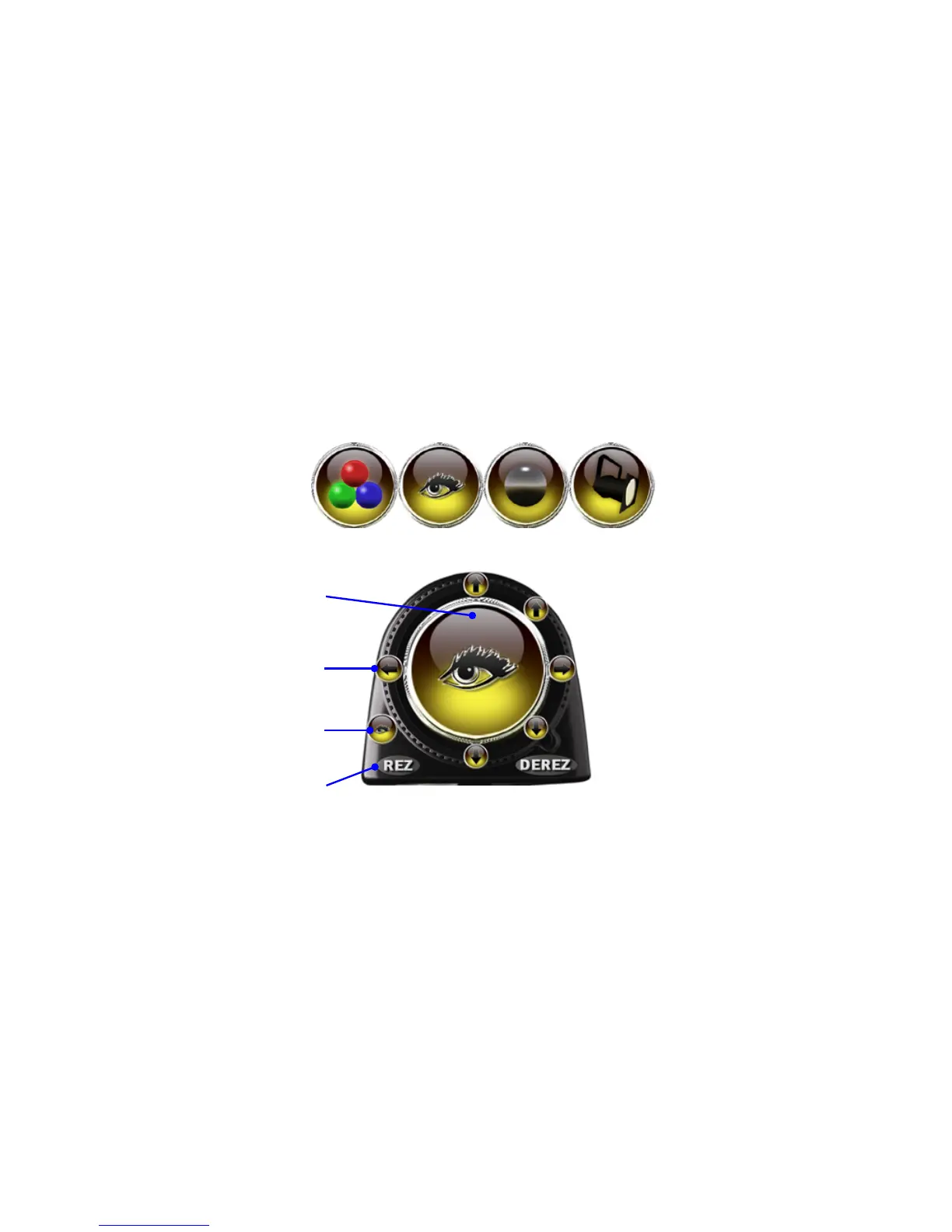
Sitting atop the LUMIPro HUD is the Toolbox. It features a large central virtual joystick surrounded by smaller positioning buttons, the Flipper that switches joystick modes from Ball
Movement to Eye Gazer to Sit Ball positioner to Projector controller, and back again. e REZ and DEREZ buttons open a menu to let you rez things in-world. Using these tools, you can
rez and position virtually unlimited projector lights and eye gazers, and add new dimensions to your virtual photography. is section will guide you through the basics of creating, edit-
ing, and positioning these gazers and projectors.
e Joystick
e large area in the center of the Toolbox is the Joystick.
Like a real joystick, things move in the direction you
point. It comes with four separate modes: Ball Move-
ment, Eye Gazer, Sit Ball, and Projector ( shown above).
Use the Flipper button to step through each mode.
e Direction Buttons
Surrounding the Joystick are six direction buttons: Up,
Down, Le, Right, and at the 2:00 and 4:00 positions,
Forward and Back. How these act depend on which Joy-
stick mode you’re in.
e Flipper
Click on this button to step forward through the various
Toolbox modes
e Rez and Derez buttons
e Rez button calls up a menu that gives you the option
to rez a new Sit Ball, a Projector, or a free-oating eye
gazing prim. You can also rez a backup server from here.
How the Direction Buttons Work
e Direction Buttons, while they perform similar tasks
in each mode, act slightly dierent depending on which
mode you are in.
Light Mode, Eye Gazer Mode & Projector Mode
When the Light mode, Eye Gazer mode or Projector
mode is active, the arrow buttons control the movement
of model-worn lights or tools created using the Rez
menu, including the rezzable eye gazer and projectors.
ey rotate the objects around a sphere centered on the
selected model, or move the objects closer in or further
away from the selected model.
Sit Ball Mode
e up and down arrow buttons will raise or lower the
sit ball, while the le and right buttons will rotate the sit
ball around the Z axis. e forward and back arrows will
move the sit ball accordingly.
Eye GazerBall Movement Sit Ball Projector


 To Next Page