LUMIPro 2017
30
Hide, Give, and Pose
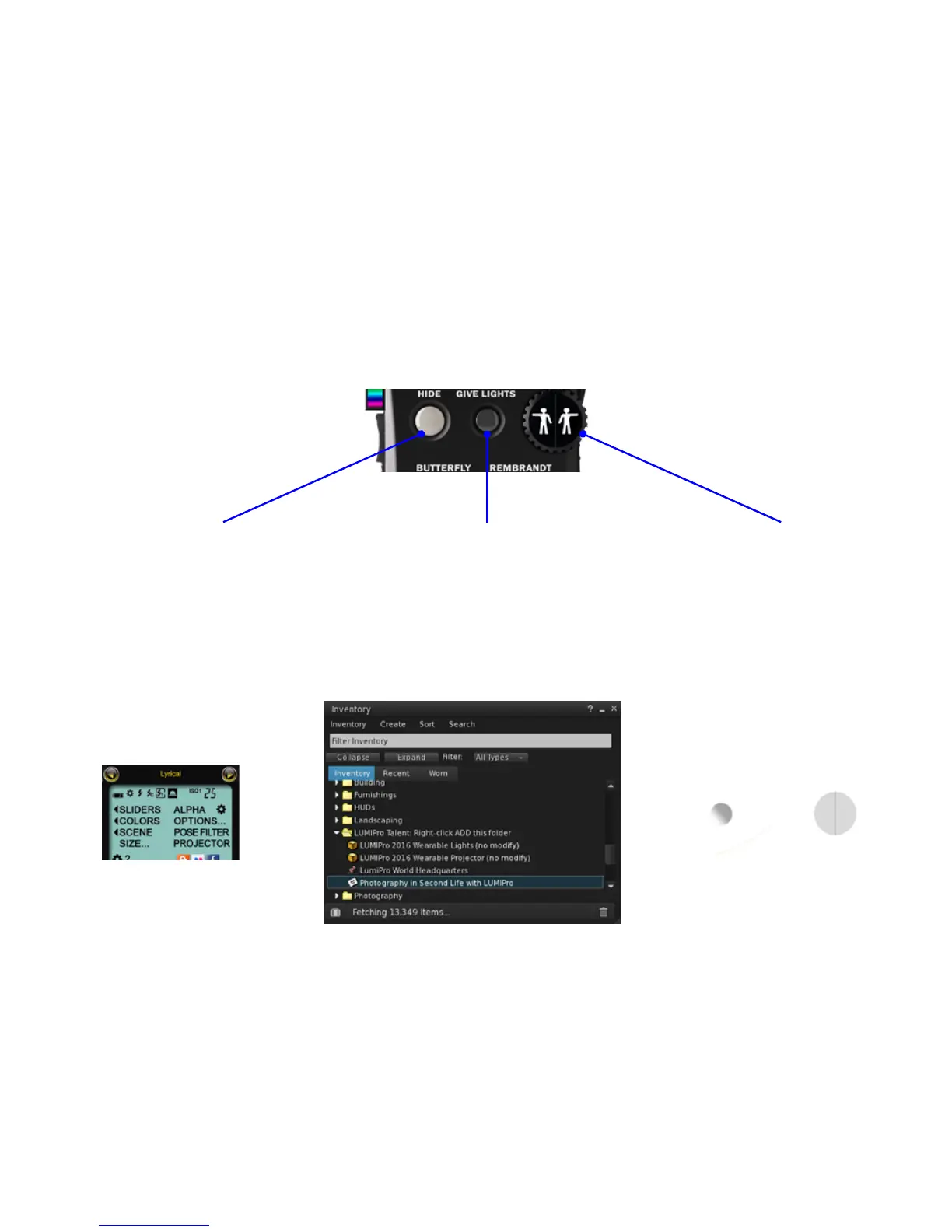
Directly under the LCD panel are four very important buttons: the Hide button, which instantly hides all wearables, rezzables, and the HUD itself; the Give Lights button, which sends a
folder—containing wearable lights and a wearable projector—to the currently selected model; and the Pose Wheel, which is really two buttons side-by-side.
e Hide button is very basic: click once to hide all lights,
projectors, and wearables. When hidden, the LUMIPro
HUD doesn’t just become transparent, the entire HUD with
the exception of the Hide button and the Pose Wheel (which
is made partially invisible).
Clicking Hide again will make the HUD fully visible, but
whether or not it shows lights and rezzables depends on
your HUD settings. is will be covered in greater detail
later in the manual, but the short version is this: you can
elect to have the Hide button show and/or hide everything
with each click, or as we prefer, show/hide only the HUD,
letting you toggle the visibility of wearables and rezzables
separately.
Give Lights sends a folder to the currently selected model,
containing four items: LUMIPro 2017 Wearable Lights, LU-
MIPro 2017 Wearable Projector, an LM to LUMIPro’s world
headquarters, and a notecard from Stefan Buscaylet, creator
of LUMIPro. You can send as many lights as you want to
your models, so if they lose them in inventory—just give
them another set!
Have the model wear the Lights, the Projector, or both if
your shot calls for it, and tell them to accept any requests
from you to enable certain features and functions.
e Pose Wheel is your always-on, instant access button to
step through all the poses stored in your HUD. Flip forward
or backward, it doesn’t matter. is is great when you have
a HUD full of poses but aren’t sure what will work best for
your shot yet, and just let inspiration take you where it will.
Note the two characters on the wheel: Le Wheelie, and
Right Wheelie. Le Wheelie will take you backwards
through your list of poses, and Right Wheelie will take you
to the next pose in your list. When you’ve clicked the Hide
button, the Wheelies (along with most of the rest of the
HUD) will disappear, but the Pose Wheel becomes ghosted
at 85% transparency (so you can still see it, but it doesn’t
intrude on your visual space).
LCD Panel
LUMIPro Talent folder
Closed LUMIPro HUD


 To Next Page