LUMIPro 2017
12
LUMIPro 2017
Lighting - Intensity
Intensity is how bright a light is. It’s like wattage in RL: a 150-watt bulb is much brighter than a 25-watt bulb. SL doesn’t use “watts” to describe how bright a light is, it uses a sliding scale
from 1.0, which is full brightness, down to 0, which is the same thing as “o.” You’ve seen this in action many times, when somebody will come into a store and blind everybody in sight.
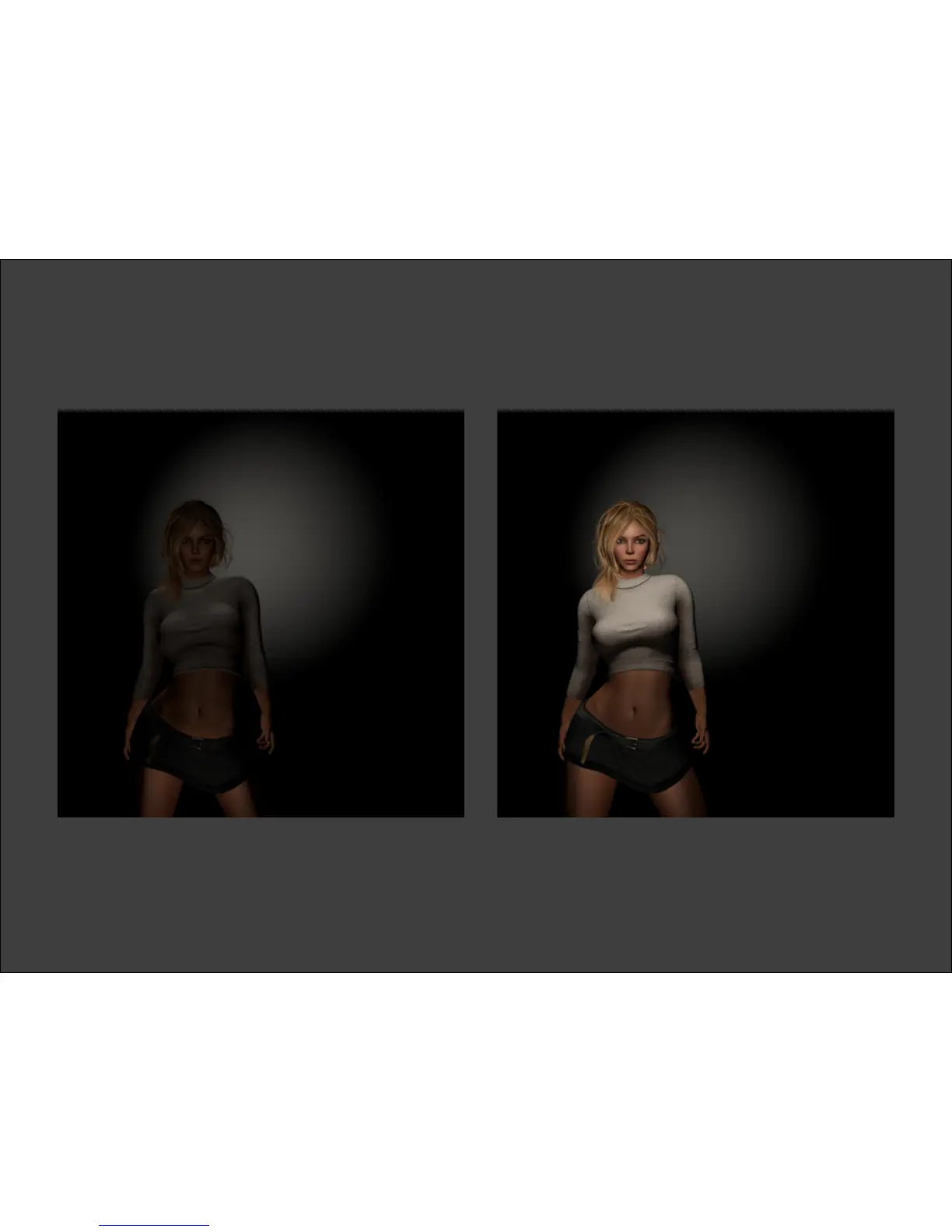
ey’ve got several lights on at once, and they’re all at full strength. With LUMIPro, you can set the intensity for each wearable light, and each projector individually. e images below
were taken based on the Buttery preset. In the rst image, the Intensity was set for the Red ball to 0.0. In the second image, the Intensity was set to 1.0. With the controls, you can set the
Intensity to any value between 0 and 1. is gives you great exibility in setting your scene, whether you want a bright, well-lit model or are going for something darker and moodier.
Intensity at minimum Intensity at maximum


 To Next Page