User Guide46 DCP-200
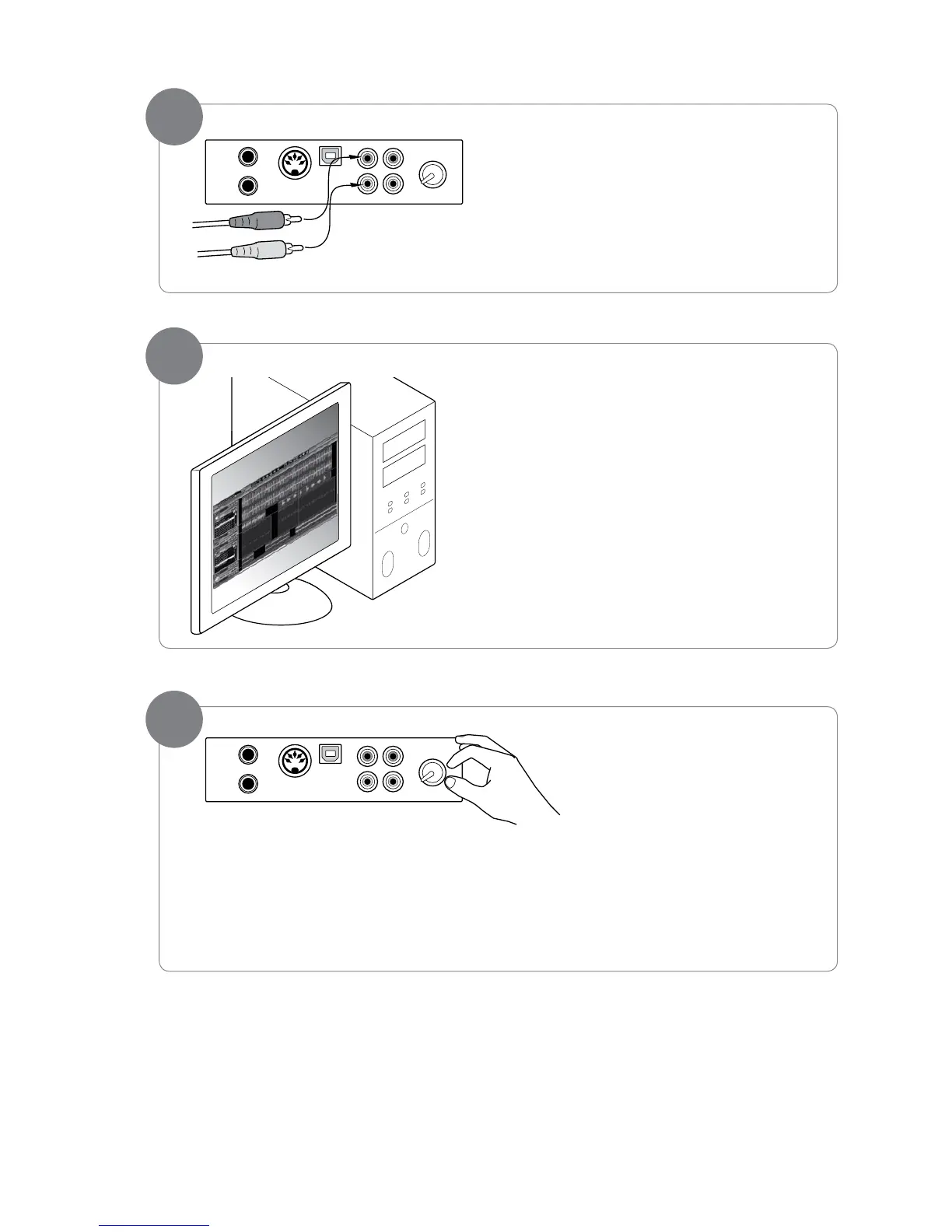
Connect the RCA plugs of the included 1/8” TRS to
stereo RCA audio cable into the Aux In jacks on the
DCP-200 Connections Panel.
BeginplayinganaudioleoraudioCDonyour
computer, at the volume level you usually use.
Slowly turn up the Input Level
knob, until you hear the audio
leplayingthroughtheDCP-200
speakers at a comfortable listening
level.
You may wish to play the piano
along with the music, as this can
help you set a more balanced mix
between the piano’s built-in sounds
and the external audio source.
‣ Note: Of course, if you prefer to listen to your computer through its own speakers instead of the
DCP-200 speakers, that’s ne. You can still use DCP-200 with your computer either way.
5
6
4


 To Next Page