User Guide 67DCP-200
Default Key (F5)
TheDefaultKeycanbeusedtoresetanyoneofthefollowingEditModeparameterstoitsdefaultvalue:
•Program(F#5)•BankLSB(Ab5)•BankMSB(Bb5)•DataCtrlAssign(C#6)
When applying the Default Key to Program, Bank LSB, or Bank MSB, those parameters will be returned to their default
value of zero. When the Default Key is applied to the Data Ctrl Assign parameter, the Data Control knob will be returned to
its default Voice Select functionality.
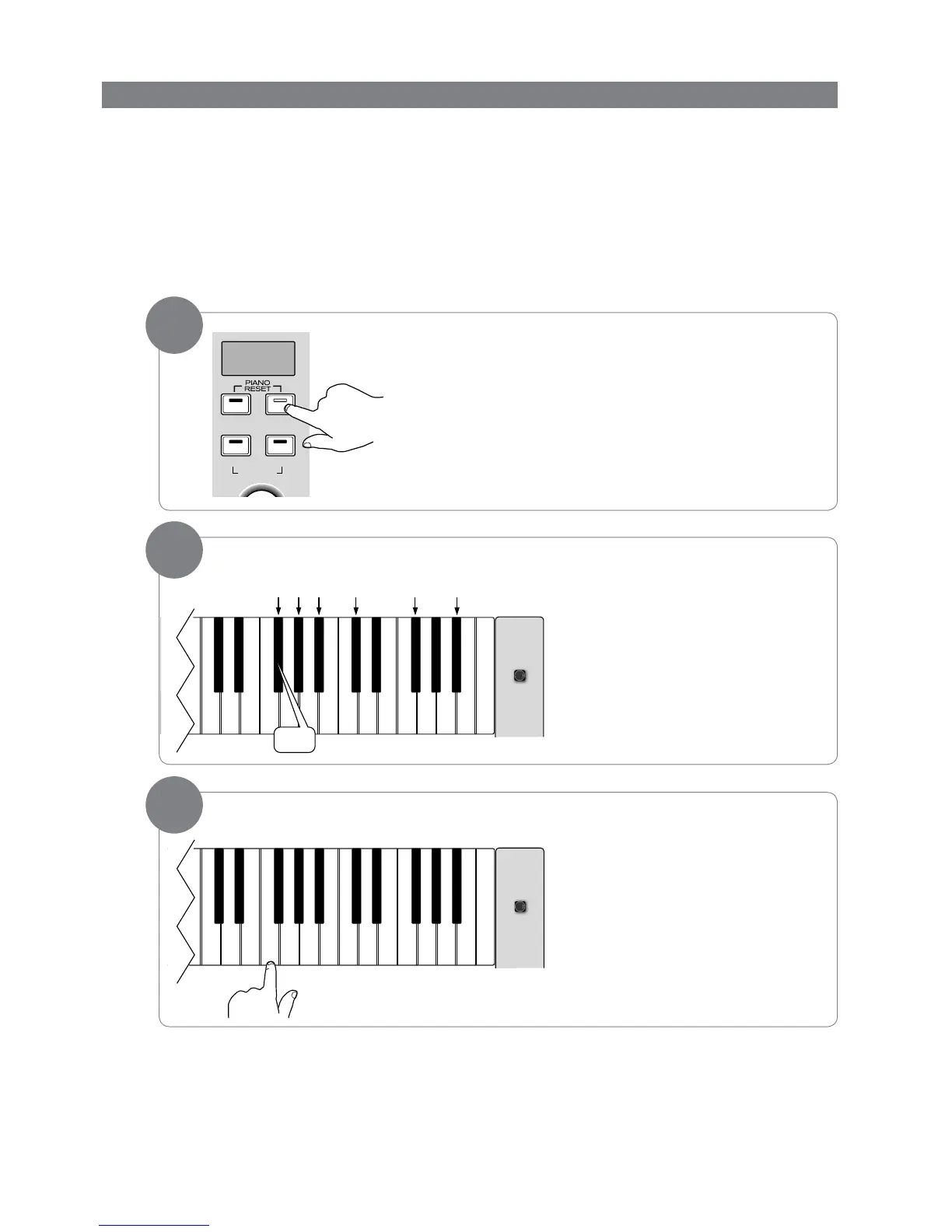
‣ To use the Default Key:
PresstheVoice/FunctionbuttontoenterEditMode.
Press the special function key for the
EditModeparameteryouwouldlike
to return to its default value. (The
Program parameter was chosen for this
example picture.)
Press the Default Key (F5).
Once you have pressed the Default Key,
DCP-200 will automatically be back in
Performance Mode, with the selected
EditModeparameterreturnedtoits
default value.
Default Notes:
• WhileinEditMode,ifyouhappentopresstheDefaultKeywithoutrstchoosinganEditModeparameter,
DCP-200 will be returned to Performance Mode, with no other changes.
• Toclearallbatterybackedmemoryandrestoreallfunctionstotheirfactorydefaults,followtheFactoryReset
procedure described near the beginning of the “Additional Features” section.
• ForinformationregardingthedefaultvaluesofallthevariousfunctionsofDCP-200,pleaseseeAppendixA:
Defaults.
3


 To Next Page