Page 17
6. Flex 2JX Models
6.1 Program I-Chip
When entering the 2JX model the first selection shown on the screen is
“Program I-Chip” or “Program IR”. Use the “↑” and “↓” buttons to scroll
through various Flex 2JX settings or press “→” button to enter “Program I-
Chip” or “Program IR”. Then press “↑” and “↓” button to select.
Program I-Chip:
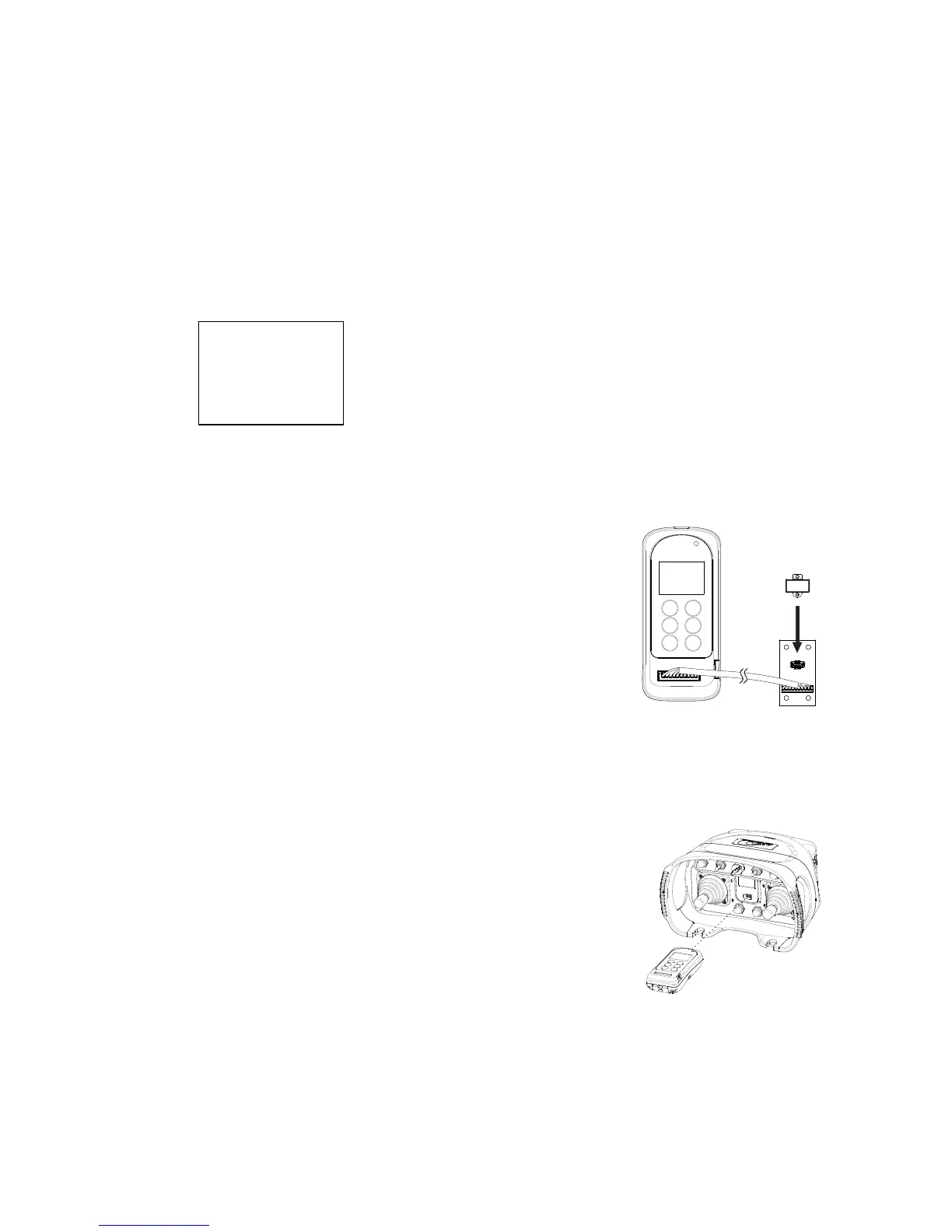
1) Make sure the I-Chip is connected to the programmer.
2) Press “READ” button to store the I-Chip
information into the programmer. If the screen
shows “READ OK” the transfer is completed.
3) Press “WRITE” button to transfer the stored I-
Chip information into the I-Chip. If the screen
shows “WRITE OK” the transfer is completed.
4) Press “→” button to format the I-Chip, press
“→” button again to execute. If the screen shows
“FORMAT OK” the format is completed.
5) Exit I-Chip programming by pressing the “BACK”
button until the cursor is shown next to “Program”.
6) Press “↑” and “↓” button to scroll through other Flex 2JX settings.
Program IR (infrared):
1) Make sure the transmitter is turned on.
2) Press “READ” button to store the transmitter info
into the programmer. If the screen shows
“READ OK” the transfer is completed.
3) Press “WRITE” button to transfer the stored info
into the transmitter. If the screen shows
“WRITE OK” the transfer is completed. The
transmitter will restart automatically after 2 seconds.
4) Exit Program IR by pressing the “BACK” button until
the cursor is shown next to “Program”.
5) Press “↑” and “↓” button to scroll through other Flex 2JX settings.
Note: When performing infrared programming make sure the distance between the
programmer and the transmitter is within 10cm.
>PROGRAM
I-CHIP
FORMAT



 To Next Page