EC-30C | 1.00.02 +49 2102 935 888 www.mc-techgroup.com 19
7.3 Self-monitoring after powering-on the unit
The EC-30C automatically monitors and controls its correct functioning and the wear out
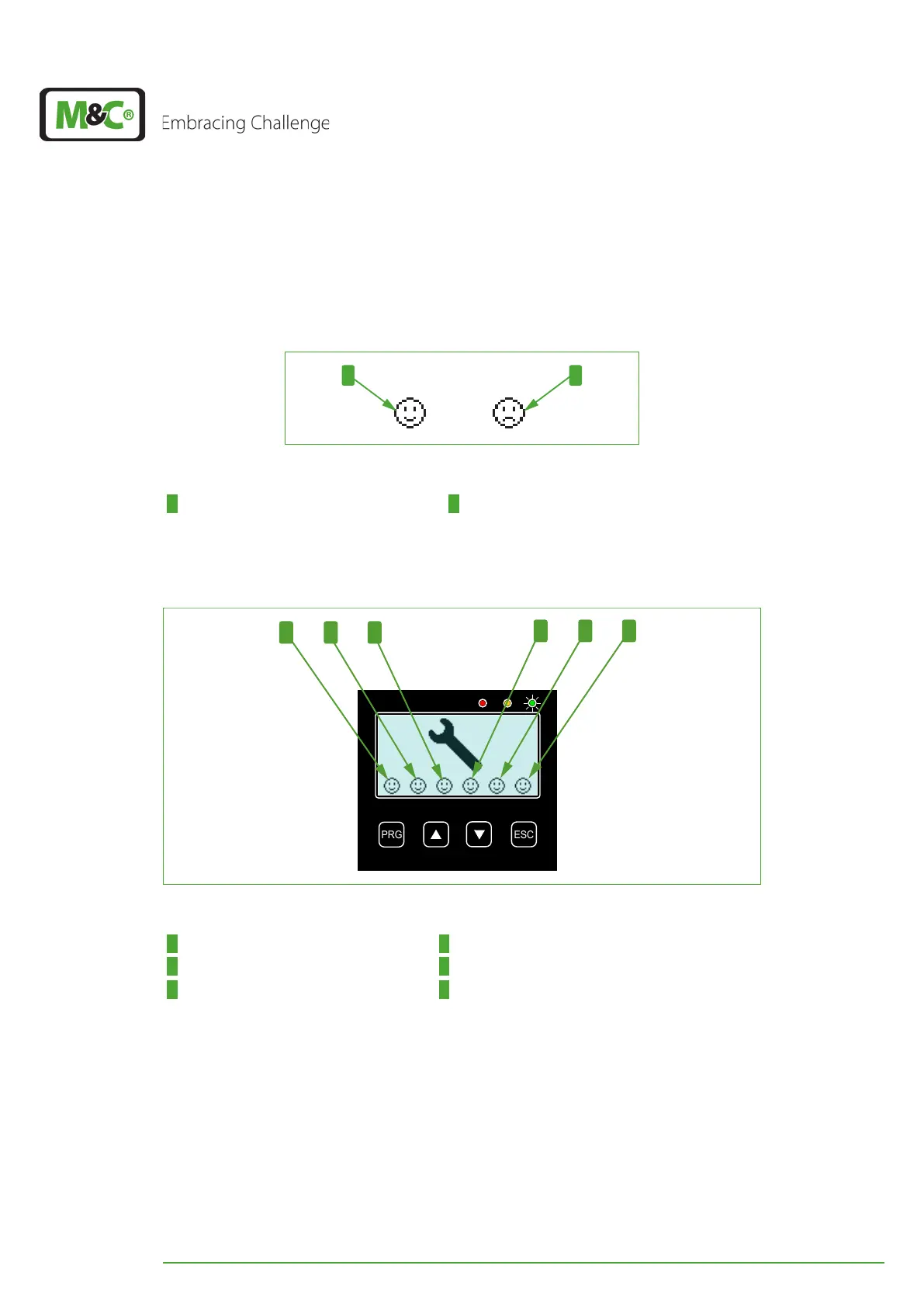
of its components. The self-test includes six different tests, each of them being symbolized
by a smiley icon.
Fig. 6: Smiley symbols during self-test
1 ‘Test passed’-symbol 2 ‘Test failed’-symbol
Please switch on the EC-30C. After powering-on the unit starts the self-testing. After suc-
cessful self-testing the display shows the following picture.
Fig. 7: The smileys on the display after self-testing
1 Internal low voltages 2 Power supply voltage
3 D/A converter 4 0-20 V-Module
5 Peltier elements 6 decoupling capacitor/ rectifier
If the self-test has succeeded, the unit enters the start-up phase and starts cooling.
If the display shows a ‘Test failed’-symbol, this means that an error has been detected
which prevents the correct operation of the unit.
In case of a failed self-test the display alternates between the monitor with smiley symbols
and the service monitor. These monitors will be shown on the display until the fault is
cleared.


 To Next Page