EC-30C | 1.00.02 +49 2102 935 888 www.mc-techgroup.com 25
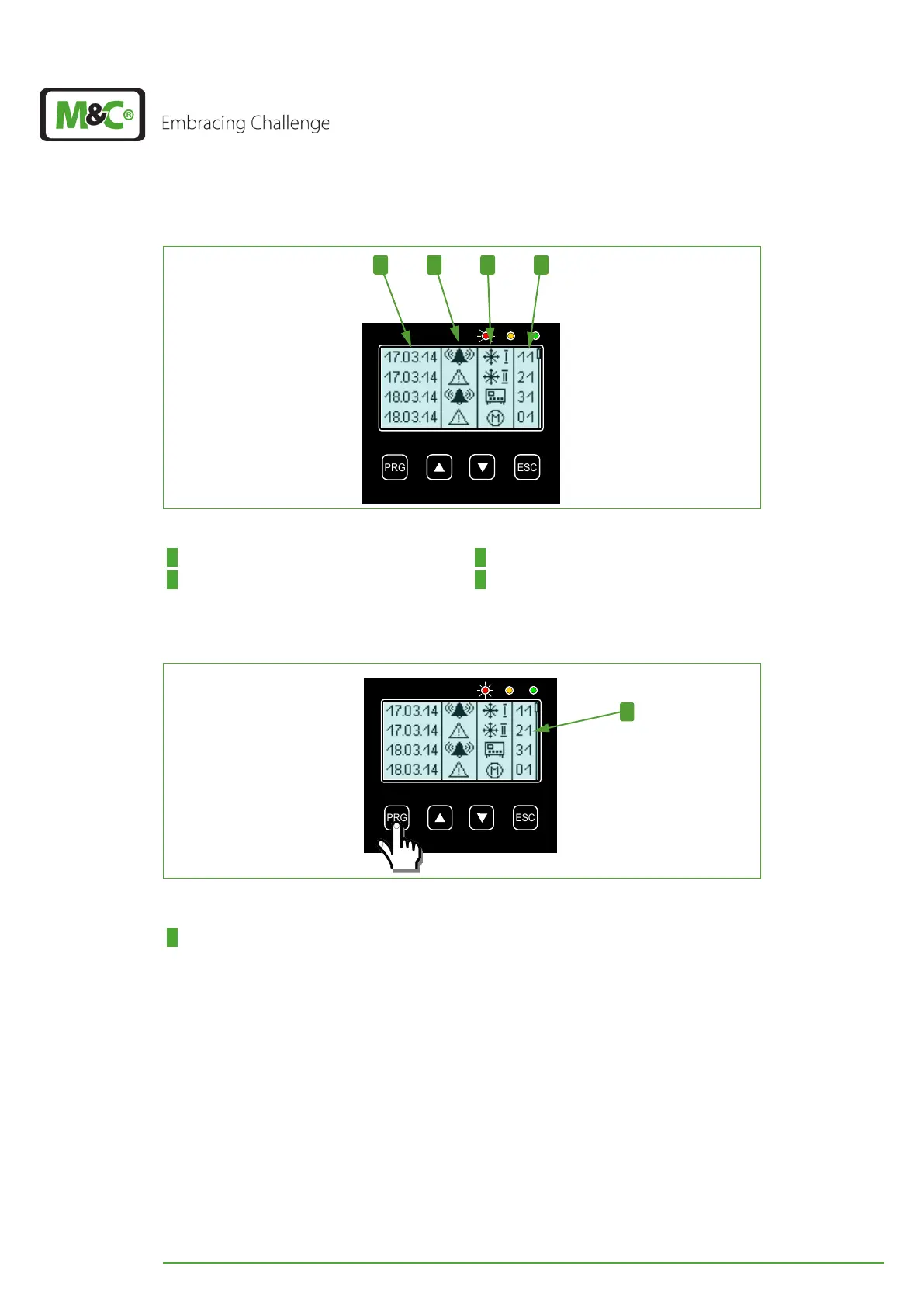
41 2 3
Fig. 15: Alarm and warning history
1 Column: date or time 2 Column: alarm or warning icon
3 Column: component Icons 4 Column: error code
Please press the PRG button to see the messages in detail.
1
Fig. 16: How to chose an alarm or warning message
1 Line, which is highlighted in Fig. 17 and Fig. 18
After pressing the PRG button the last line of the alarm and warning history screen will be
displayed inverted (highlighted).
With the UP and DOWN buttons you can scroll through the stored messages. You will
reach the highlighted message in Fig. 17 by pressing the UP button two-times.


 To Next Page