EC-30C | 1.00.02 +49 2102 935 888 www.mc-techgroup.com 23
As soon as the EC-30C reaches the target temperature of DCU 1, including the alarm hys-
teresis of 5 °C (41 °F), it changes from alarm modus to OK modus. The red LED goes out and
the green LED turns on.
7.6 Overview screen
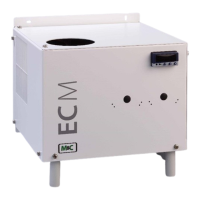
The overview screen shows detailed information about the pre-cooling unit PCU and the
two deep-cooling units DCU 1 and DCU 2. You can change from the start display to the
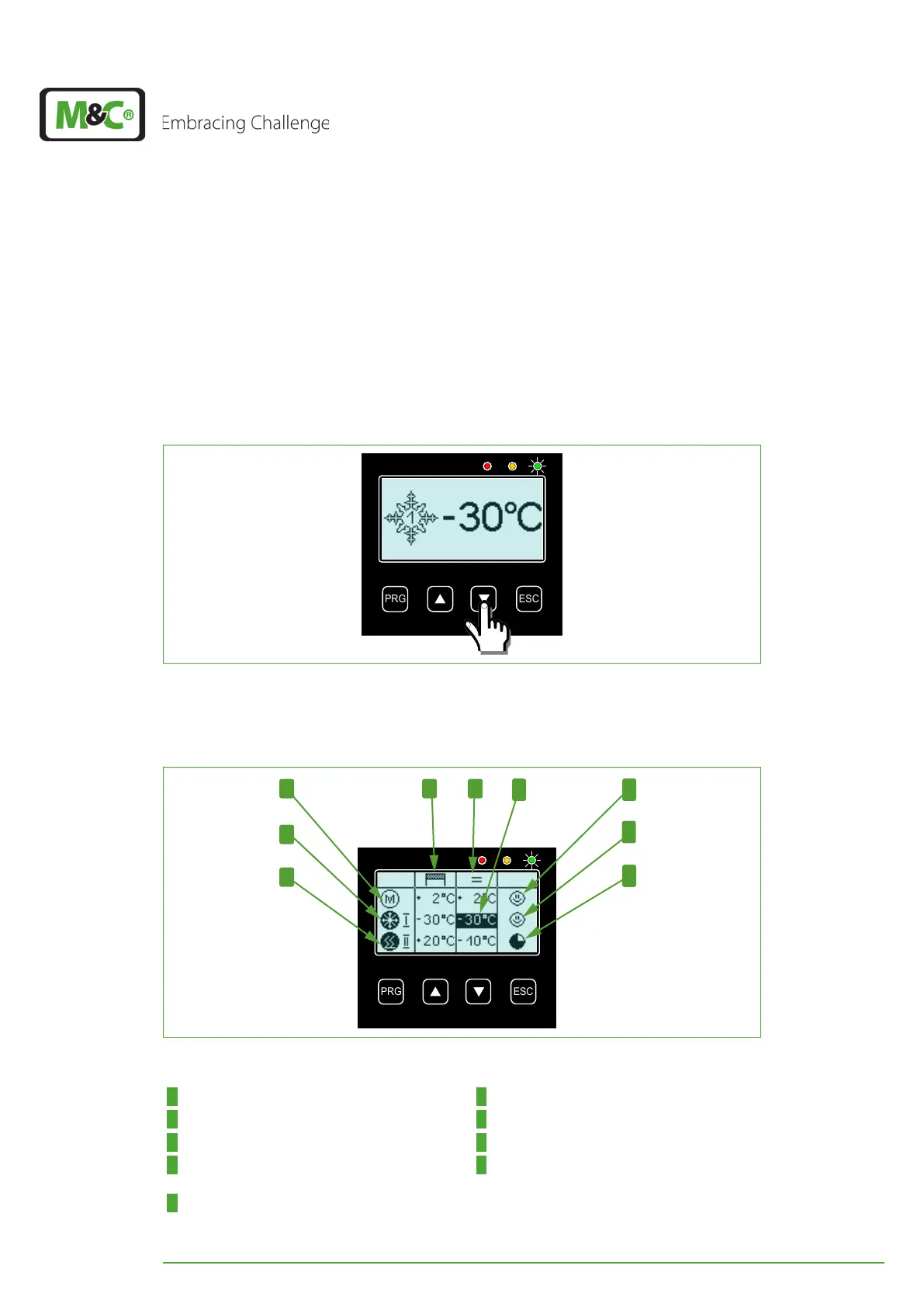
overview display by pressing the DOWN button.
Fig. 12: That’s how you reach the overview screen
The icons on the overview screen inform you about the current conditions of the three
cooling units.
4
1 2
5
6
8
9
Fig. 13: Overview screen
1 Column: target-temperatures 2 Column: current temperatures
3 DCU 1 temperature displayed on start screen 4 ‘M‘-symbol: PCU (not active)
5 DCU 1-symbol: cooling (active) 6 DCU 2-symbol: heating (active)
7 Smiley icon: PCU target temperature reached 8 Smiley icon: DCU 1 target temperature
reached
9 Clock icon: DCU 2 target temperature not
reached


 To Next Page