EC-30C | 1.00.02 +49 2102 935 888 www.mc-techgroup.com 21
If the operation process allows it, it is possible to set the target temperature a little bit
higher, e.g. to -25 °C or -20 °C (~-13°F or ~-4°F). This will delay the alarm message until the
capacity reserve will be exhausted even for this higher target temperature.
7.5 Display during start-up of the EC-30C
Note
The start screen will always show the temperature of the active
deep-cooling unit (DCU).
At the beginning of the start-up phase the temperature will decrease
very slowly, given that the active DCU is cooled only via the passive
pre-cooler unit (PCU). After the PCU reaches +2°C (35.6 °F), the active
cooling phase of the DCU starts. From this point on, the temperature
will decrease considerably faster.
1
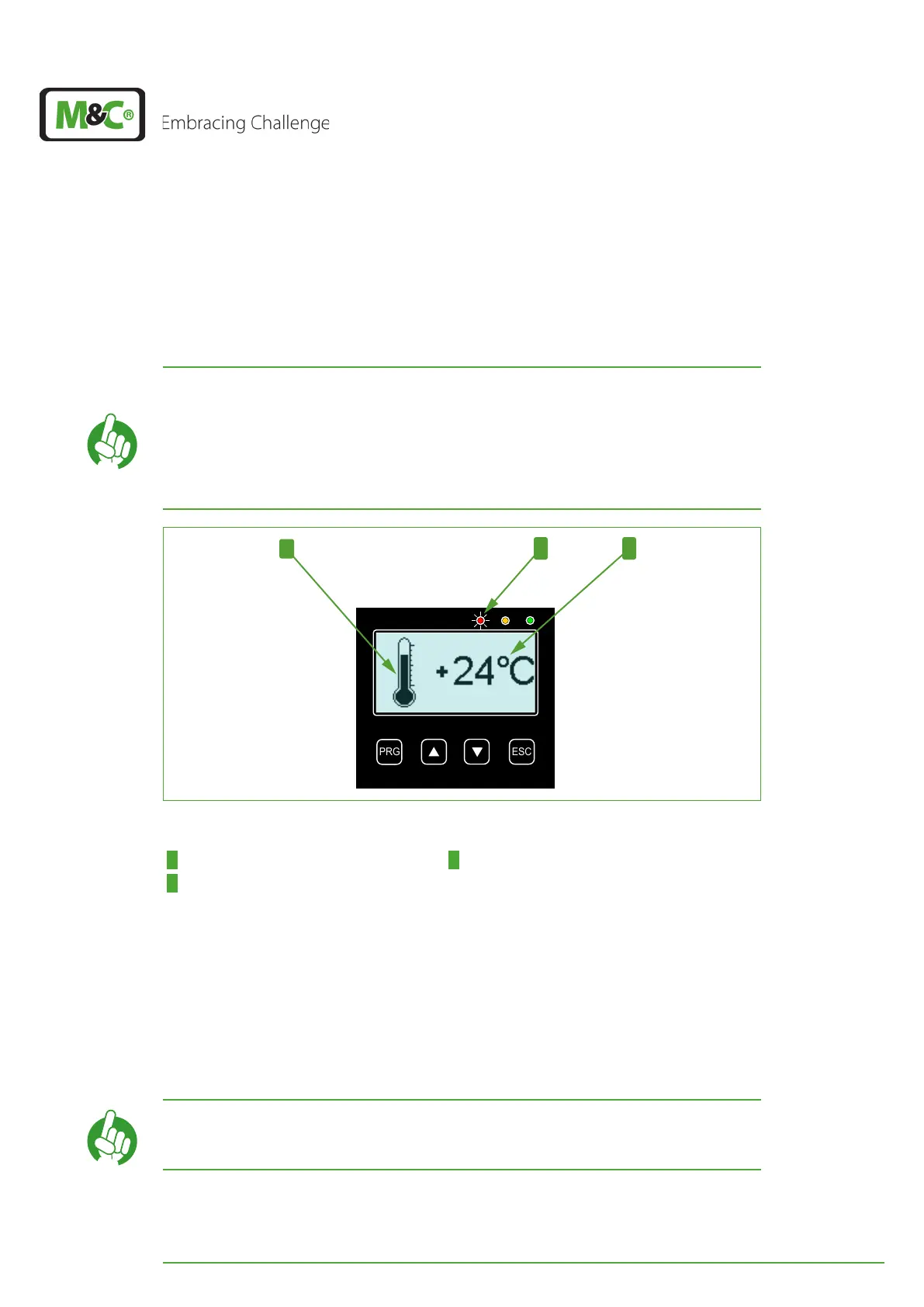
Fig. 9: Start-up phase: first cooling phase
1 ’Falling’ thermometer 2 Red LED is on (alarm)
3 Temperature of the active DCU
Directly after the successful self-test, the EC-30C will start cooling the pre-cooling unit
(PCU) to +2°C (35.6 °F) (target temperature of the pre-cooling unit). Depending on the
load, the compressor of the pre-cooling unit will switch between 12 to 120 times per hour,
in order to reach this target temperature.
The ‘falling’ thermometer is the symbol for this first cooling phase. At this point the initial
dew point of the sample gas is still higher than 0 °C (32 °F), which means that the target
temperature has not been reached yet, and the EC-30C is still in alarm modus.
Note
The red LED shows the status of the alarm relay. Operation mode of
the relay (safety first): alarm active = red LED


 To Next Page