26 EC-30C | 1.00.02 +49 2102 935 888 www.mc-techgroup.com
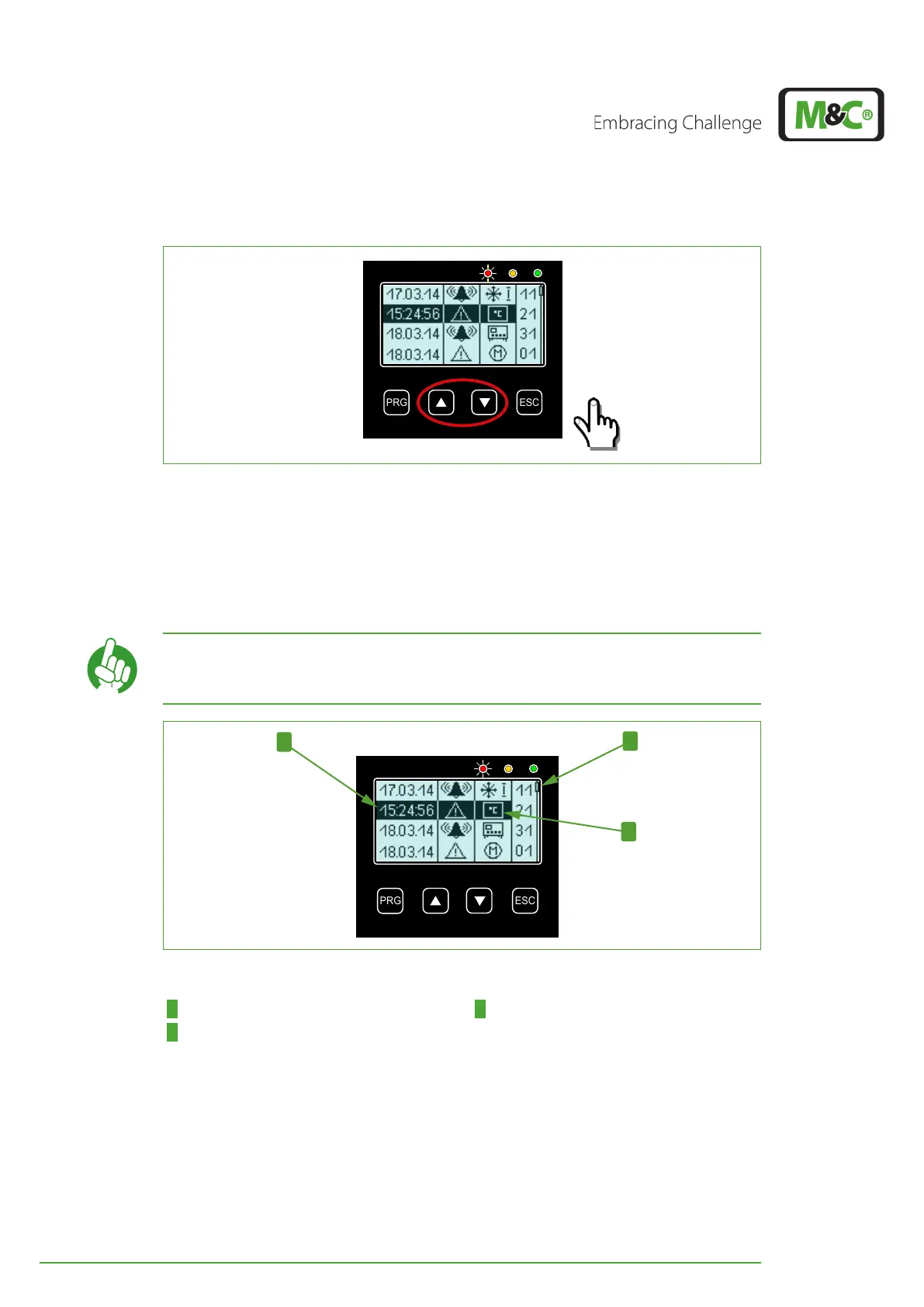
Fig. 17: How to scroll through stored messages
The highlighted line will show the time instead of the date of the selected alarm or warn-
ing message. The column for component icons will display the component of the device,
the warning or alarm refers to.
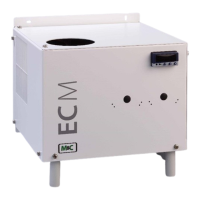
In the selected line shown above the DCU 2-icon has changed into the temperature icon,
which means that the warning refers to the temperature of the second deep-cooling unit.
Note
A slider on the right side of the display indicates the current position
in the alarm and warning history.
Fig. 18: Detailed information for a selected message
1 Time of the selected message 2 Slider
3 Temperature icon


 To Next Page