EC-30C | 1.00.02 +49 2102 935 888 www.mc-techgroup.com 67
12 Appendix
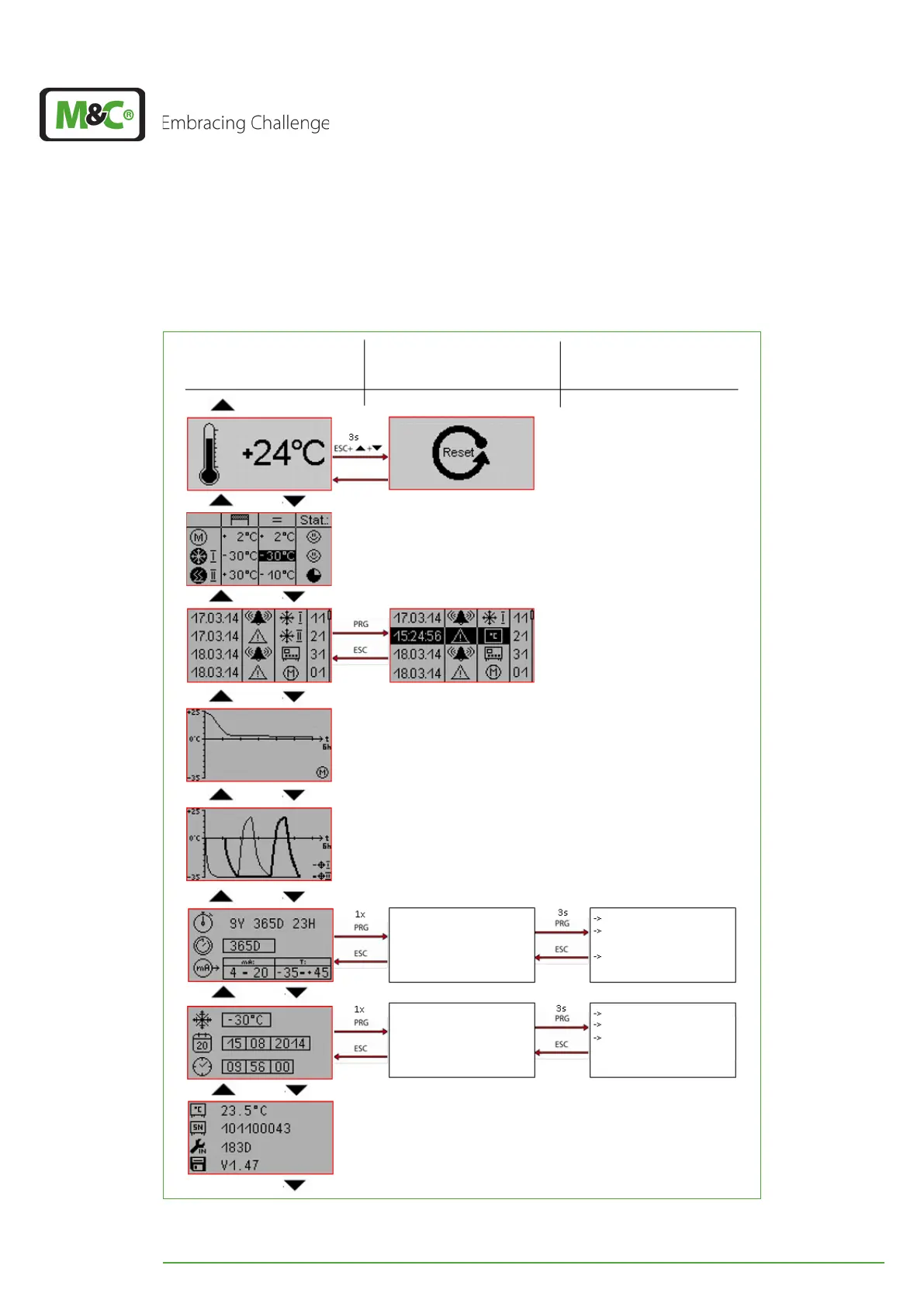
12.1 Overview of the EC-30C screens
Set T
SET
Set date
Set time
Set service interval
Set mA-output (0-20 mA
or 4-20 mA)
Assign a temperature
range to the mA-output
Using the UP and DOWN button
to scroll through the alarm
and warning messages
Choose: ‚service interval‘ or
‚mA-output‘
(the choice will be
highlighted)
Choose:
‚T
SET
‘, ‚Date‘ and ‚Time‘
(the choice will be
highlighted)
Level 2
(Parameter)
Level 3
(Values)
Level 1
(Main menus)
Fig. 42: Overview: screens


 To Next Page