34 EC-30C | 1.00.02 +49 2102 935 888 www.mc-techgroup.com
7.9 Parameter menu
The parameter menu is used for setting the individual parameters e.g. service interval or
deep-cooling temperature. The parameter menu has two screens. You can switch be-
tween these screens by using the UP and DOWN buttons.
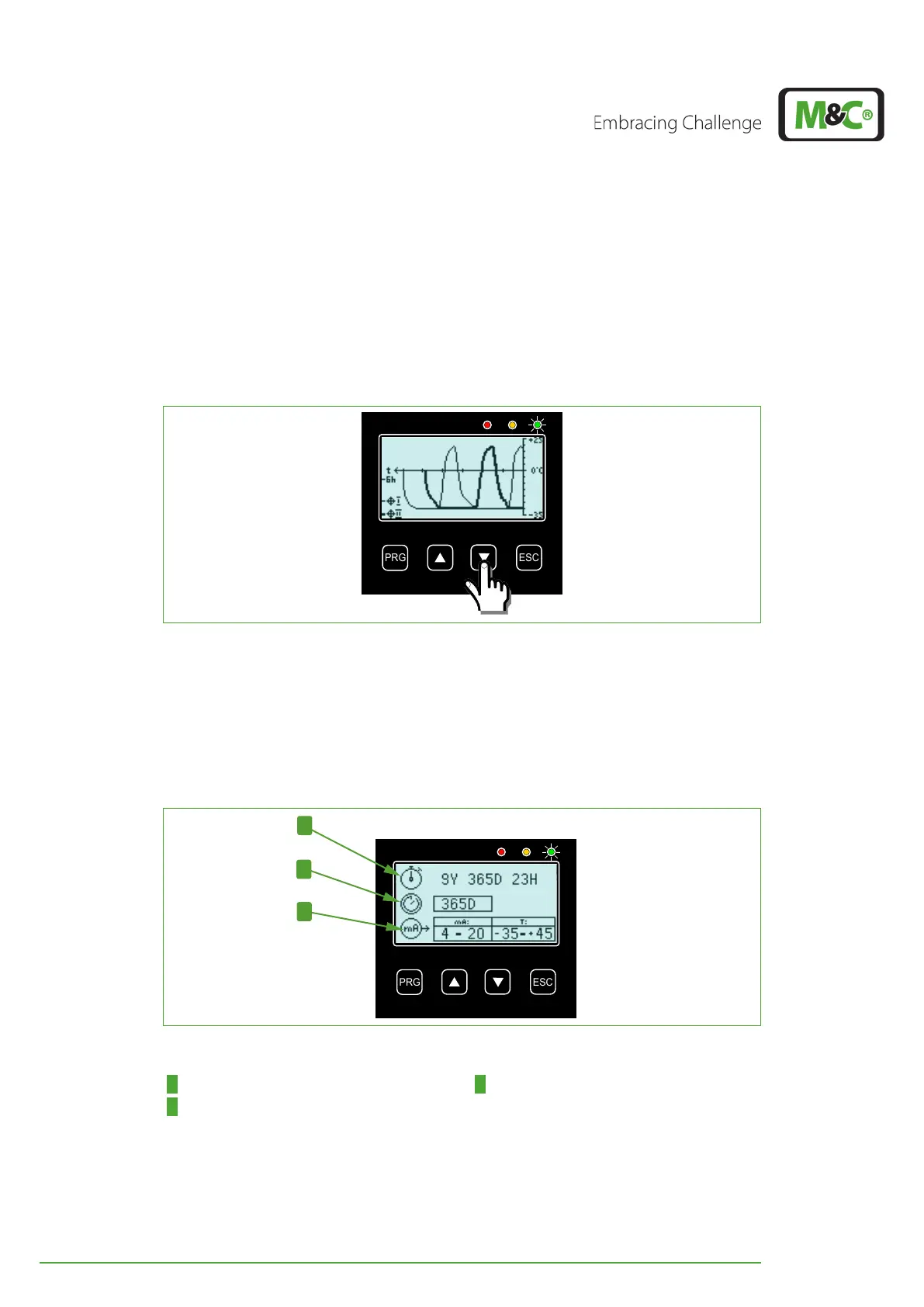
You can reach the parameter menu from the temperature diagram of the deep-cooling
units by pressing the DOWN button.
Fig. 22: How to reach the parameter menu (screen 1)
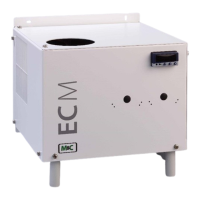
The first parameter screen shows the following information:
Operating time of the EC-30C
Requested service interval
Settings for the mA-output
Fig. 23: Parameter menu, screen 1
1 Line 1: operating time 2 Line 2: Service interval in days
3 Line 3: mA-output


 To Next Page