47
DESKTOP PRINTER SERVICE MANUAL
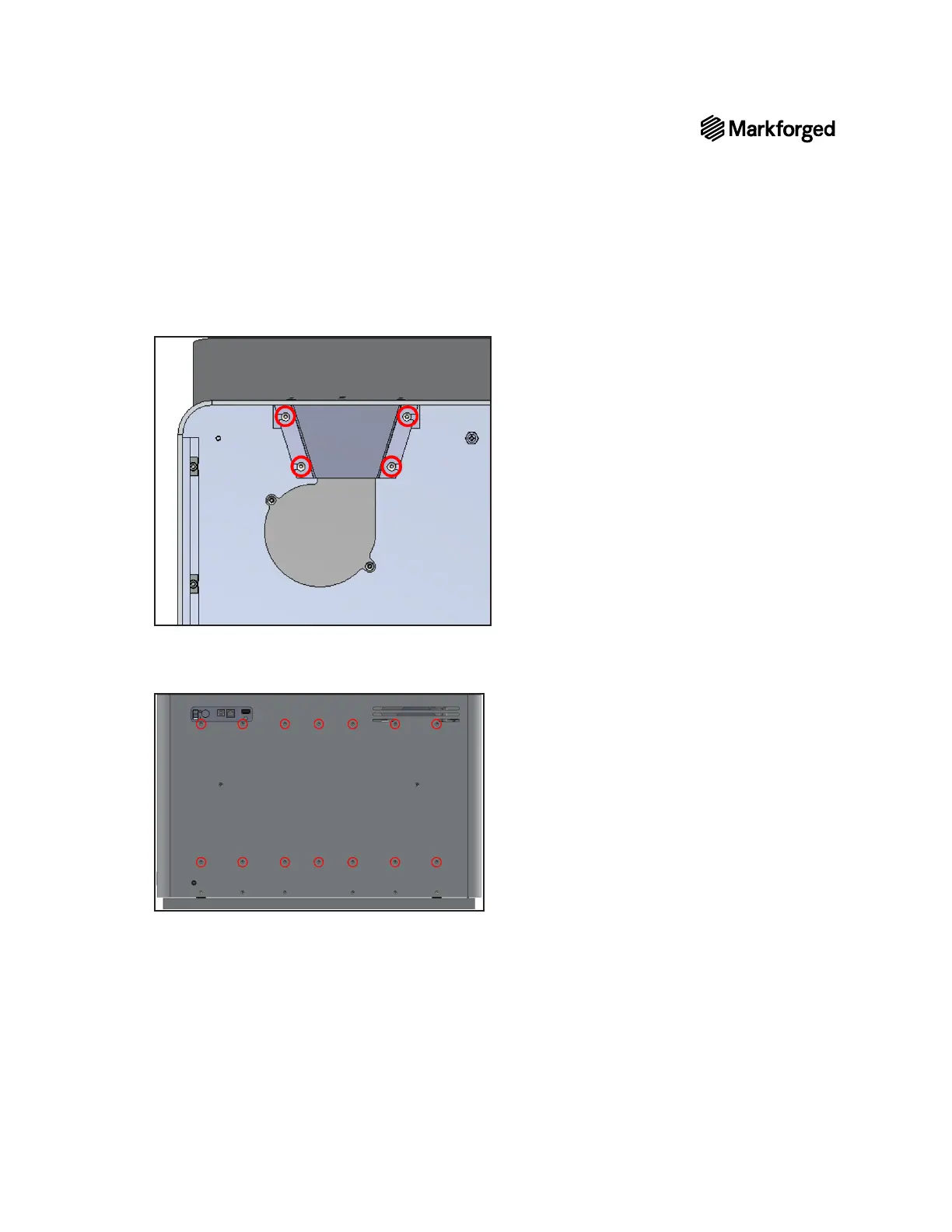
11. Using the 2mm hex key, remove the four screws and the corresponding lock washers and set them aside.
12. Remove the fan screen and set it aside.
13. With the printer still upside down, use the 2mm hex key to remove the 14 screws (indicated below) from
14. Untape the visor.



 To Next Page