Stork Vitals+ Basic Setup and Use of Stork
Masimo Corporation 27 www.masimo.com
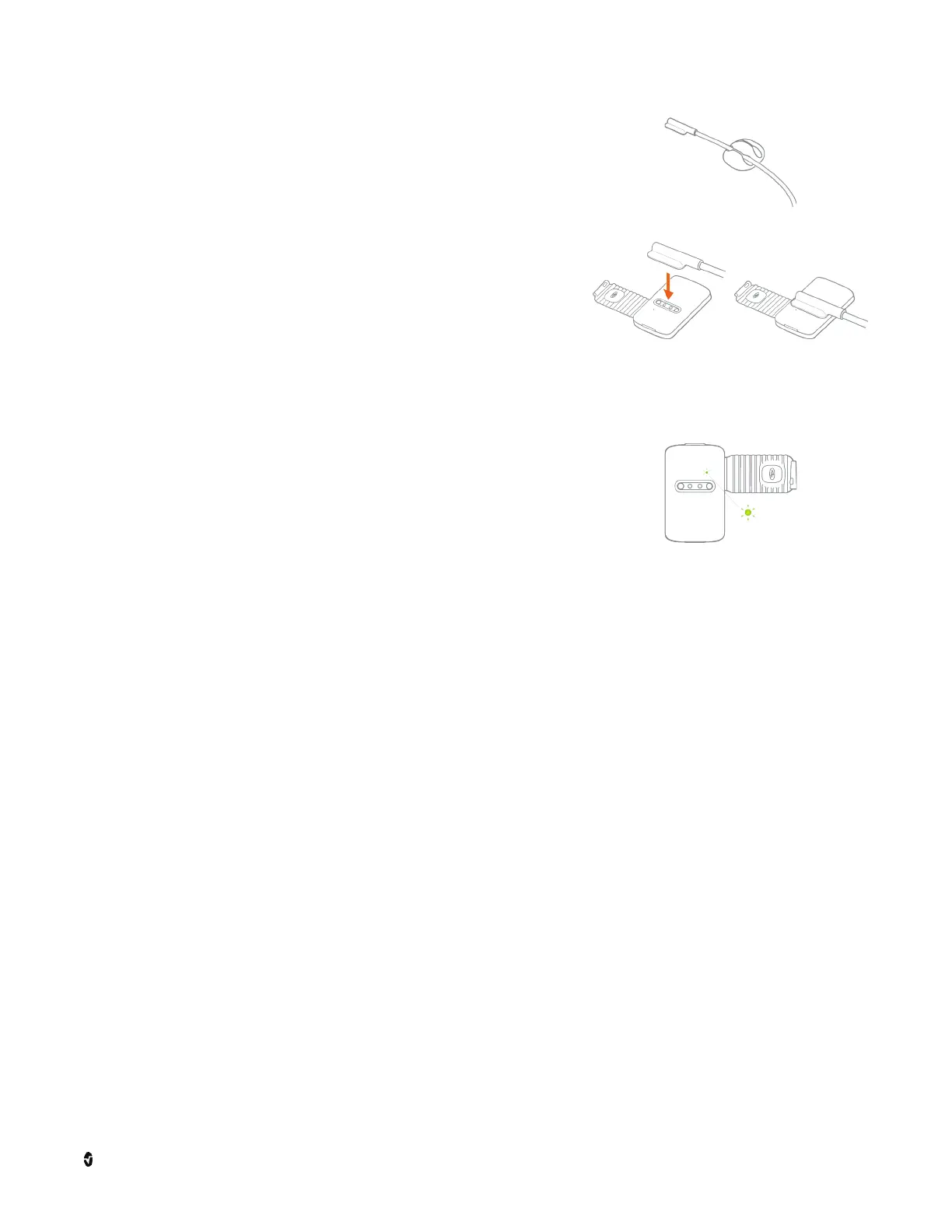
2. Use the peel-and-stick cable clip to secure the charge
cable to a flat surface like a dresser or nightstand.
3. Connect the magnetic charge cable to the sensor
charging port.
Note: If the sensor is in the boot, remove it from the Stork
Boot to charge.
4. Confirm successful charging of the sensor by checking
the light indicator.
• The sensor light indicator flashes white when
charging and turns solid White when fully
charged.
• If the sensor does not charge, see
Troubleshooting on page 41.
To disconnect the magnetic charge cable from the
sensor charging port when charging is complete, simply
pull the cable away from the sensor.
Pairing the Stork Sensor
Follow the app instructions to pair the Stork Sensor. Connect the sensor to the charge cable
and hold your smart phone near the sensor during setup. When pairing is complete, the
Bluetooth Pairing is Successful
screen appears.
Note: If multiple devices are found, follow the app instructions to select the correct sensor
from a list.
Note: If the Bluetooth connection fails, hold the smart phone closer to the sensor and try to
reconnect. If the sensor cannot connect, see
Troubleshooting
on page 41.
Stork Boot Setup
Follow the app instructions to:
• Select the proper Stork Boot and strap size.
• Attach the Stork Sensor to the boot.
• Place the boot on the foot.
Note: The Stork Boot should not be used while the baby is standing or walking.



 To Next Page