Stork Vitals+ Advanced Use
Masimo Corporation 36 www.masimo.com
alarm or notification is present, the camera status light flashes Red and an audible
notification sounds. The app also shows pop-up notifications and some notifications appear
on the
Notification Center
screen.
Examples of low/medium priority notifications:
• The Stork Sensor battery is low (low priority notification) or depleted (medium
priority notification).
• The Masimo Cloud server is disconnected from the Stork System.
Examples of high priority notifications:
• The Stork Sensor has come off or has been removed from the baby while measuring
the baby's health data.
• The Stork Sensor has disconnected from the system while measuring the baby's health
data.
• When the SpO
2
or PR parameter readings go above or below the set alarm limits.
How to Silence and Acknowledge Notifications
Touch the Dismiss button in the pop-up message on the app to acknowledge and silence
the notification.
Sensor Battery Charge Status
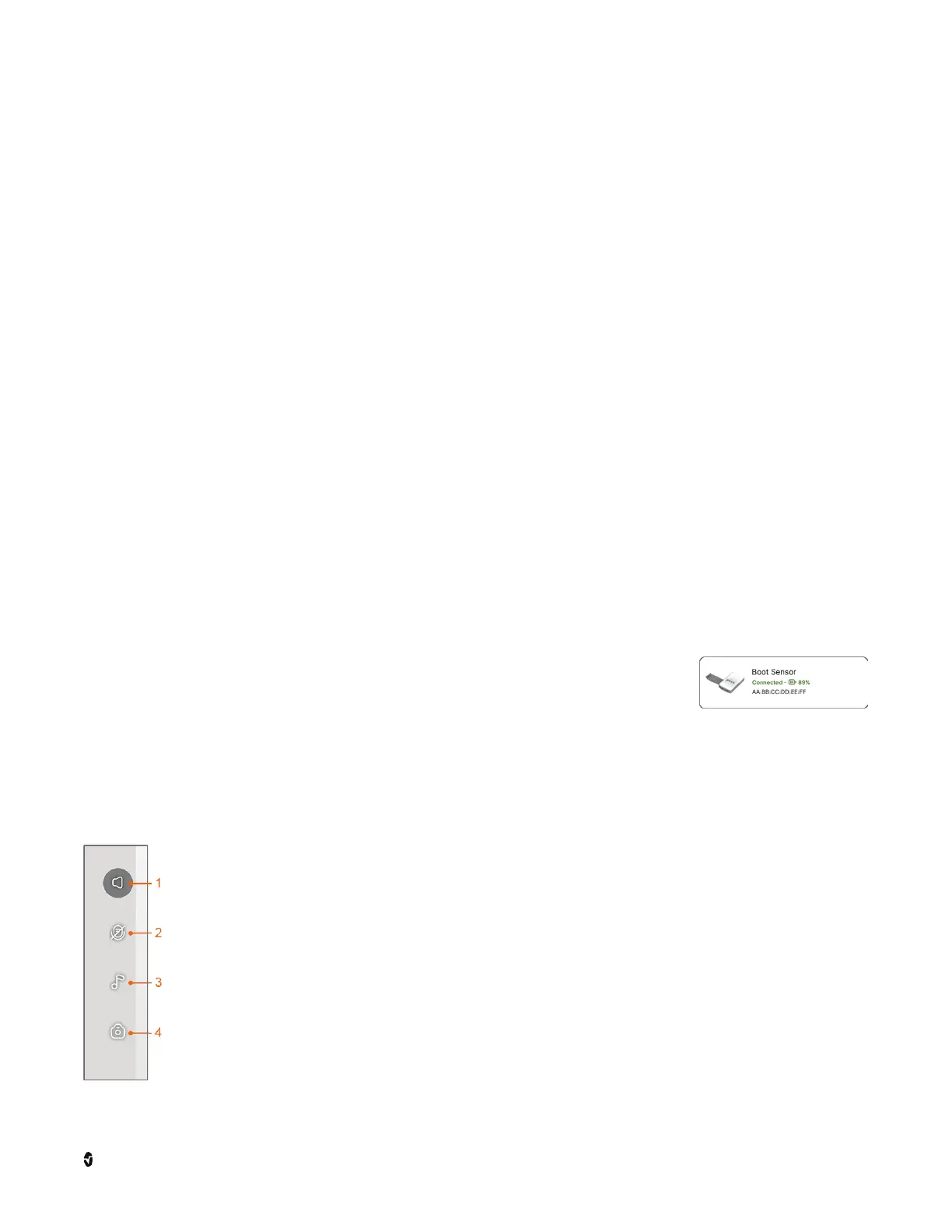
Battery charge status for the Stork Sensor is viewed through the
Side
Menu
under
Devices
. See
Device Management
on page 38. Current
battery charge status is shown on the sensor device tile next to the
sensor connection status.
Live Controls
1 Background Audio - Touch to toggle the sound from Stork between off to "on
with app open" or "on with another app displayed or phone locked". Volume
controls display on the screen above the
Health Data Dashboard
when on.
2 Hold-to-Talk - Press and hold to turn the Stork app microphone on (shown as
off) for two-way communication.
3 Lullaby - Touch to display the lullaby player. See
Lulla by Pla yer
on page 37.
4 Snapshot - When selected, a photo button appears at the bottom of the live
feed to take a picture. The picture is saved to the smart phone.



 To Next Page