Stork Vitals+ Basic Setup and Use of Stork
Masimo Corporation 33 www.masimo.com
Alarms and Notifications
Stork provides visual and audible
High Priority
alarms for the following:
WARNING: These default alarms are set based upon the assumption of a healthy baby
without known medical conditions. Review them with your baby’s physician to determine if
these are safe limits for your baby. The Stork is not intended to detect every instance of
elevated or depressed Pulse Rate, or low Oxygen Saturation (SpO
2
).
Parameter Data Default Alarm Limit Expected Alarm
SpO
2
– Low Oxygen Level <80 %SpO
2
for longer than 10
seconds
High Priority Alarm – Visual and Audible
Alarm
Pulse Rate – Low Pulse Rate
<70 BPM for longer than 30 seconds High Priority Alarm – Visual and Audible
Alarm
Pulse Rate – High Pulse
Rate
>200 BPM for longer than 30
seconds
High Priority Alarm – Visual and Audible
Alarm
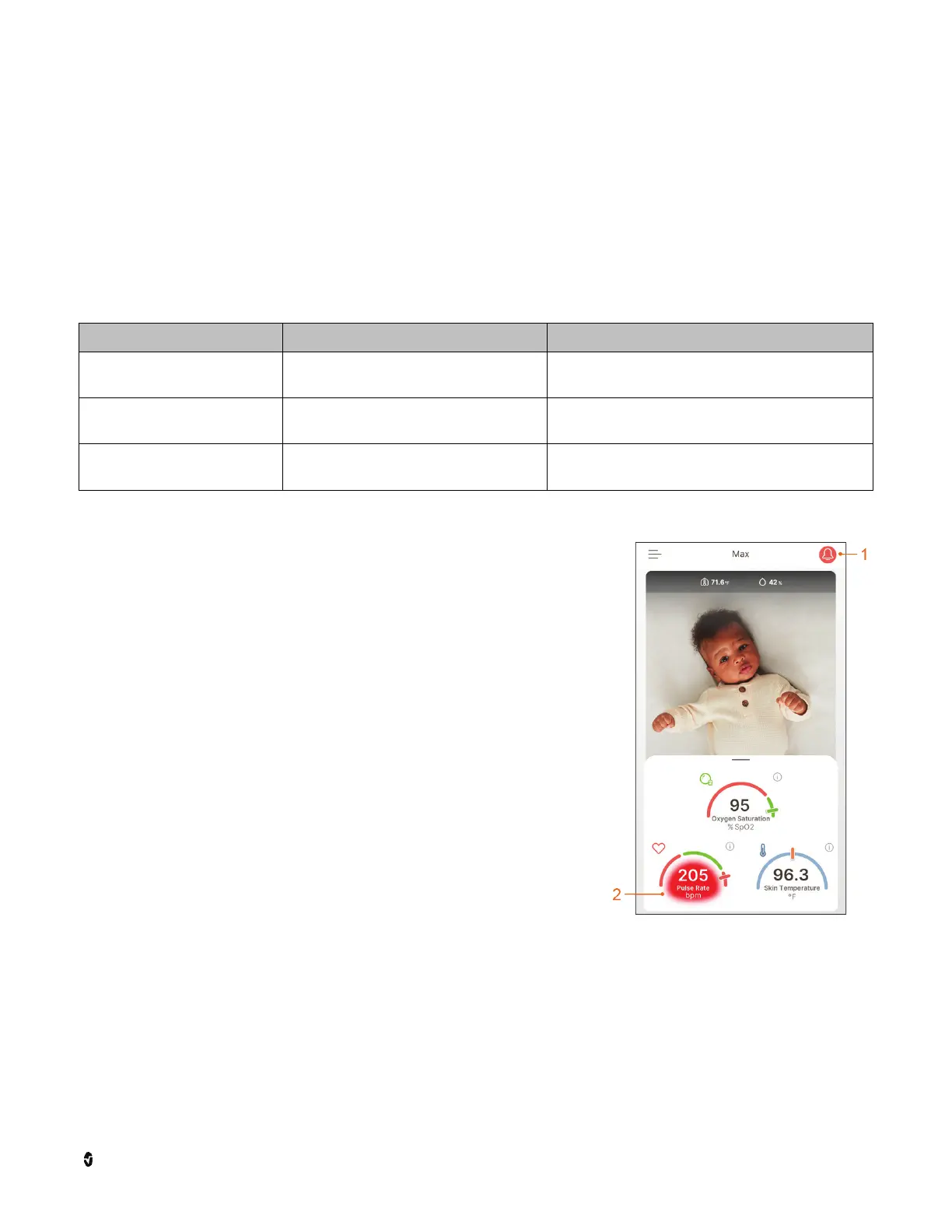
When an alarm condition is triggered, an alarm sounds on
your Stork Camera and the Stork app.
• The notification Bell (1) will be solid red.
• The app highlights the parameter alarming in red (2)
on the Health Data Dashboard and displays the
measurement in the red zone.
• After visually alarming for 10 seconds for SpO
2
or 30
seconds for PR, the audible alarm sounds.
• When the audible alarm sounds, a pop-up notification
displays allowing you to select the Silence Alarm for 2
Minutes or Dismiss button to temporarily silence the
alarm for two (2) minutes.
• If the alarm condition is still present after the 2
minutes, the audible alarm will sound again.
• The alarm condition stays active as long as the alarm
condition persists.
Silence Alarms
WARNING: It is important to check on any alarm that occurs on the Stork. Alarm conditions
that persist longer than 2 minutes should be checked on immediately. See Why is my Stork
Vitals Alarming.
An audio alarm can only be silenced for 2 minutes at a time. After 2 minutes, the alarm will
sound again.



 To Next Page