41
Settings
¦NoteWhen selecting a video codec, make sure that the codec is supported in
your editing application. Working with MPEG-2 I-frame .avi files requires a
system with the appropriate Matrox codec installed. For details, see “Working
with editing applications” on page 60.
HD settings
Under
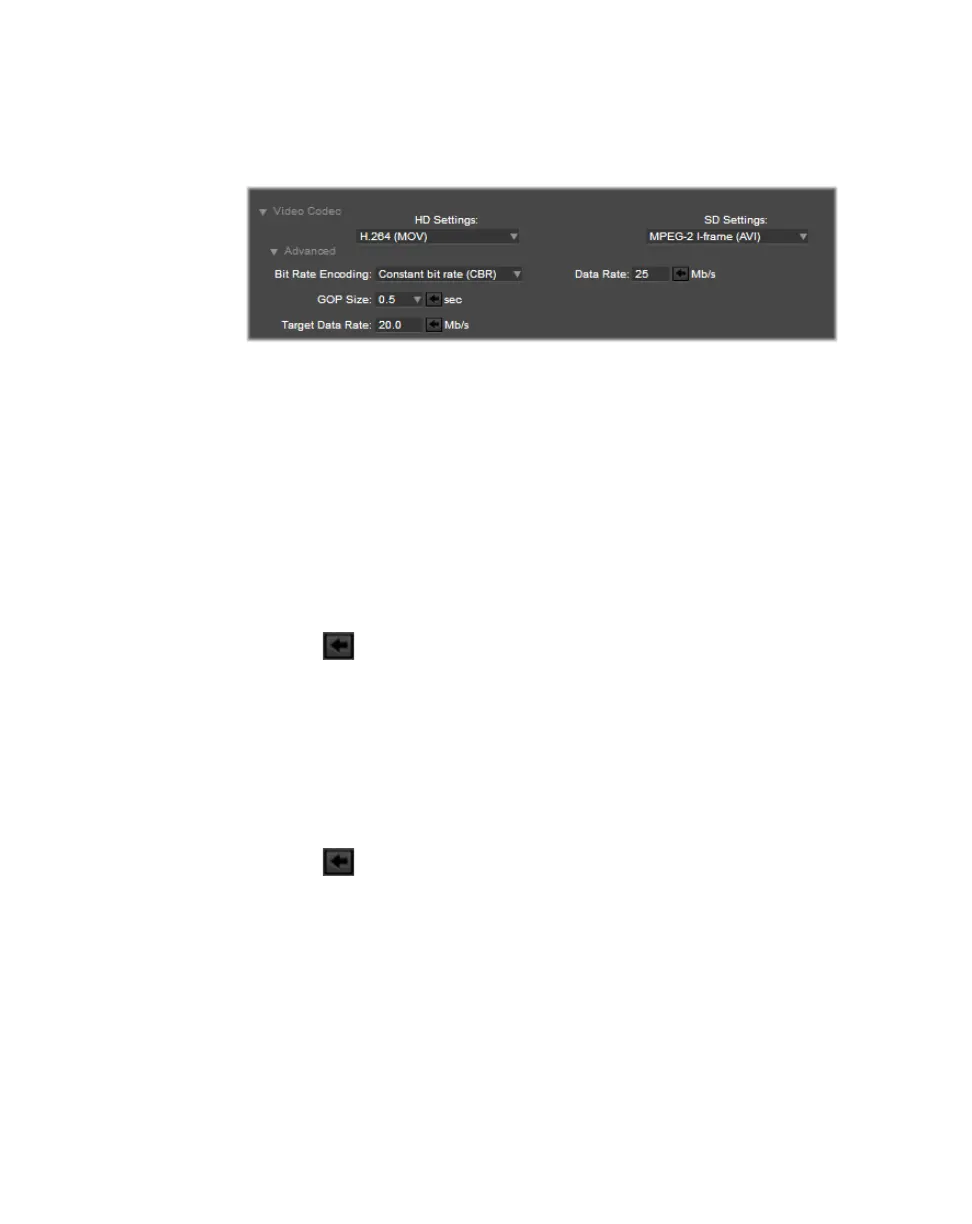
Video Codec, from the HD Settings menu, select the video codec that
will be used for all subsequent HD recordings:
• H.264 (MOV, MP4) Creates either an H.264 .mov or .mp4 file (selectable)
with embedded stereo or mono AAC audio. If this option is selected, you
can:
$ Set the Bit Rate Encoding to either Constant (CBR) or Variable (VBR).
$ Set the GOP Size to a seconds value of 0.5, 1, 2 or 5.
$ Set the Target Data Rate to a value in Mb/s.
$ Set the Max Data Rate to a value in Mb/s
$ Click to set the GOP size, target or max data rate to the default HD
value.
$ Set the AAC Data Rate, in the Audio Codec section, to a value in Kb/s.
•
MPEG-2 I-frame HD (AVI) Creates an MPEG-2 I-frame .avi file with
embedded stereo PCM audio. If this option is selected, specify the
Data
Rate
(in Mb/s) at which the MPEG-2 I-frame codec will record your source
video.
$ You can set the Data Rate to any value between 50 Mb/s and 300 Mb/s.
$ Click to set the data rate to the default HD value.
¦NoteMPEG-2 I-frame .avi files are not supported in Avid editing
applications on Windows systems.
•
DVCPRO HD (MOV) Creates a DVCPRO HD .mov file with embedded
stereo or mono PCM audio. DVCPRO HD does not support 1080p @ 24 fps
input sources for recording. If a 1080p @ 24 fps input source is detected, the
MPEG-2 I-frame codec will be used instead.
SD settings
Under
Video Codec, from the SD Settings menu, select the video codec that
will be used for all subsequent SD recordings:



 To Next Page