85
Selecting your MPEG-2 I-frame settings
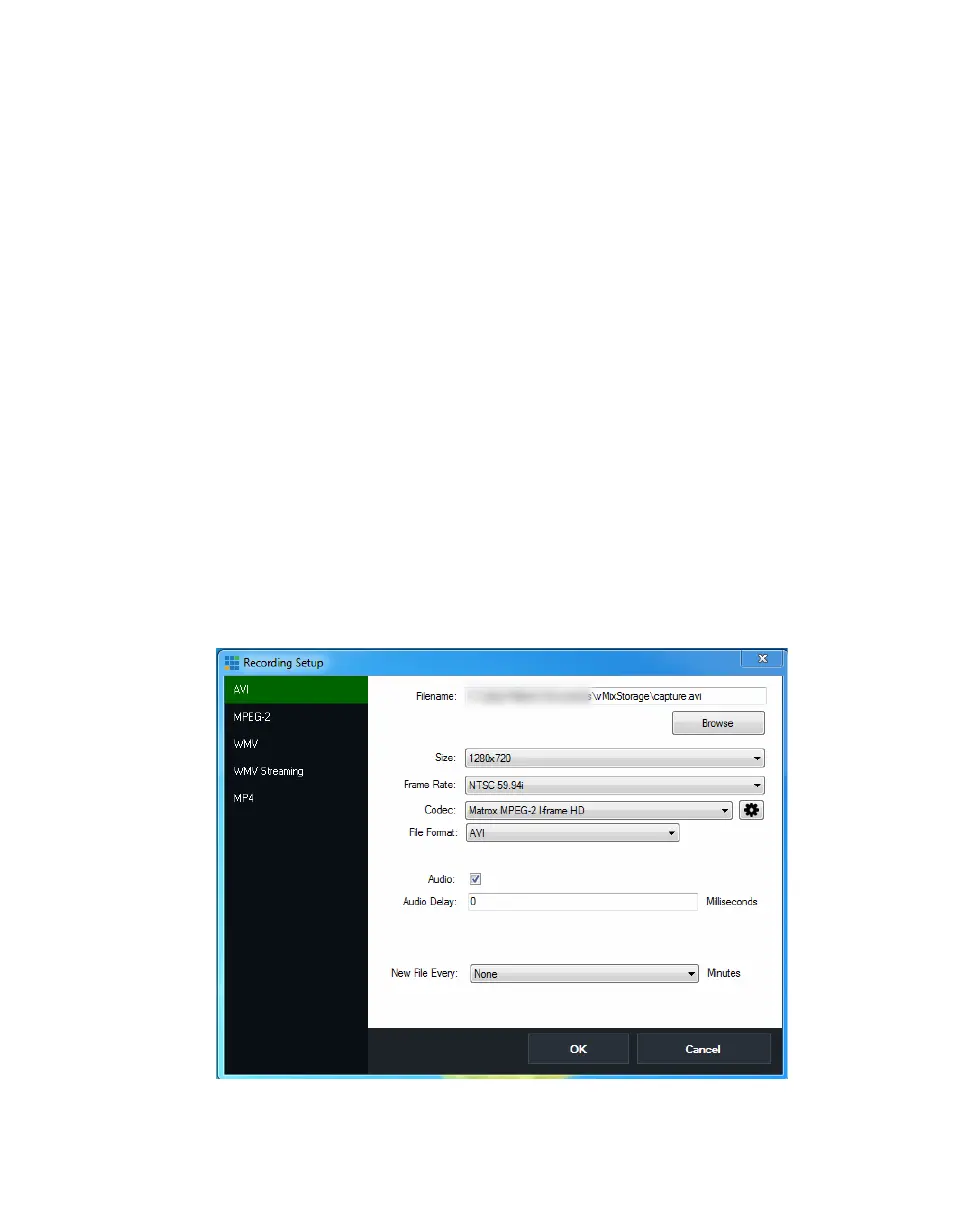
7 From the Codec list, select the codec that you want to use.
Remarks
$ You must select Matrox MPEG-2 I-frame if your video inputs are SD, or
Matrox MPEG-2 I-frame HD if your video inputs are HD.
$ To change the settings of your selected Matrox codec, see “Selecting your
MPEG-2 I-frame settings” on page 85.
8 From the File Format list, select AVI.
9 Select Audio if you want to record the VS4 audio input to your .avi file.
10 Click OK to apply your changes (all other settings can be left at their default
settings).
11 Click the Start button on the Input Bar at the bottom of the main window to
start recording the vMix output.
12 Click the Stop button when you are finished recording.
Selecting your MPEG-2 I-frame settings
When using the Matrox MPEG-2 I-frame or Matrox MPEG-2 I-frame HD codec
to record video, you can specify various settings for the MPEG-2 I-frame
compression as follows:
1 Click the Setup button on the Input Bar at the bottom of the main window.
2 In the Recording Setup dialog box, select AVI on the left.



 To Next Page