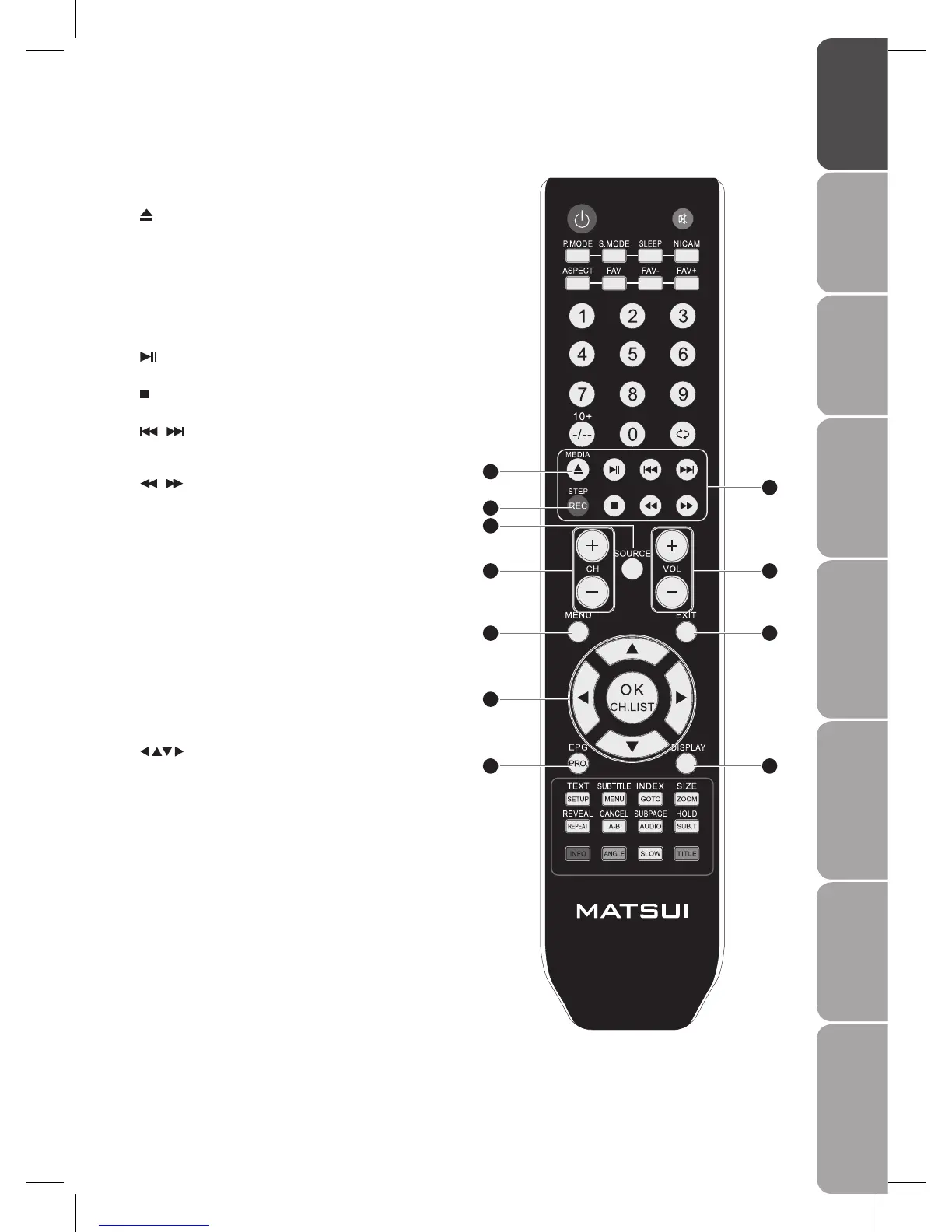
10 MEDIA
Enter the Multimedia Setup Menu.
Press to insert and eject disc. (DVD mode)
11 REC
One button recording function button. Press it to record the
current DTV video.
STEP
Press repeatedly to do frame-by-frame playback in the video
playback. (DVD mode)
12
Press to start playback or pause. (Media / DVD mode)
Press to stop playback. (Media / DVD mode)
/
Press to skip to the beginning of the previous / next chapter
or track. (Media / DVD mode)
/
Use to advance or reverse playback rapidly. (Media / DVD
mode)
13 SOURCE
Select among the different input signal sources:
TV / DTV / SCART1 / SCART2 / AV / S-VIDEO / YPBPR / VGA /
HDMI1 / HDMI2 / DVD
14 CH. +/-
Select a channel.
15 VOL. +/-
Adjust the volume.
16 MENU
Display the OSD (on screen display) menu.
17 EXIT
Exit the OSD (On Screen Display) menu.
18
Allow you to navigate the OSD menus and adjust the
system settings to your preference.
OK
Confirm the selection in the OSD menus.
CH. LIST
Display a list of channels saved in the TV tuner memory.
19 EPG
Display the EPG (Electronic Programme Guide). (DTV mode)
PRO.
Perform title / chapter programmed playback. (DVD mode)
20 DISPLAY
Display the present screen information such as the current
channel and the input source.
10
11
12
14
16
19
18
13
15
17
20



 To Next Page