Customising the TIME Setting
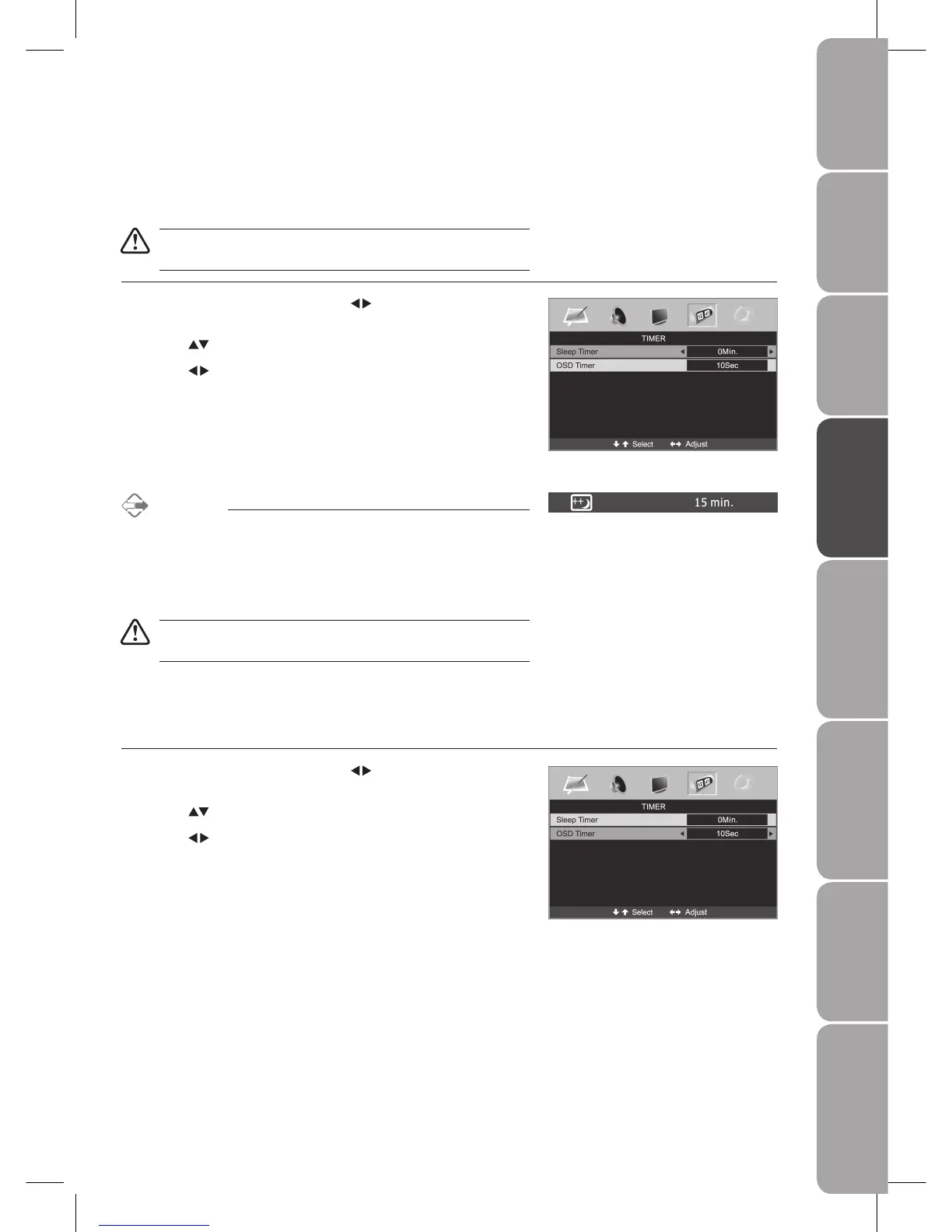
Sleep Timer
The sleep timer automatically switches the TV to standby after the preset time has elapsed.
The clock will be set automatically when receiving a digital signal.
Time must be set before using Sleep Timer / OSD Timer function.
Press the 1. MENU button and then use the buttons to select the TIMER
menu.
Press the 2.
buttons to select Sleep Timer.
Press the 3.
buttons to select a period of time after which the TV
automatically switches to standby mode: 0 / 15 / 30 / 45... / 120 min. The
timer begins to count down from the number of minutes selected.
Press the 4. MENU button to save the setting and return back to the previous
menu.
Press the 5. EXIT button to exit the menu.
Alternative
You may press the 1. SLEEP button repeatedly to select the number of
minutes: 0 / 15 / 30 / 45......120 min directly.
To cancel the sleep time, press the 2. SLEEP button repeatedly until 0
minutes appears.
\
If you turn the TV off after setting the sleep timer, the sleep timer setting
will be erased.
OSD Timer
Allows you to select the display time of the on-screen menu.
Press the 1. MENU button and then use the
buttons to select the TIMER
menu.
Press the 2.
buttons to select OSD Timer.
Press the 3.
buttons to select time: 5 / 10 / 15 / 20 / 25 / 30 sec.
Press the 4. MENU button to save the setting and return back to the previous
menu.
Press the 5. EXIT button to exit the menu.



 To Next Page