44
GB-44
Preparation Connections Initial Setup Using the Features Hints and Tips
and Specification
DVR (Digital Video
Recorder)
Using the Features
via USB port
Using the DVD
Features
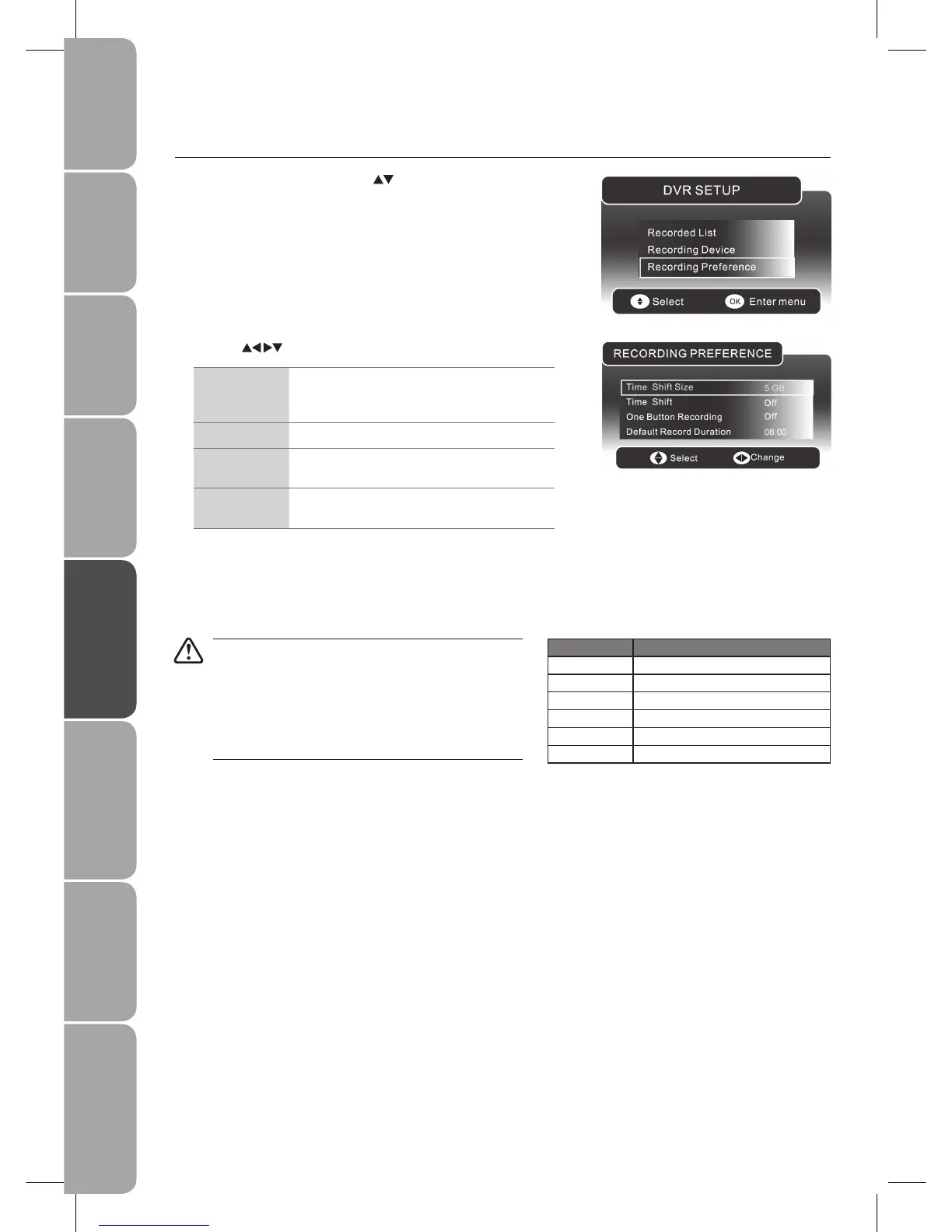
Press the 2. buttons to adjust the settings.
Time Shift Size
The minimum USB’s time shift size is 768MB. The
time shift size will vary depending on the size of
USB storage device.
Time Shift Set the time shift recording Off/ Pause/ Auto.
One Button
Recording
Set the one button recording on /off.
Default Record
Duration
The longest record duration is 8 hours, while the
shortest record duration is 15 minutes.
Press the 3. MENU / MEDIA button to save the settings and return to the
previous menu.
Press the 4. EXIT button to exit the menu.
Recording Preference
In the 1. DVR SETUP menu, press the buttons and the OK button to select
Recording Preference.
Hard disk size Approximate hour can be recorded
40 GB 20 hrs
80 GB 40 hrs
160 GB 80 hrs
320 GB 160 hrs
640 GB 320 hrs
1 TB 500 hrs
• Only DTV programmes can be recorded by DVR. During
recording, you can change to another input source (except
TV mode) without affecting the recording progress.
Copy-protected programmes may not be recorded.•
Recording a programme for an hour would approximately •
take up 2G of storage space, when the DTV video rate is
5Mbps. (For reference only)



 To Next Page