Press the 4. MENU button to save the setting and return back to the previous
menu.
Press the 5. EXIT button to exit the menu.
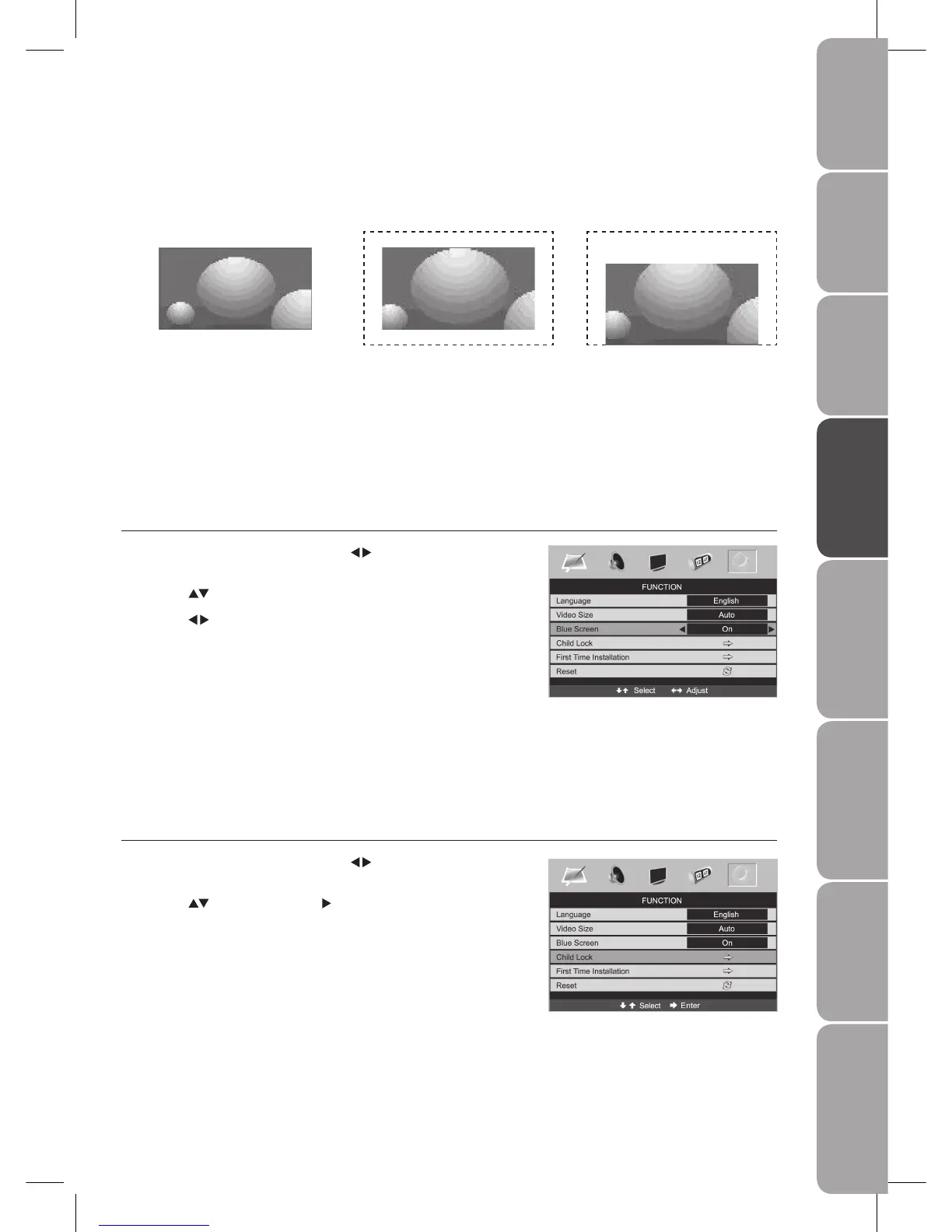
Blue Screen
Allows the blue background to turn On or Off during weak or no signal condition.
Press the 1. MENU button and then use the
buttons to select the
FUNCTION menu.
Press the 2.
buttons to select Blue Screen.
Press the 3.
buttons to turn it On or Off.
Press the 4. MENU button to save the setting and return back to the previous
menu.
Press the 5. EXIT button to exit the menu.
Child Lock
Child Lock is designed to prevent accidental retuning of the TV / losing channels and prevent children watching unsuitable
programmes.
If the Child Lock is set to On, a valid password must be entered when you access the Auto Tuning / Manual Tuning / Program Edit
/ First Time Installation.
Press the 1. MENU button and then use the
buttons to select the
FUNCTION menu.
Press the 2.
buttons and then the to select Child Lock menu.
Full Screen
The following selection will allow you
to view the picture in full screen.
Zoom
The following selection will allow
you to view the picture without any
alteration, while filling the entire
screen. However, the top and bottom
of the picture will be cropped.
Subtitle
The following selection will allow
you to view the picture without any
alternation, while filling the entire
screen with subtitle shown at the
screen bottom.
SUBTITLE



 To Next Page