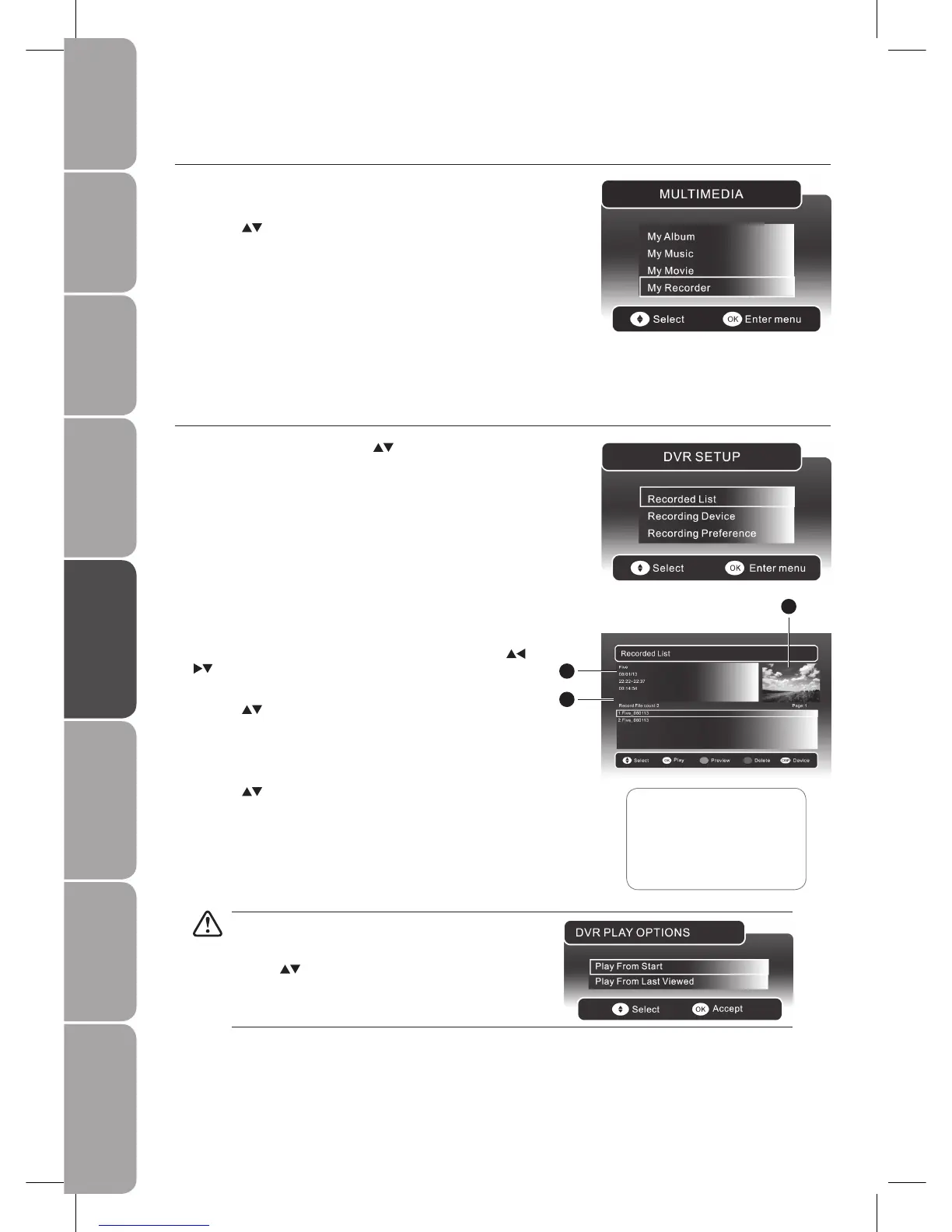
If the selected programme was stopped before it had
finished the last time you viewed it, the “DVR PLAY
OPTION” will pop up.
Press the
buttons to select between Play From Start
/ Play From Last Viewed. Press the OK button to confirm
your selected option.
Recorded List
You can play or delete from the recorded programme list.
In the 1. DVR SETUP menu, press the
buttons and the OK
button to select Recorded List.
My Recorder
Press the 1. SOURCE button and select DTV mode, then press the MEDIA
button.
Press the 2.
buttons and the OK button to select My Recorder to enter the
DVR SETUP menu.
If more than one USB storage devices is connected, press the 2.
DISPLAY button to switch to the device type menu. Press the
buttons to select the active device and press the OK button to
confirm.
Press the 3.
buttons to select the recorded programme you want
to delete.
Press the RED button to delete the recorded programme and press
the OK button to confirm.
Press the 4.
buttons to select the recorded programme you want to
view.
Press the GREEN button to preview the recorded programme then
press the OK button to play the selected programme.
1 Preview window for the
recorded video selected
2 Information of the recorded
video selected
3 Recorded video list
2
3
1



 To Next Page