21
GB-21
PreparationConnectionsInitial SetupUsing the FeaturesDVR (Digital Video
Recorder)
Using the Features
via USB port
Using the DVD
Features
Hints and Tips
and Specification
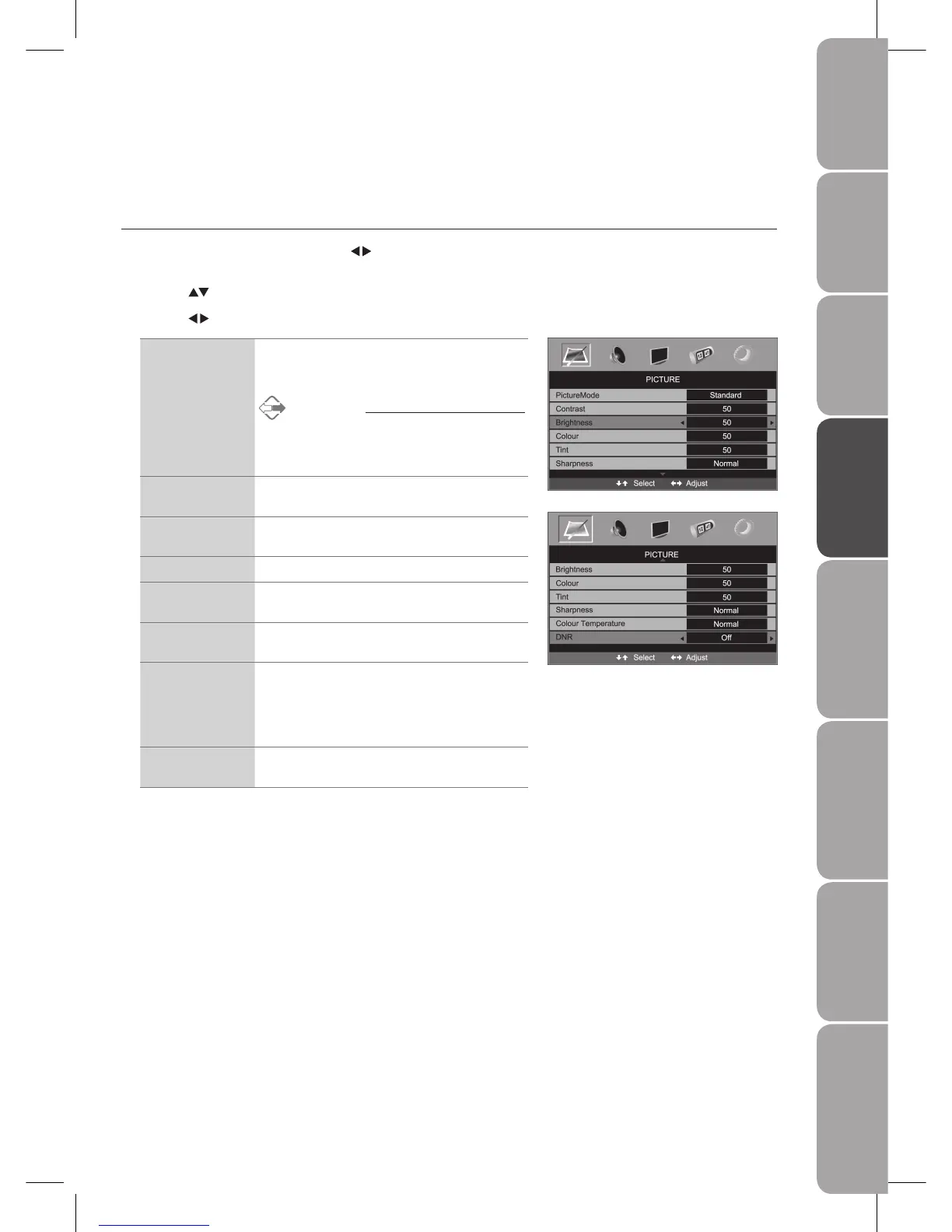
Customising the PICTURE Setting
Picture Mode
Allows you to set your preferred picture mode.
Press the 1. MENU button and then use the
buttons to select the PICTURE
menu.
Press the 2.
buttons to highlight an individual Picture option.
Press the 3.
buttons to change the following settings.
Picture Mode Cycles among display types: Standard / Personal* /
Movie / Sport / Mild / Game
* Personal: Allows to store your preferred settings.
Alternative
You may press the 1. P.MODE button to select
the display type directly.
Press the 2. EXIT button to exit the menu.
Contrast Adjusts the difference between light and dark levels
in the picture.
Brightness Increase or decrease the amount of white in the
picture.
Colour Controls the colour intensity.
Tint (For NTSC
format)
Adjusts the balance between red and green levels.
(Tint is only available for NTSC signal reception.)
Sharpness Adjusts the level of crispness in the edges between
light and dark areas of the picture.
Colour Temperature Adjusts the colour components independently to
achieve a warm or cool effect: Normal / Warm / Cold.
Normal• : Increase natural tint
Warm• : Increases red tint
Cold• : Increases blue tint
DNR (Digital Noise
Reduction)
To reduce the noise level of the connected device:
Off / Low / Mid / High
Press the 4. MENU button to save the settings and return back to the previous
menu.
Press the 5. EXIT button to exit the menu.



 To Next Page