EasyManua.ls Logo

MAXDATA M-BOOK 600 - Page 113

MAXDATA M-BOOK 600
248 pages
Print Icon
To Next Page IconTo Next Page
To Previous Page IconTo Previous Page
Loading...
Upgrading The Computer
Upgrading the System Memory (RAM) 6 - 11
6
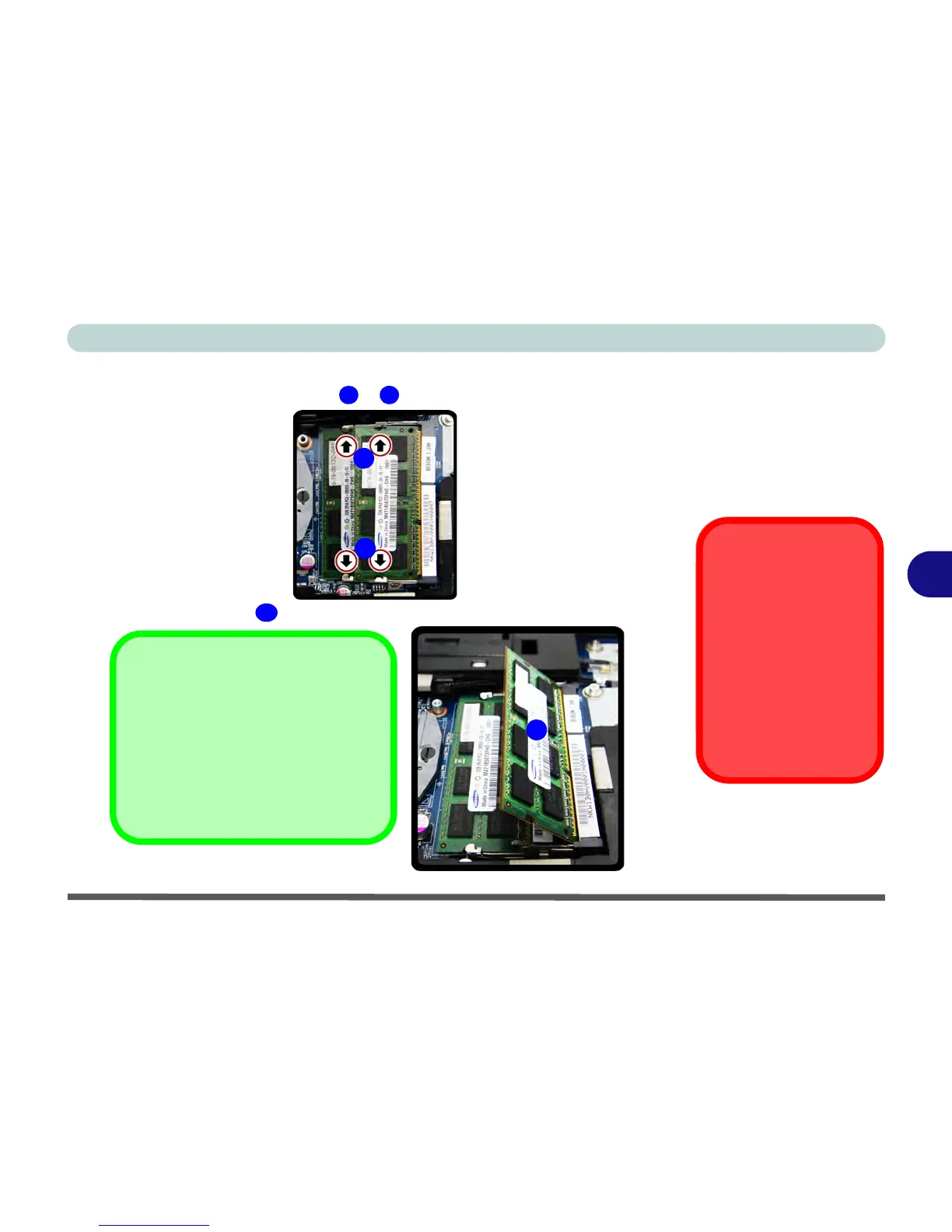
3. Gently pull the two release latches on the sides of the memory socket in the
direction indicated by the arrows ( &
) in Figure 6 - 10.
4. The RAM module will pop-up, and you can remove it.
Figure 6 - 10
RAM Module
Release Latches
Contact Warning
Be careful not to touch
the metal pins on the
module’s connecting
edge. Even the clean-
est hands have oils
which can attract parti-
cles, and degrade the
module’s perfor-
mance.
Figure 6 - 11
RAM Module
Removal
2
3
2
3
4
4
Single Memory Module
Installation
If your computer has a single memory
module, then insert the module into the
Channel 0 (JDIMM1) socket. In this
case this is the lower memory socket
(the socket closest to the mainboard).

Table of Contents

Other manuals for MAXDATA M-BOOK 600

Related product manuals