EasyManua.ls Logo

MAXDATA M-BOOK 600 - System Map: Right & Rear Views

MAXDATA M-BOOK 600
248 pages
Print Icon
To Next Page IconTo Next Page
To Previous Page IconTo Previous Page
Loading...
1 - 12 System Map: Right & Rear Views
Quick Start Guide
1
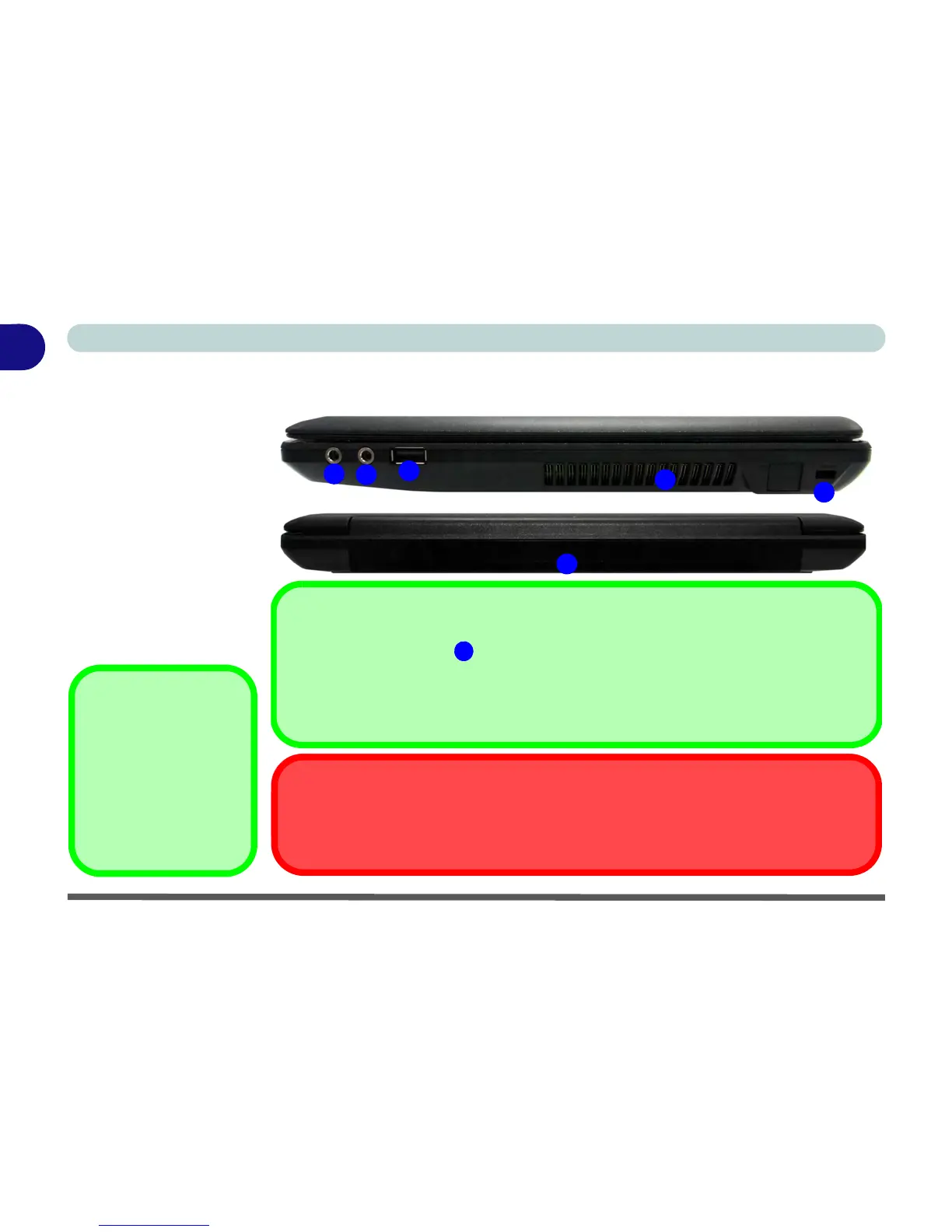
System Map: Right & Rear Views
Figure 1 - 6
Right & Rear Views
1. Microphone-In
Jack
2. Headphone-Out
Jack
3. 1 * Powered USB
2.0 Port
4. Fan Intake/Vent
5. Security Lock Slot
6. Battery
Optical Device
Drives
To install applications
and drivers etc. you will
need to attach an exter-
nal optical CD/DVD de-
vice to the USB ports.
1
2
3
4
5
6
Overheating
To prevent your computer from overheating make sure nothing blocks the Vent/Fan Intake
while the computer is in use.
Powered USB 2.0 Port
The powered USB 2.0 port can supply power when the system is off but still powered by the
AC/DC adapter plugged into a working outlet, or powered by the battery with a capacity level
above 20% (this may not work with certain devices - see page 8 - 11). Toggle power to this
port by using Fn + power button. Power to this port may be enabled/disabled in the BIOS
(see“USB Ports/Card Reader Power (Advanced Menu)” on page 5 - 9).

3

Table of Contents

Other manuals for MAXDATA M-BOOK 600

Related product manuals