EasyManua.ls Logo

MAXDATA M-BOOK 600 - Page 122

MAXDATA M-BOOK 600
248 pages
Print Icon
To Next Page IconTo Next Page
To Previous Page IconTo Previous Page
Loading...
Modules & Options
7 - 8 PC Camera Module
7
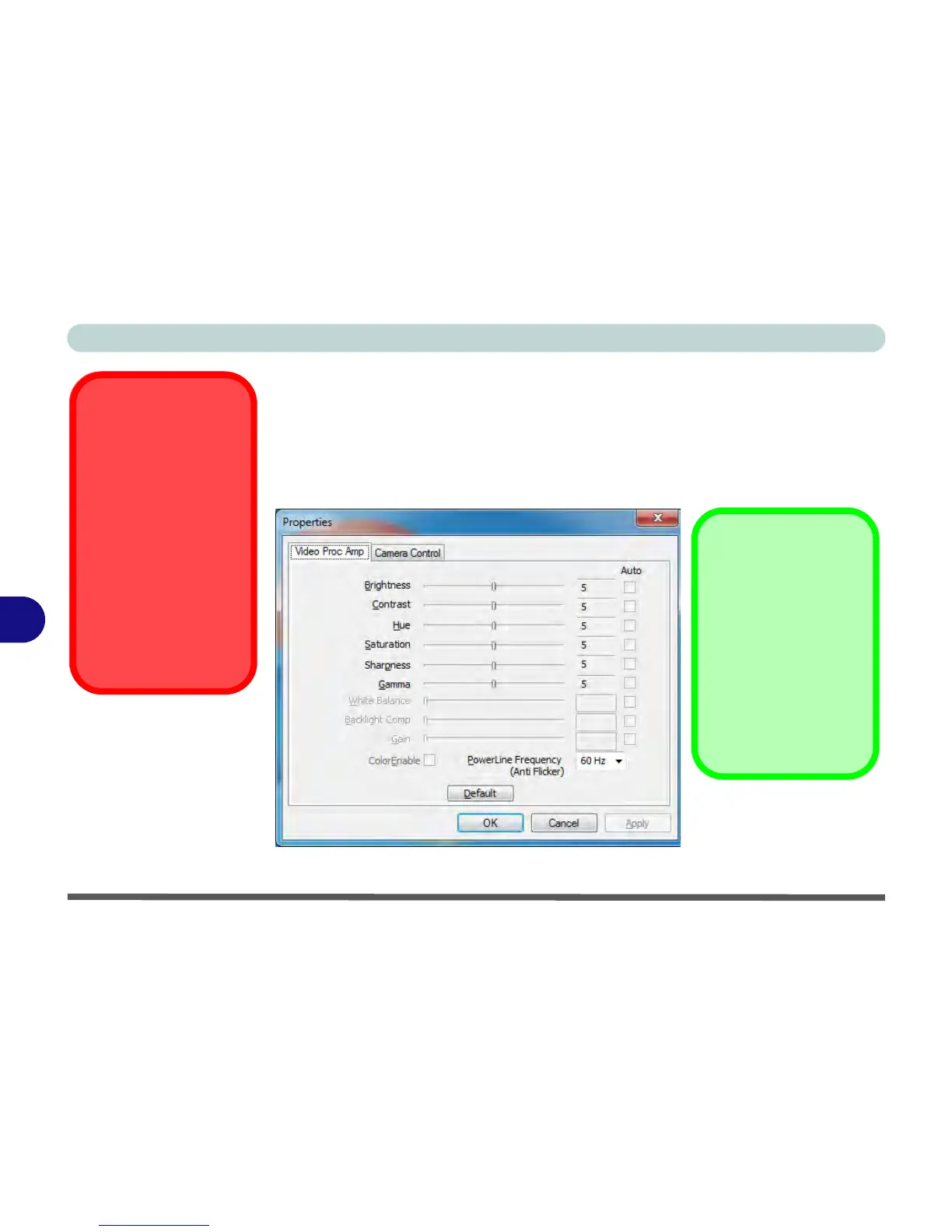
Eliminating Screen Flicker
If you find that the video screen in the camera program is flickering, you can try to
adjust the setting in the Video Capture Filter options.
1. Run the camera application from the desktop shortcut.
2. Go to Options and scroll down to select Video Capture Filter....
3. Click either 50Hz or 60Hz under PowerLine Frequency.

Latest PC Camera
Driver Information
Check the Device Driv-
ers & Utilities + User’s
Manual disc, and any
accompanying insert
pages, for the latest up-
dated information on the
PC Camera driver,
which may override the
information provided
here, including the fig-
ures pictured.
Figure 7 - 2
Video Capture Filter
Camera Options
The video capture filter
figure pictured here may
appear slightly different
for some camera mod-
ules. To adjust the anti
flicker properties look un-
der the headings
Anti
Flicker/Frequency/Pow-
erLine Frequency
.

Table of Contents

Other manuals for MAXDATA M-BOOK 600

Related product manuals