Modules & Options
3.75G/HSPA Module 7 - 41
7
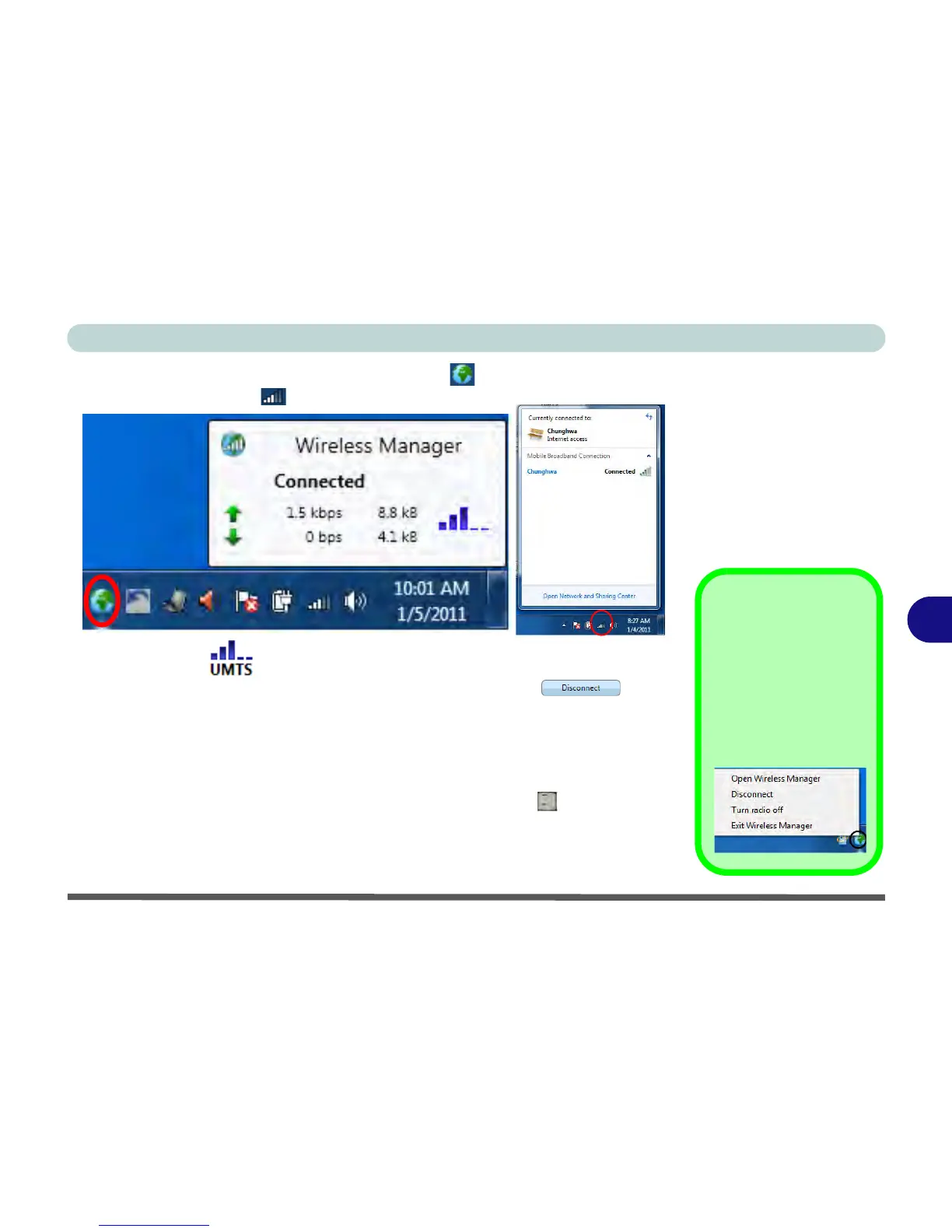
8. Click the Wireless Manager notification area icon to view the connection
status, or wireless icon to view the Mobile Broadband Connection status
.
9. The indicator will display the signal strength and radio access
technology.
10. To disconnect from the service provider, click the Disconnect button
(note that if you click the close icon at the top right of the screen the application will
minimize to the system tray, however the application will still be running; to exit the
application right-click the notification area icon and click Disconnect or Exit
Wireless Manager).
11. The program will disconnect from the service provider.
12. The module will still be on, and you will need to press the Fn +
key combination
to turn it off.
13. If you are unsuccessful in connecting this way you may need to add a profile with
information provided by your service provider (see the following pages).



 To Next Page