Modules & Options
Trusted Platform Module 7 - 77
7
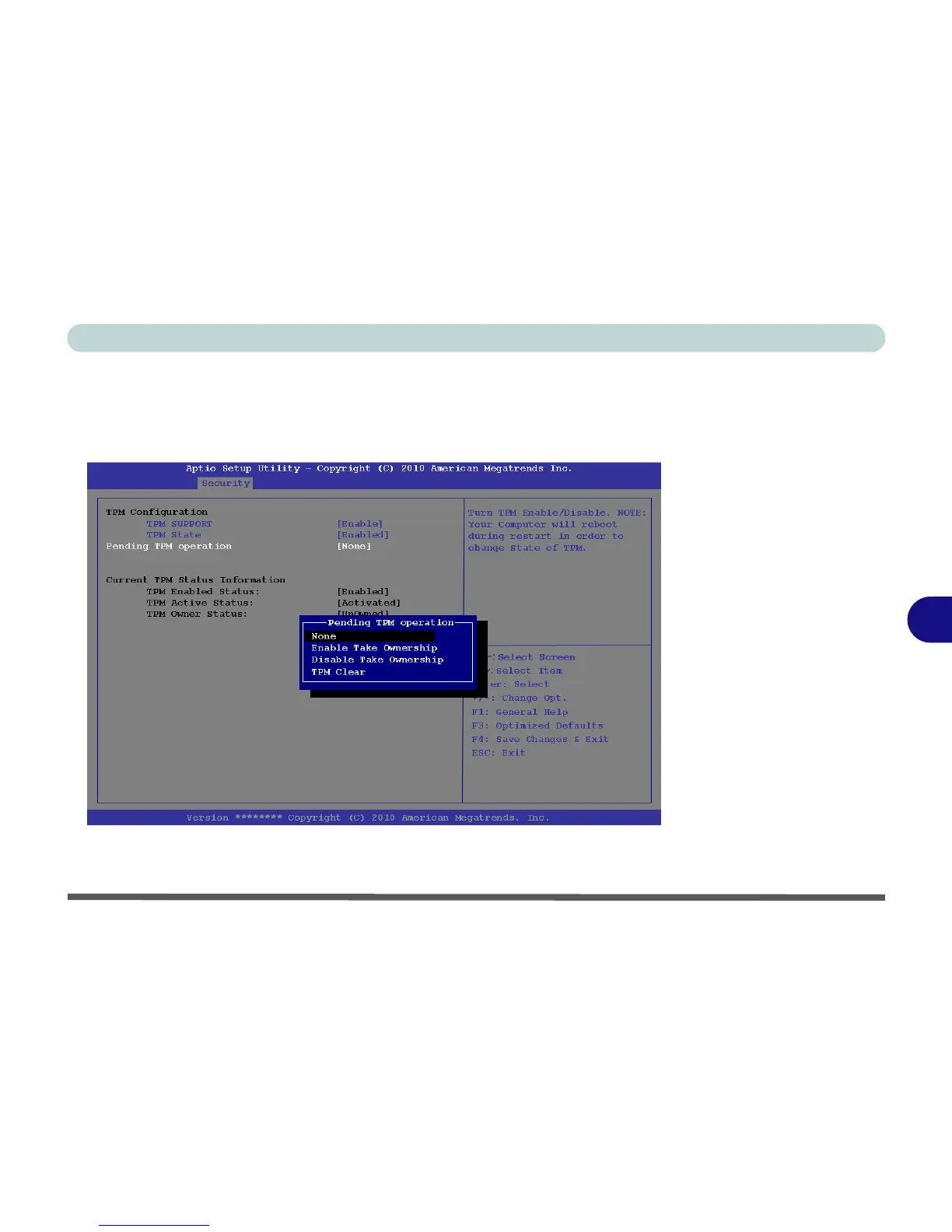
8. Select Pending TPM operation, press Enter and select the option you require (if
you are initializing TPM you should select Enable Take Ownership) and press
Enter. You will then need to press F4 to save the changes and restart the
computer.
9. You can now install the TPM driver (see “Trusted Platform Module (TPM)
Driver Installation” on page 7 - 78) and then initialize the TPM.



 To Next Page