5
–
54
Interior Features
Audio System
Icon Function
Goes to the next station.
Touch and hold to go to the top station in the next ensemble.
Displays the DAB radio setting screen.
Displays sound settings to adjust audio quality level.
Refer to Volume/Display/Sound Controls on page 5-46 .
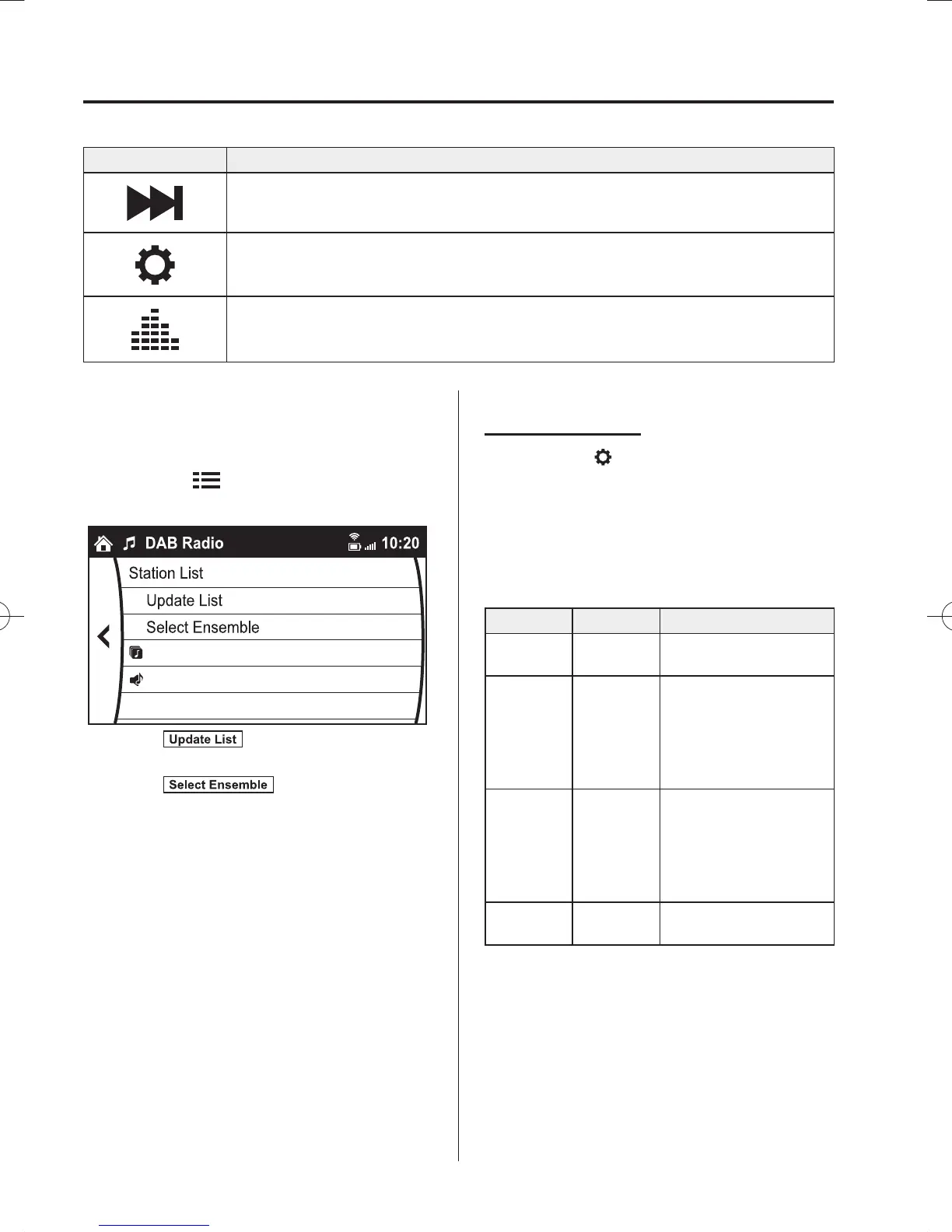
Example of use (Update station list and
listen to DAB radio)
1. Select the
icon and display the
following screen.
Ensemble Name A
Station Name 1
Station Name 2
2. Select
to update the station
list.
3. Select
to select the
ensemble you want to display.
4. Select a desired station to start radio
reception.
DAB radio setting
1. Select the
icon while using DAB
radio.
2. Select the desired item and perform the
setting.
The items which can be set are as
follows:
Item Setting Function
BAND
Settings
Band III/L
Band/Both
Frequency band can be
changed.
DAB-FM
Link
On/Off
On: If the reception
condition is bad, an
FM station which is
providing the same
broadcast is searched
and switched to.
DAB-DAB
Link
On/Off
On: If the reception
condition is bad, a
DAB station which
is providing the same
broadcast is searched
and switched to.
Radio Text On/Off
On: Radio text is
displayed.
/C\FCA(-''(A'FKVKQPKPFD/C\FCA(-''(A'FKVKQPKPFD



 To Next Page